Operating Instructions RF-2000
18
• Do not apply excessive back pressure to the outlet side of the cell.
• In order to prevent clogging in the flow line, thoroughly clean the flow line before
stop delivery of solvent when the analysis is finished. Especially, when the buffer
solution is used, salts may be crystallized inside flowline. Be sure to clean the flow
line.
• When delivery of the solvent is stopped temporarily, put the tip of the flow line
outlet in the waste liquid in the bottle to prevent clogging of the flow line. This is to
keep inside the flowline being wet.
Important:
When a mobile phase with high insulation, such as hexane,
is used, it is dangerous since static electricity is changed
at the waste liquid bottle. Use a metal liquid bottle for
waste and ground the bottle.
(Refer to section "1.6 Precautions on Static Electricity")
4.4 Connecting the Recorder and the Integrator
4.4.1 Connecting with a Recorder
Connect the RECORDER terminal of this instrument and the recorder using the
provided signal cable.
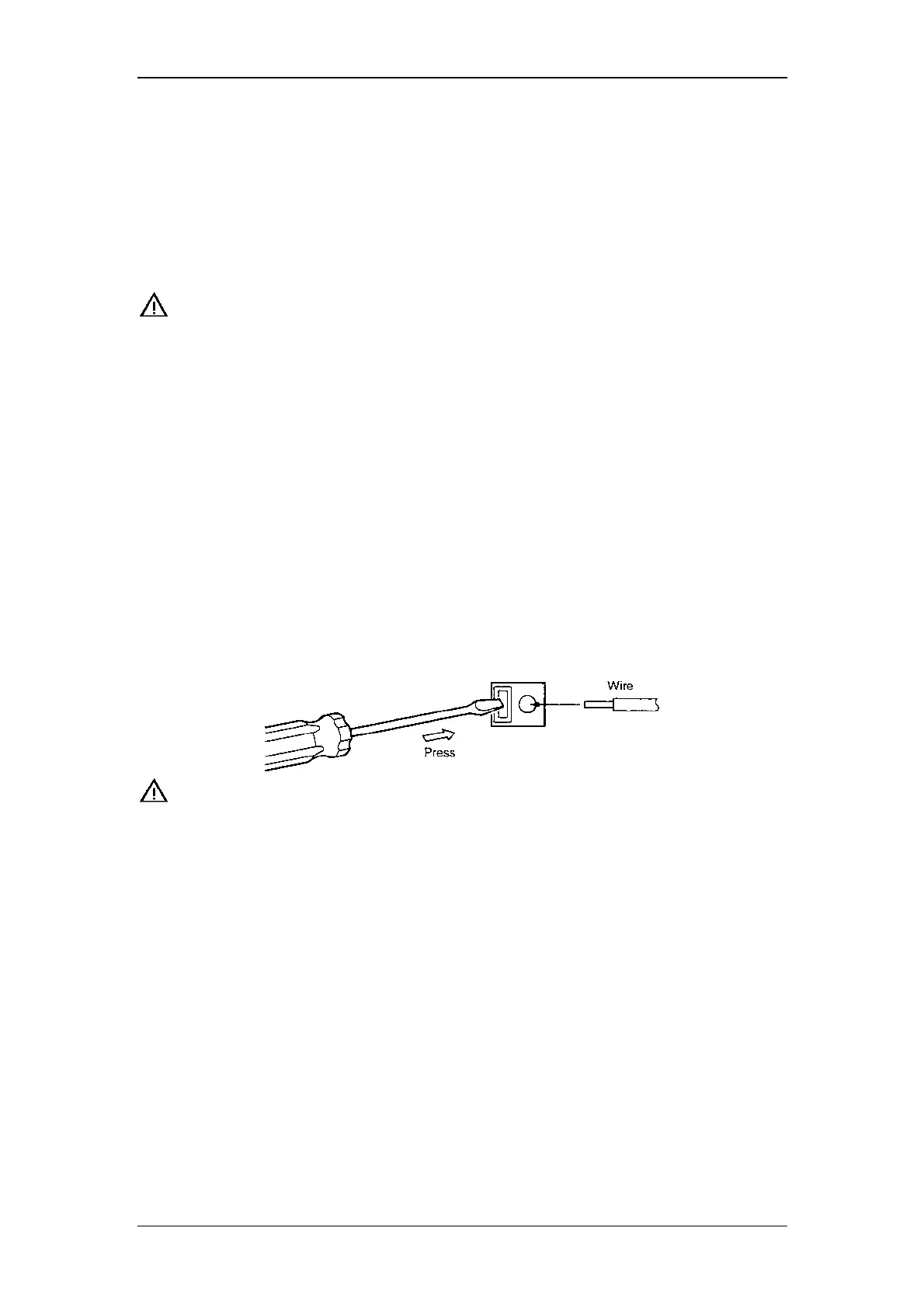
When using a stranded wire, twist the end tightly, or tin it with solder. Using a small
screwdriver or other tool, depress the rectangular button adjacent to the appropriate
terminal hole. Insert the wire and release the button to clamp the wire in position, as
shown in the figure below.
Important:
Be sure to turn the power of the main unit OFF before
connecting the signal cable.
4.4.2 Connecting with an Integrator
Connect the integrator to the INTEGRATOR terminals in the external input/output
terminals at the rear of the RF-2000. Connect the cable supplied with the integrator.
Connect each terminal of the signal cable to the terminal block supplied with the
integrator.



 To Next Page