Operating Instructions RF-2000
33
5.3 Operating Procedure in Spectrum Scanning Mode
To seek the optimum excitation wavelength and emission wavelength, this unit is
equipped with a spectrum scan function which can store two sample spectra and one
background spectrum.
This unit can output the spectrum of the excitation light.
• To measure the excitation spectrum or the emission spectrum of the sample, set
the "RATIO" parameter of the "Additional functions" to "1".
• To measure the spectrum of the excitation light, set the "RATIO" parameter to "2"
and the "SPCTYPE" parameter to "1" (refer to "5.5 Additional functions")
5.3.1 Flow line in spectrum scanning
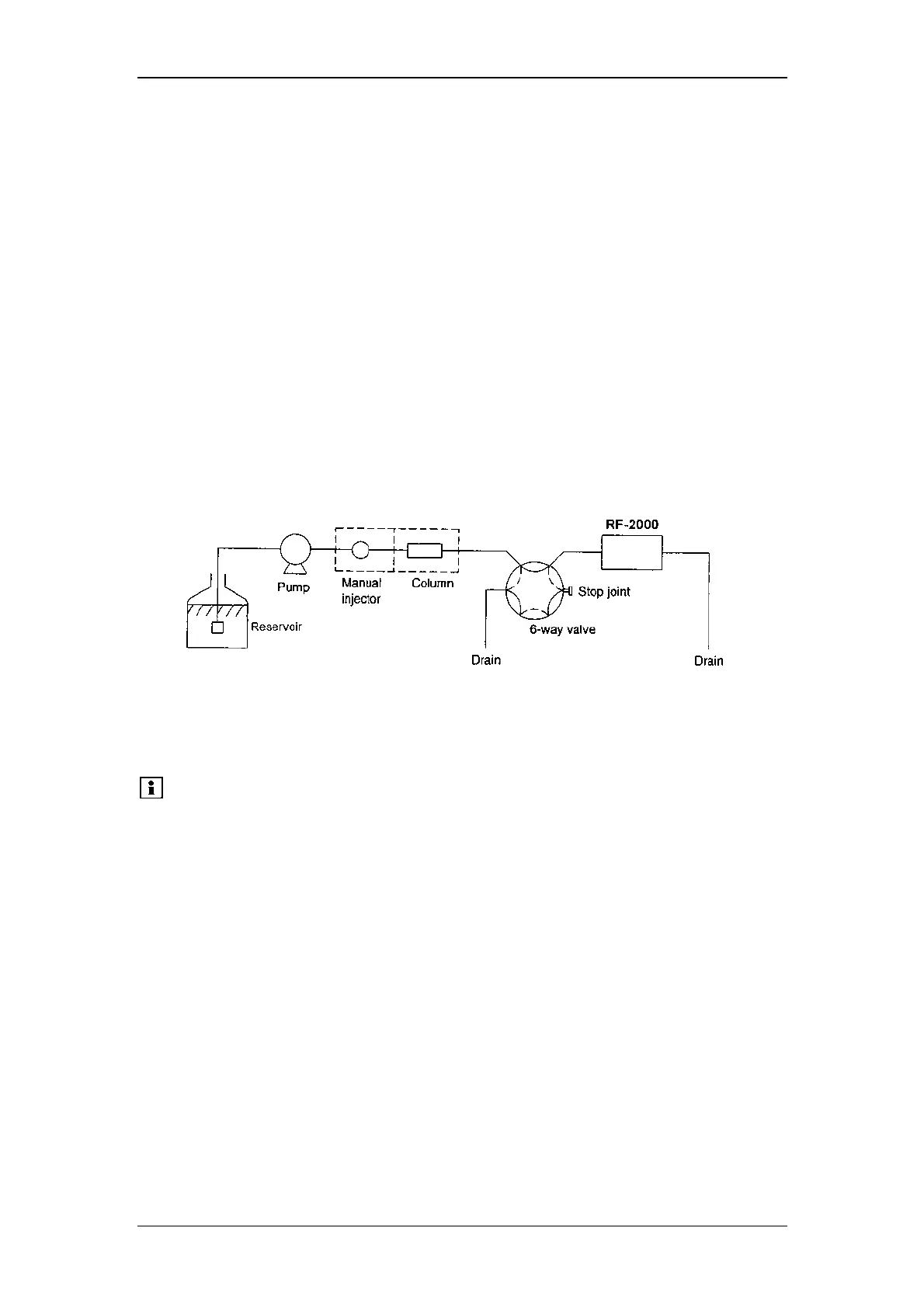
Liquid in the cell should not be moved while scanning. It is necessary to switch the
flow line by the high-pressure 6-way valve as shown in the figure below:
The 6-way valve is usually set for the flow line indicated by the solid lines and is
switched for the flow line indicated by the broken lines before starting scanning.
As an easier method to stop the flow, the pump may be stopped at the rising of peak.
However, it is necessary to take into consideration that the flow cannot stop
immediately when the pump is stopped.
Please note:
Do not open the drain valve to stop the flow. The life of the
column may be shortened by pressure shock.



 To Next Page