Operating Instructions RF-2000
57
Wiring
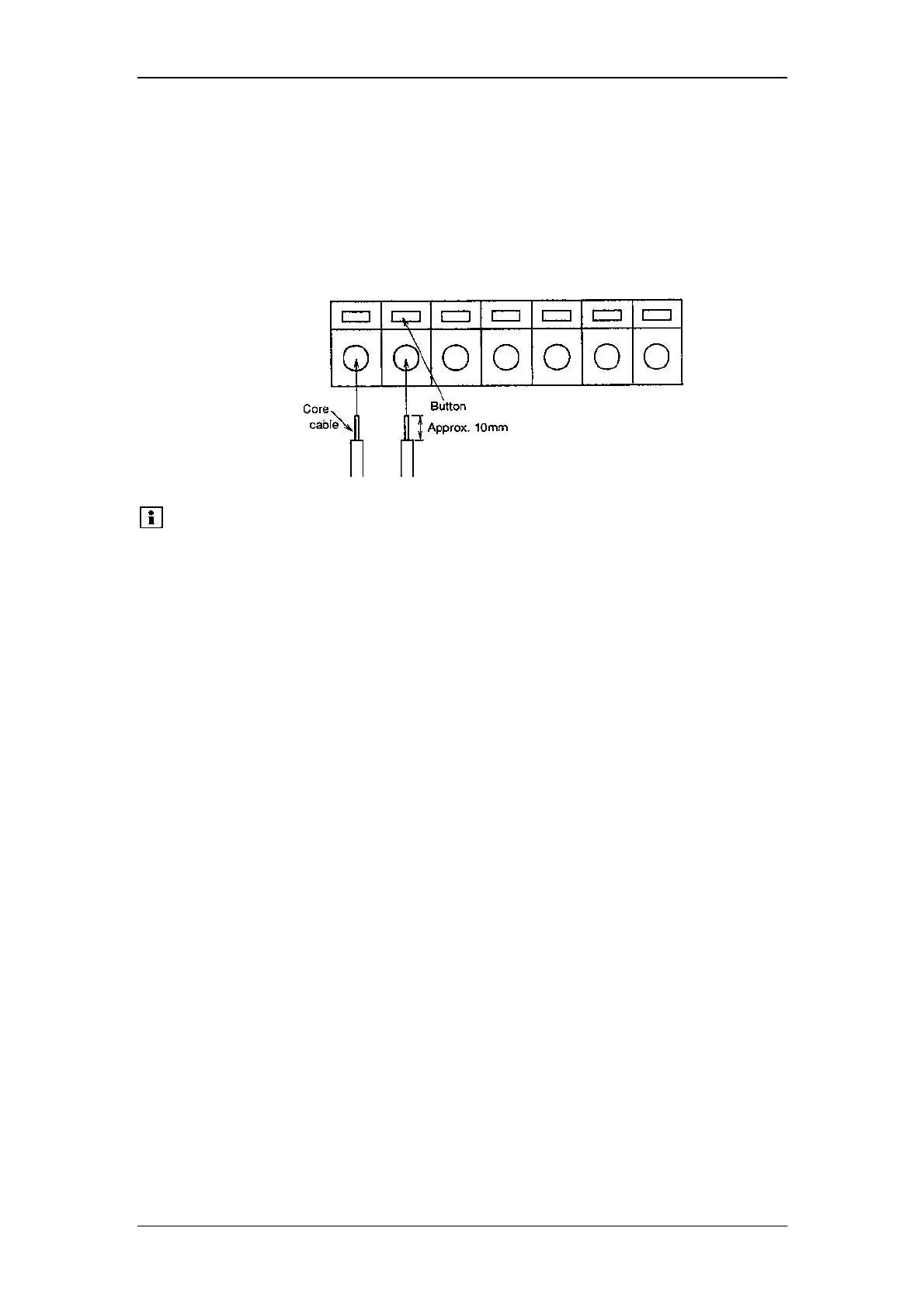
(1) Strip the sheath of the connecting cable for approx. 10mm in length at the
end.
(2) If the core wire is solid, just insert it into the hole of a terminal while pressing
the button above the hole using a small screwdriver or similar tool.
If it is stranded, twist the end well, then insert it into the hole while pressing
the button above the hole using a small screwdriver or similar tool. To
disconnect the cable, also press the button and pull out the cable.
Please note: A signal cable is provided with the RF-2000 as a standard
accessory. In case two or more circuits or terminals shall be
used, prepare cable separately.
To protect the cable from breaking of wire, it is recommended
to use stranded cables.
Cables having a core wire of diameter within the range shown
below may be used.
Solid wire: Ø 0.4-1.0 (AWG 26-18)
Stranded wire: Ø 0.3mm
2
to 0.75mm
2
(AWG 22-20)
Element wire diameter: Ø 0.18 at the minimum



 To Next Page