Chapter 1
4
Watching TV Now
Where to Find Informat
ion on Your Account
If you want to know about charges to your DI
SH Network account or if you would like to
make changes to your programming packages, be sure to have your ac
count information
handy and choose one of the following:
• Go to the website at dishnetwork.com
• Press MENU on your remote control to open the Main Menu and the
n select
Customer Service.
•
Call DISH Network at 1-800-333-DISH (3474).
Note: Additional authorization may be required
before high definition programming and/or
off-air digital broadcasts can be viewed; additional fees may a
pply.
W
ATCHING
TV N
OW
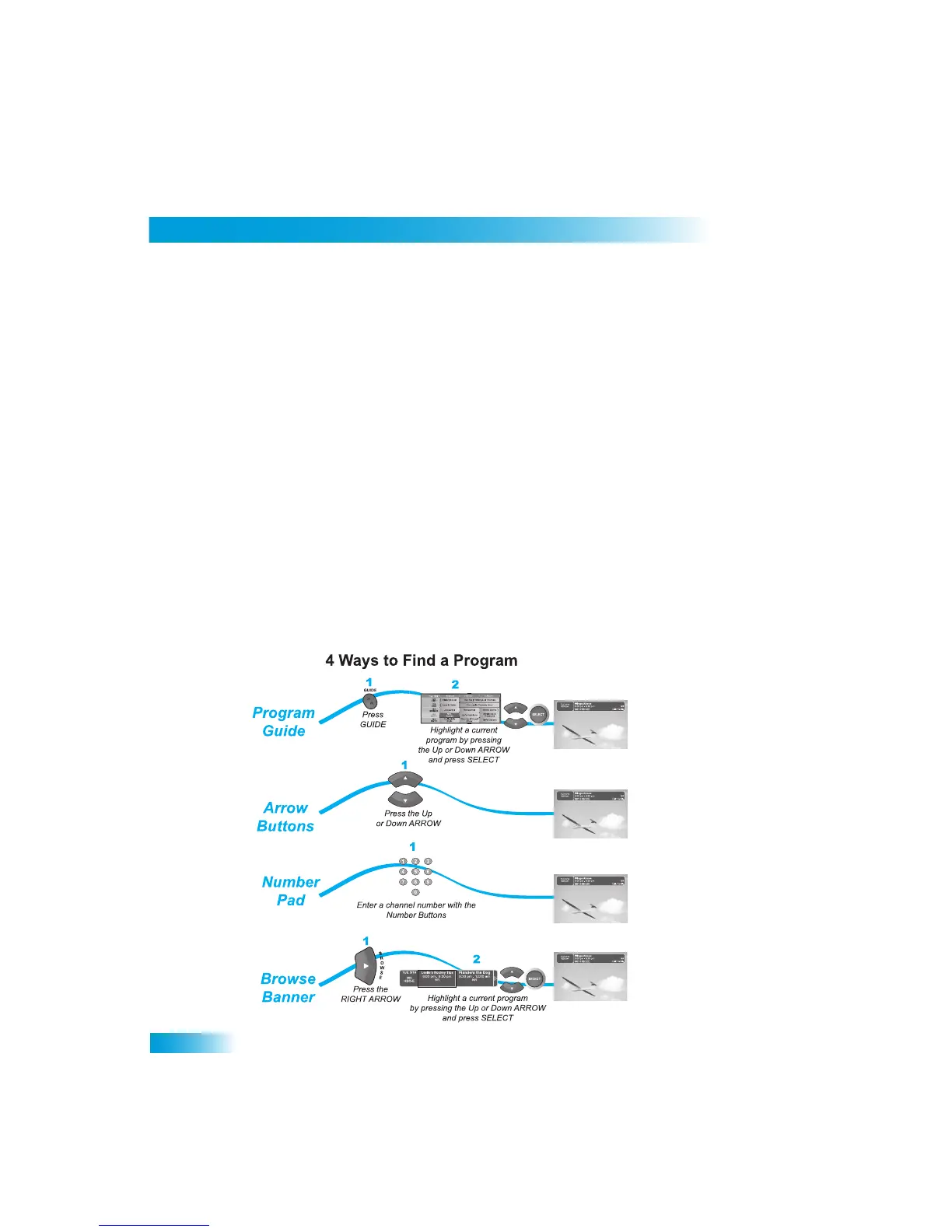
This tour shows you the simplest ways to
change channels on your receiver. When you
are done with this tour, you will
be able to use your remote co
ntrol to change channels four
different ways. If you want to know more about watching TV, see
Chapter 3 - Finding
Programs to Watch
starting on page 17.
You’re already itching to use your remote cont
rol, so pick it up now and find something to
watch.



 To Next Page