Chapter 10
60
Using Caller ID
USING
C
ALLER
ID
Caller ID displays on your TV the names of
people and/or telephone numbers as they call
you if you subscribe to
Caller ID from your local phone comp
any. To use this feature, make
sure you have a phone line connected to the
receiver and that the Caller ID feature is
enabled.
Caller ID Screens
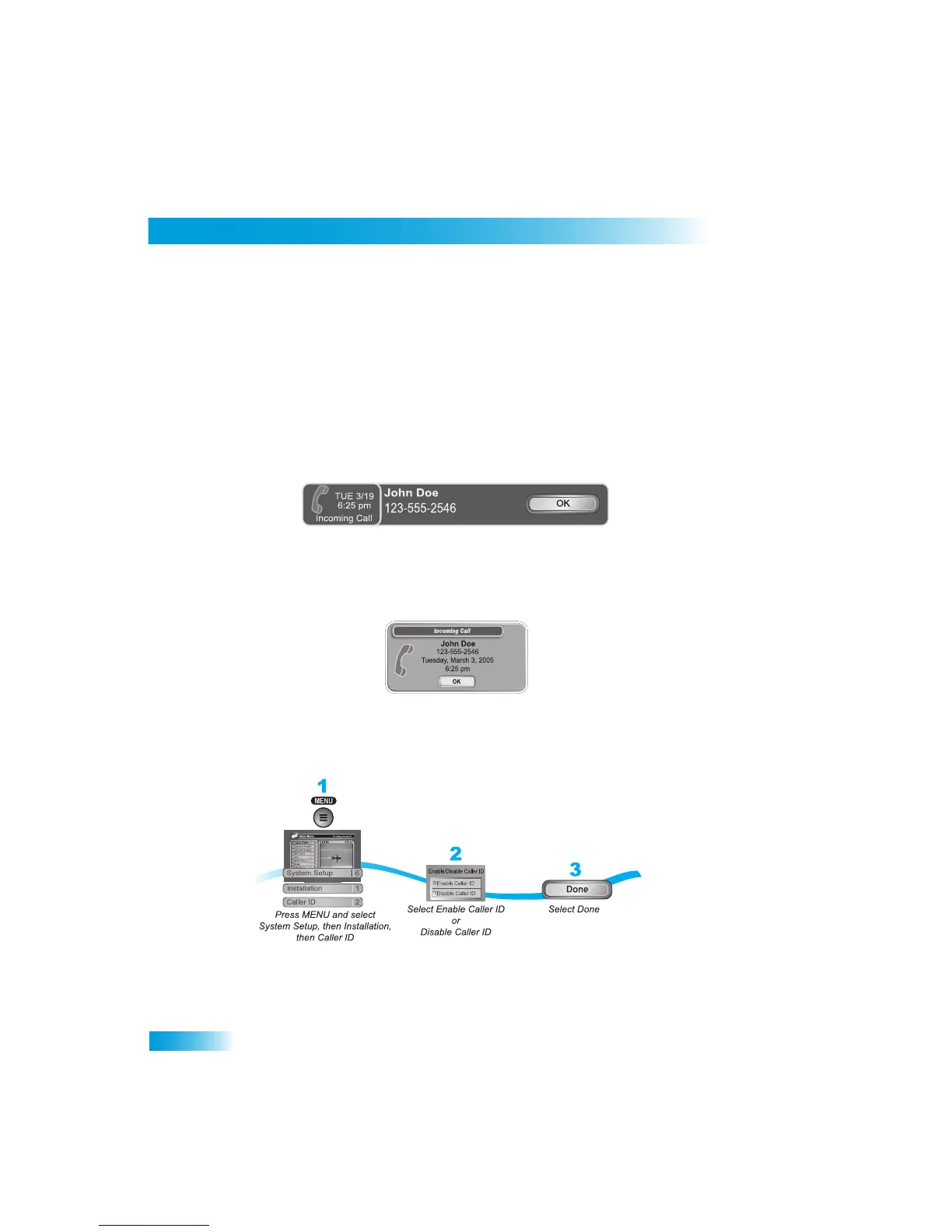
When you receive a call, you will
see a Caller ID
popup screen.
You can select OK to elimin
ate the message. If you do nothing, it will disappear after 20
seconds.
If you are using a menu when a call comes in
, you will see a different Caller ID popup
screen.
Setting Up Caller ID Display
Use these instructions to enable or disable Caller ID.



 To Next Page