Chapter 9
48
Changing the Address
CHANGING
THE
A
DDRESS
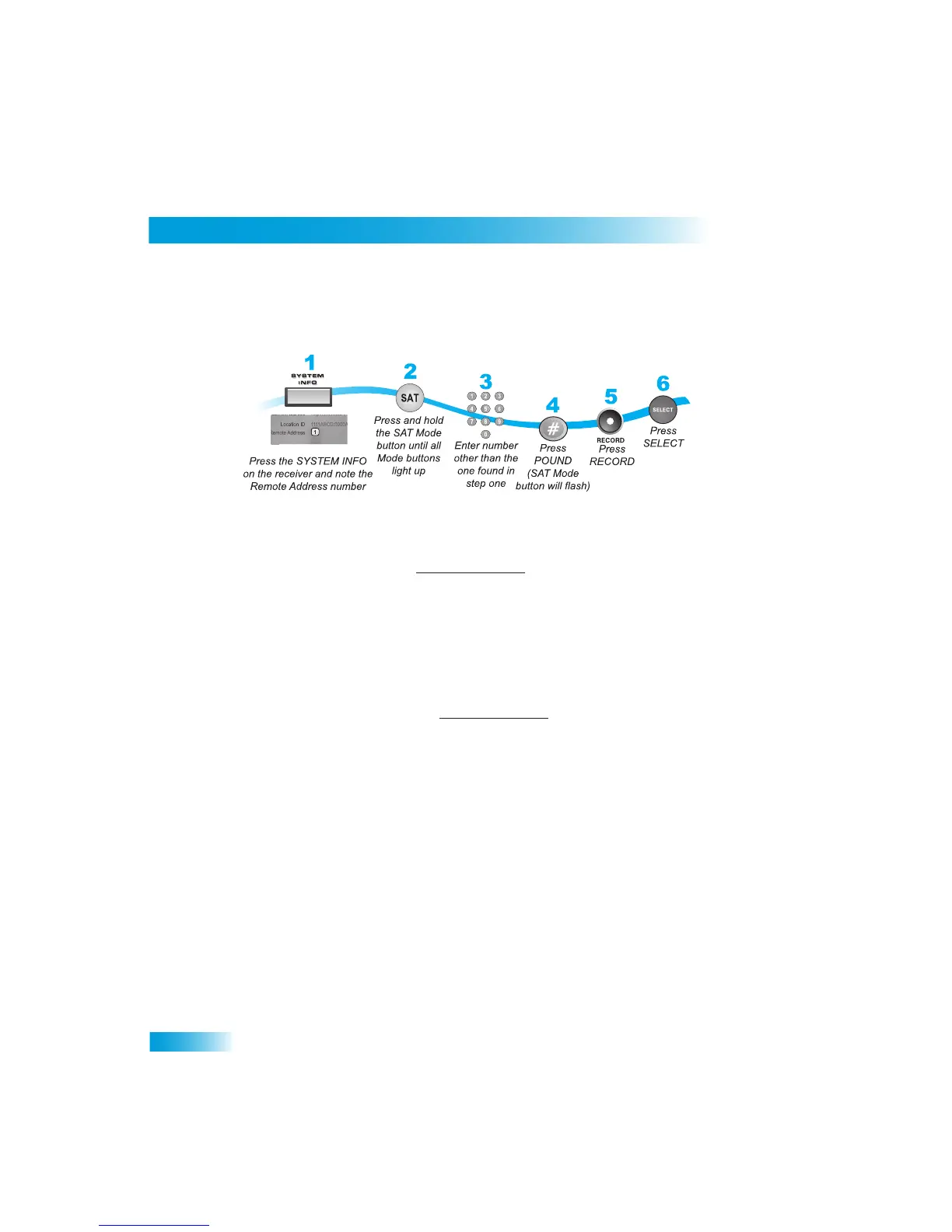
Use the following procedures to change the remote control address.
1
Press SYSTEM INFO on the re
ceiver's front panel. The
System Information screen
displays and shows the Remote Address.
Write down the address shown:
2
Press and hold SAT on your remote control for about three second
s, until all of the mode
buttons light up, and then let go of SAT.
3
Use the NUMBER PAD to enter any number be
tween 1 and 16, but not the one you wrote
in step 1.
4
Press POUND (#). If you entered the addr
ess correctly, SAT will flash three times.
Write down the number you entered:
5
Press RECORD. Make sure the Remote Address you see on the System
Information
screen is the same as the one you entered in step 3. If it isn't, the r
emote cannot control
the receiver.
6
Press SELECT to close the System Information screen.



 To Next Page