Locks
37
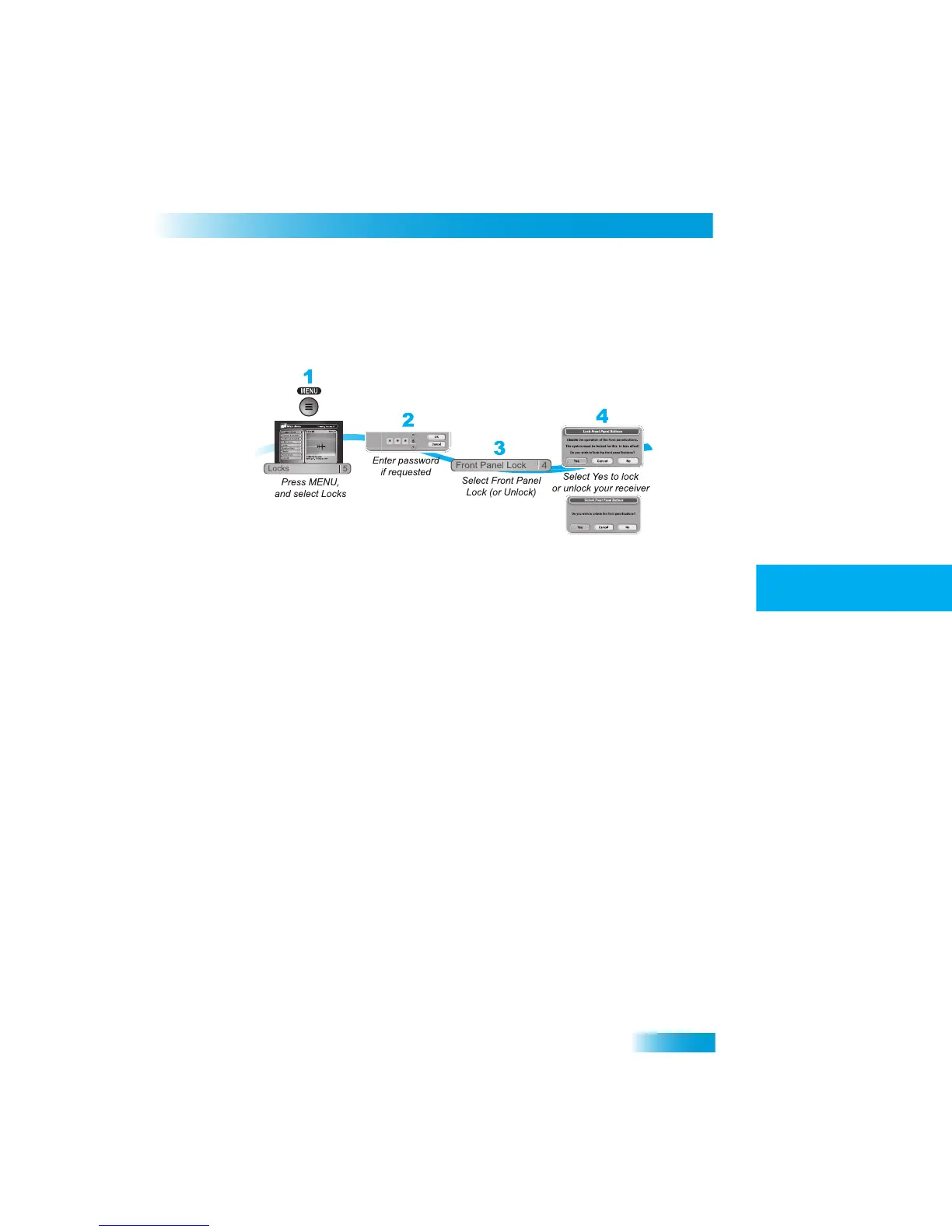
Locking or Unlocking the Front Panel
1
2
3
4
5
6
7
8
9
10
11
R
1
2
3
4
5
7
8
9
10
R
11
LOCKING
OR
U
NLOCKING
THE
FRONT
P
ANEL
This lock keeps anyone from using the front panel buttons unless the
y enter the correct
password, but it does not lock the remote control buttons.
1
Press MENU and select Locks (5).
2
If the receiver is locked, enter the passwor
d using the NUMBER PAD. The receiver dis-
plays stars (*) as you enter the digits of the password. Select OK.
3
Select Front Panel Lock to lock or unlock the front panel.
4
Select Yes. To activate the Front Panel Lock
, you must lock the receiver. Make sure the
receiver is locked as described on page 33.



 To Next Page