Locks
35
Creating or Changing Channel Locks
1
2
3
4
5
6
7
8
9
10
11
R
1
2
3
4
5
7
8
9
10
R
11
CREATING
OR
C
HANGING
C
HANNEL
LOCKS
You can lock any channel, including Pay-Per-View and off-air chan
nels. This type of lock
keeps anyone from viewing these channels unless they enter the correc
t password.
1
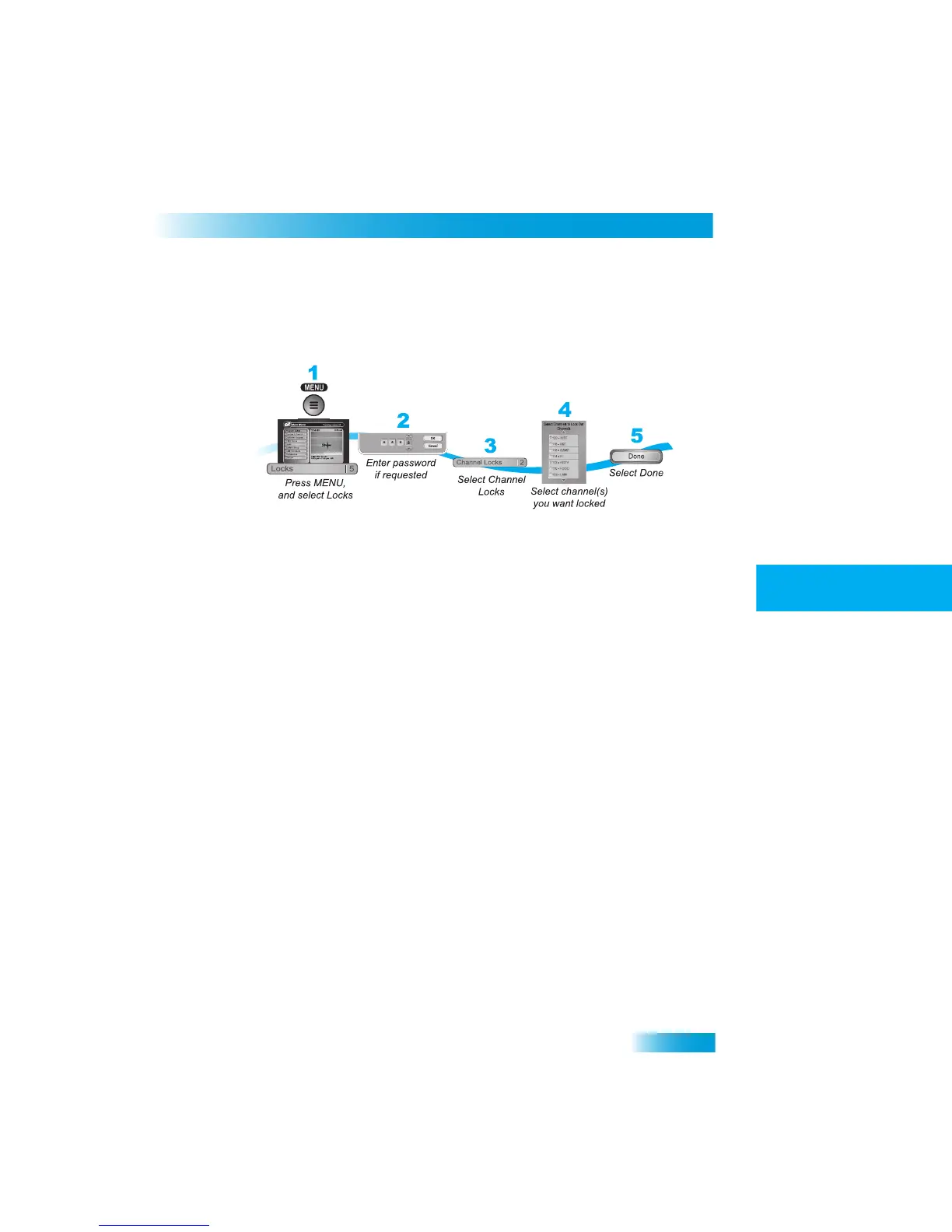
Press MENU and select Locks (5).
2
If the receiver is locked, enter the passwor
d using the NUMBER PAD. The receiver dis-
plays stars (*) as you enter the digits of the password. Select OK.
3
Select Channel Locks (2).
4
Highlight and select each channel that you wa
nt to lock or unlock. Press UP or DOWN
ARROW to highlight the channel. You can also move to each channel num
ber using the
NUMBER PAD. If the checkbox next to the ch
annel has a checkmark, the channel is
locked.
5
Select Done. Make sure the receiver is locked as described on pag
e 33.



 To Next Page