Chapter 11
76
Connecting a VCR
CONNECTING
A
VCR
Use this section to connect your VCR and set up the receiver for VCR
Timers.
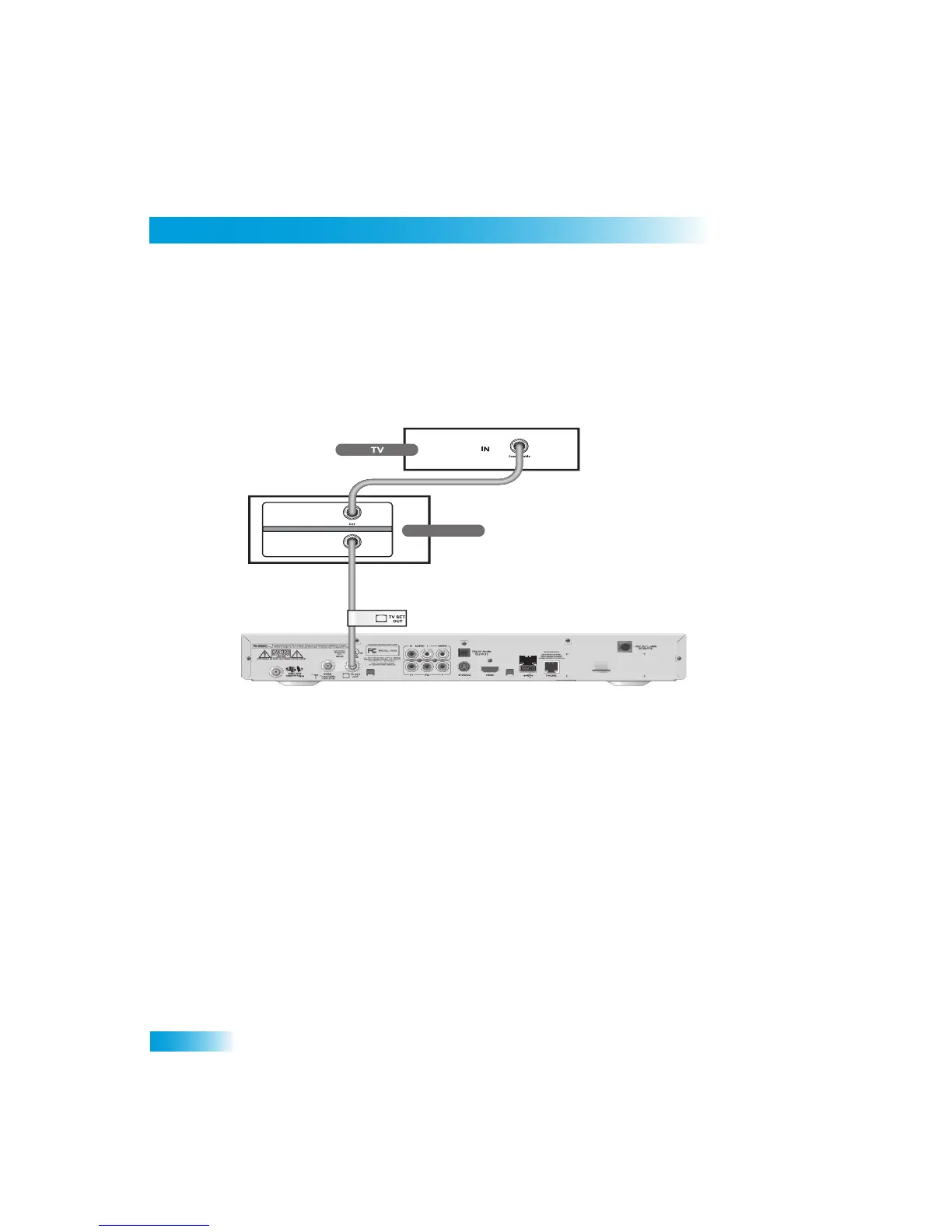
VCR Connections
The diagram below provides example of how to connect VCRs to yo
ur satellite TV system.
1
Connect the tuner input of the VCR to the receiver TV SET OUT.
2
Peel off the white sticker and affix it to the
cable close to where it connect to the TV SET
OUT connection on the back of the receiver. Th
e sticker is in the front cover of this guide.
3
Connect a coaxial cable from the output
on the VCR to the TV’s tuner port.
4
Plug in and turn on the VCR and TV.
5
Tune the VCR and TV to the channel that yo
u use to watch satellite TV programming (for
example, channel 3).
IN
OUT
VCR
Coaxial Cable
IN
Coaxial Cable



 To Next Page