Timers
45
Setting Up a Manual Timer
1
2
3
4
5
6
7
8
9
10
11
R
1
2
3
4
5
6
7
9
10
R
11
SETTING
U
P A
M
ANUAL
TIMER
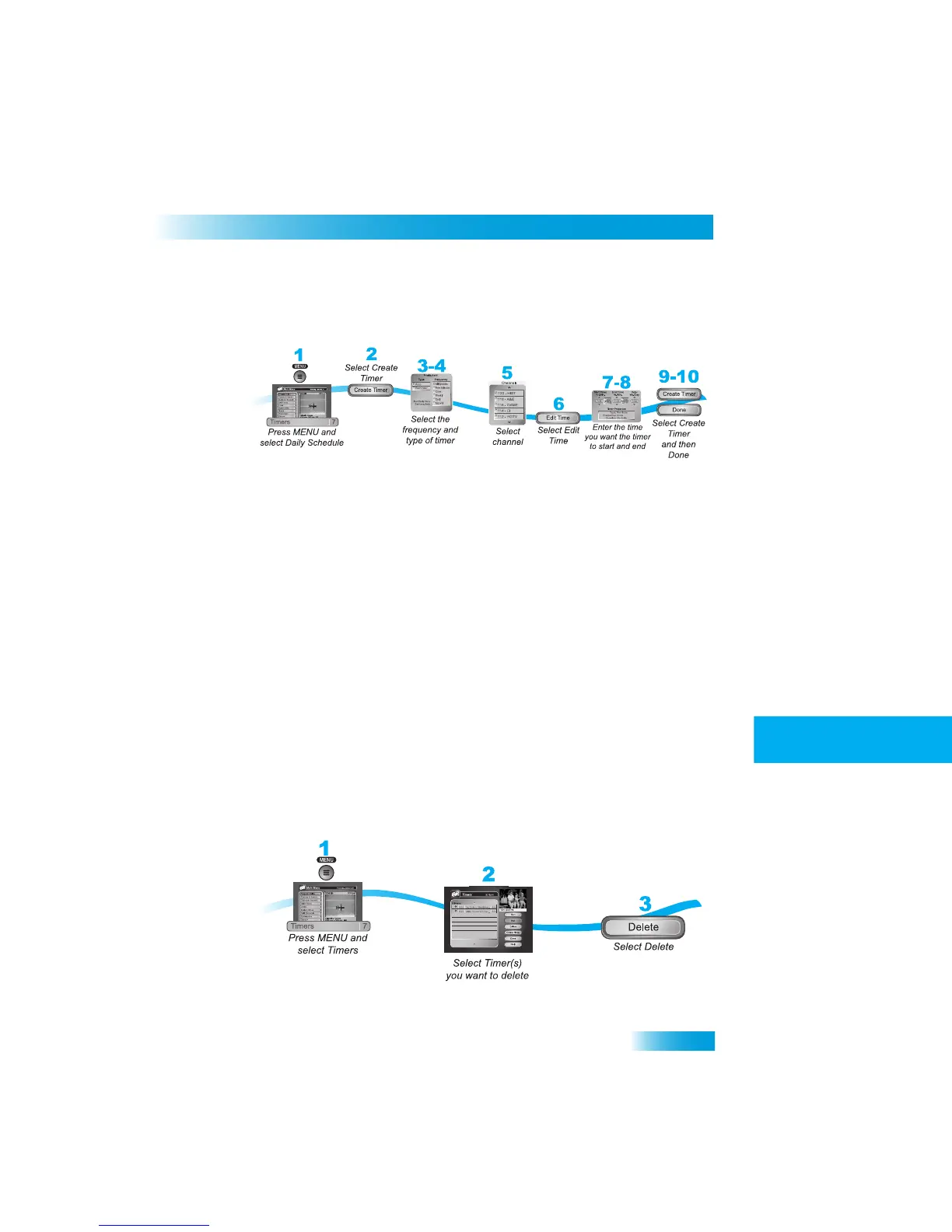
A manual timer lets you set custom start and stop times for a timer.
1
Press MENU and select Timers (7).
2
Select Create Timer.
3
Select the Timer Frequency (see page 42 for more details).
4
Select a Timer Type (see page 42 for more details).
5
Select the channel (satellite or off-air). Use the UP/DOWN ARROW
S, PAGE UP/DOWN,
or NUMBER PAD to find the channel.
6
Select Edit Time.
7
Set the Start Time and End Time, include AM/PM for each.
8
Set the Date.
9
Select Create Timer.
10
Select Done.
DELETING
A
TIMER
When you no longer need a timer, you can delete it.



 To Next Page