11
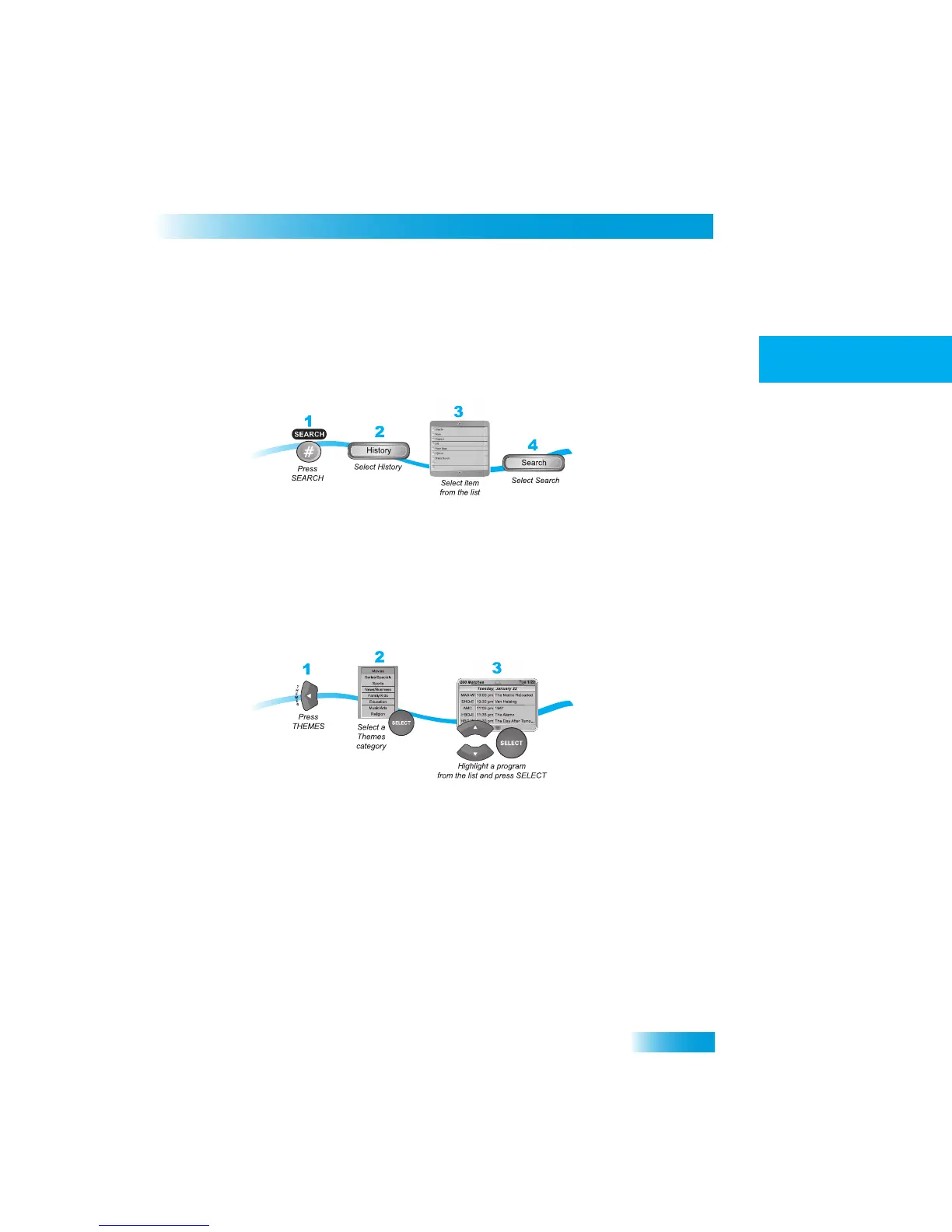
Using Search History
After you have searched previously for programs or other information, yo
ur receiver builds
a history. You can use the Search History to
re-search programming
instead of typing the
information again.
Note: Use the Edit or Delete options to
change or delete Search Keywords.
FINDING
A
P
ROGRAM
BY
ITS
THEME
You can list and choose programs by the theme of their contents, fo
r example, just movies
or just sports. You can then quickly list programs based on that theme,
and choose the
program you want. This feature also categorizes programs on
off-air channels (if an off-air
antenna is connected to the receiver as described on page 77).
If you select a program that is on now, the rece
iver tunes to that program. If you choose a
future program, th
e Create Timer scre
en will display. See
Chapter 8 - Timers
on page 41
for more information.



 To Next Page