Connections and Setup
73
Connecting to Your Dish Antenna
1
2
3
4
5
6
7
8
9
10
11
R
1
2
3
4
5
6
7
8
9
10
R
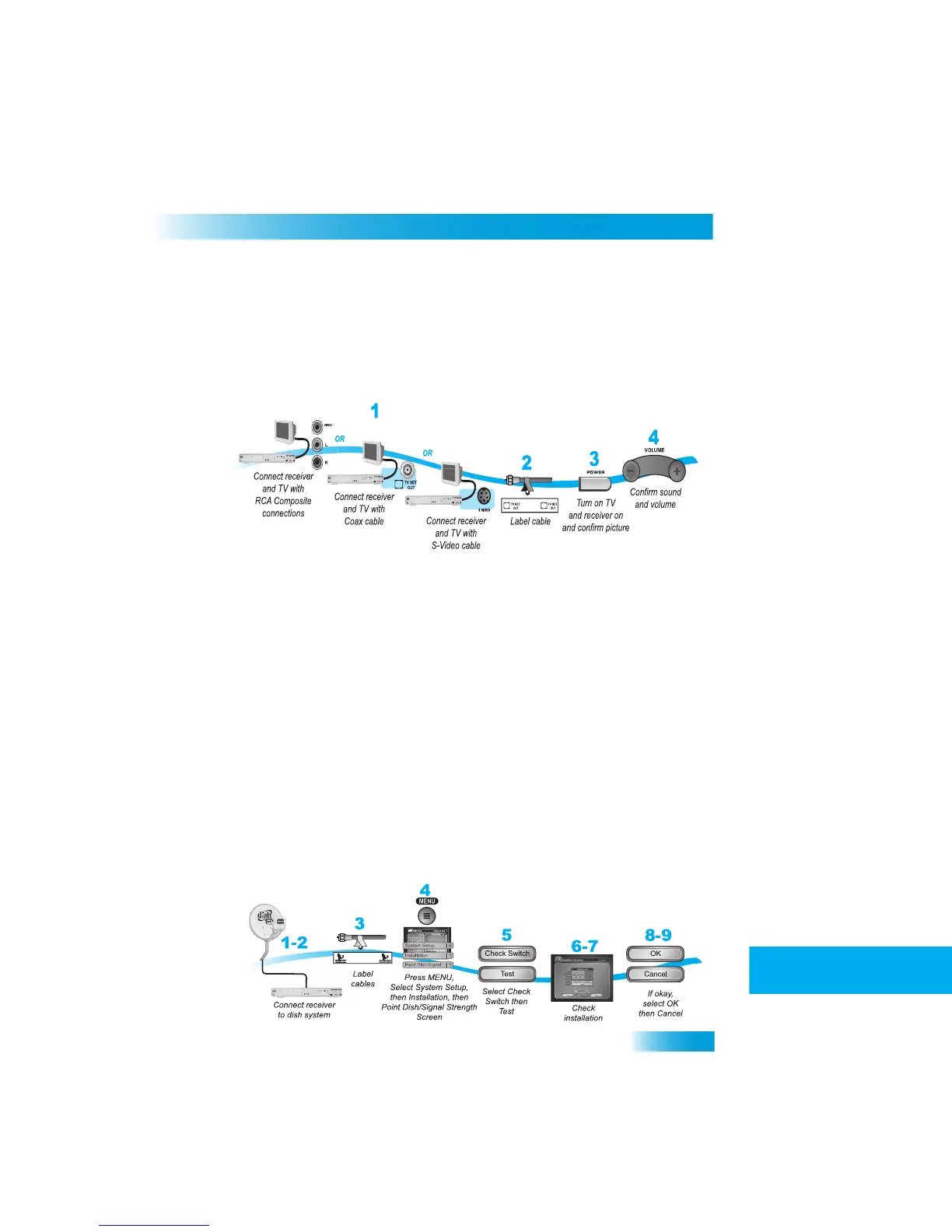
Standard Definition TV Connections
You can connect the receiver to a standard definition TV in two ways:
•
RCA Audio/Video connections
• TV SET OUT
1
Connect the receiver to the TV using one of the following:
•
RCA Audio/Video connection
• S-Video and RCA Audio (Red and White)
• TV SET OUT
2
If using the TV SET OUT connection, peel off
the white sticker and affix it to the cable
close to where it connect to the TV SET OUT
connection on the back of the receiver. The
sticker is in the fron
t cover of this guide.
3
Turn on the TV and receiver to make sure you have a picture.
4
Turn up the volume on the TV to make sure you have audio.
CONNECTING
TO
YOUR
D
ISH
A
NTENNA
Use the instructions here if
you are connecting a receiver
into an existing satellite TV
system.



 To Next Page