Connections and Setup
77
Connecting Off-Air Antenna/Cable TV
1
2
3
4
5
6
7
8
9
10
11
R
1
2
3
4
5
6
7
8
9
10
R
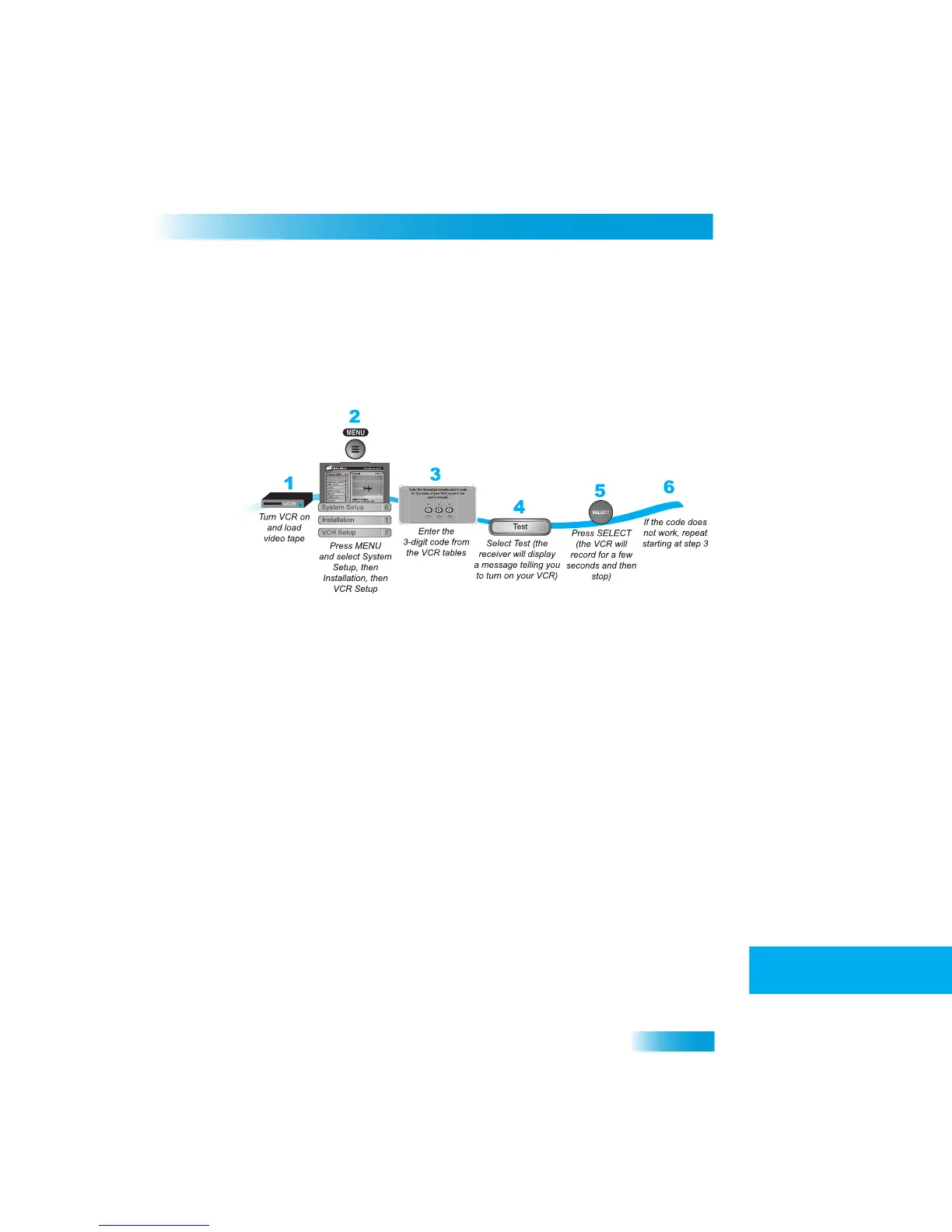
Setting Up the Receiver to Control Your VCR
Use this section to set up the receiver to
control your VCR so that you can use VCR
timers. The receiver’s front panel IR BLASTER
sends a signal to control the VCR. This
signal can bounce off walls and other objects on its way from
the receiver. However,
shelves or smoked glass between the receiver and VCR can block th
e signal. Make sure
nothing blocks the signal and that you don’t have the VCR too far away fro
m the receiver.
CONNECTING
O
FF
-A
IR
A
NTENNA
/C
ABLE
TV
If you want to receive channels from an off-air
antenna or cable in addi
tion to your satellite
receiver programming, connect the off-air
antenna/cable into your TV distribution
equipment.
Note: Additional authorization may be required
before high definition programming and/or
off-air digital broadcasts can be viewed; additional fees may ap
ply.
• The 8VSB TV Antenn
a/Cable In on your re
ceiver's back panel ca
n be used to receive
and view programming on the TV from an off-air antenna or ca
ble service.
•
Connect a VHF/UHF off-air antenna or analog cable TV source to the 8
VSB TV
Antenna/Cable port. Peel off the black sticker
and affix it to the cable close to where it
connects to the back of the receiver. The stickers are inside the fron
t cover of this
guide.
• You can add local off-air c
hannels and assign them netw
ork affiliations. Once you
have done this, you can access the channels via the Program Guide or
the Browse
Banner in much the
same way as you wo
uld satellite channels.
Note: The type of antenna required depends on the channels used by, and
the locations
of, the local broadcasters for your area. Vi
sit antennaweb.org or co
ntact a professional
installer to help you select a suitable antenna.



 To Next Page