Chapter 11
78
Connecting Off-Air Antenna/Cable TV
Make sure to follow the antenna installation instructions correctly
. Ground an
outdoor antenna per the National Electrical Code (NEC) and any loca
l
electrical codes.
The audio/video quality on local off-air channels depends on the distance an
d
terrain between the broadcast station and your home, and on
the placement
and quality of the off-air TV antenna you use. If you have question
s about off-
air channels, contact the broadcaster, not DISH Network.
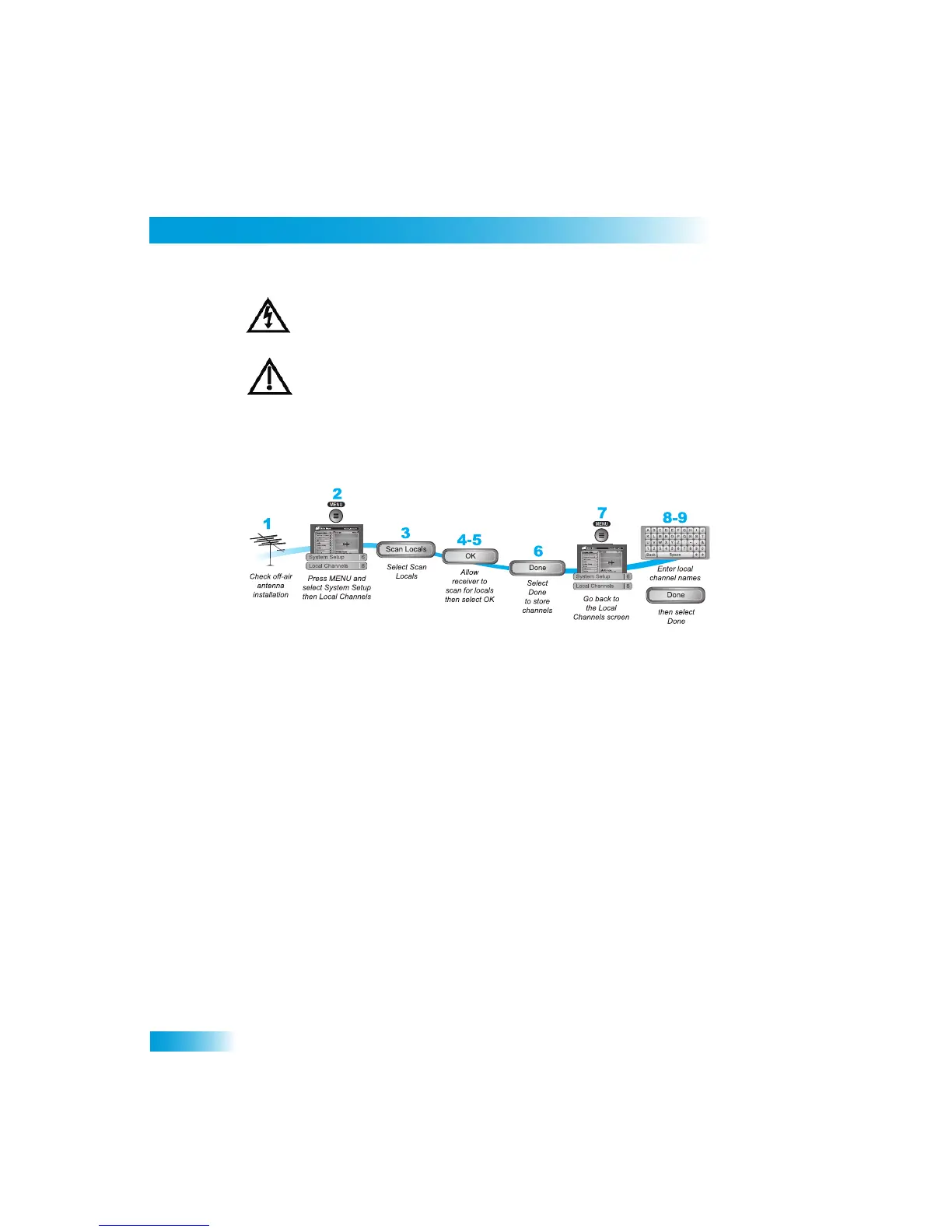
Scanning for Off-Air Channels
Use these instructions to scan for off-air channels for the TV.
1
Make sure you have your of
f-air antenna connected to t
he receiver’s 8VSB TV Antenna/
Cable connection.
2
Press MENU, select System Setup (6), and t
hen Local Channels (8) to open the Local
Channels screen. If th
is is the first time you have
opened this screen,
it will have no
channels listed.
3
Scan for channels by selecting Scan Locals.
4
The scan will take a few minutes to complete. When it fini
shes, the results will show how
many channels the scan found.
5
Select OK to go back to the Local Channels screen.
Note
: If the channel number says None, you have not yet assigned this cha
nnel a network
affiliation or name. The Arrow
at the bottom left means that
there are more channels, off
the bottom of the screen, which you can get
to with the ARROW keys if you wish to edit
their names or remove them.
6
If you want to name the off-air channels, contin
ue on. If you do not want to name your off-
air channels, select Done. You will then be tak
en out of the menus ba
ck to watching TV.
7
Select a channel and then select Edit Name to modify the way the cha
nnel name displays
on your screen.
8
Use the virtual keyboard on the screen to
select the letters of
your channel name.
9
When you are finished making changes, select Done.



 To Next Page