Chapter 6
36
Locking or Unlocking Pay-Per-View Channels
LOCKING
OR
U
NLOCKING
P
AY
-P
ER
-V
IEW
C
HANNELS
This locks all Pay-Per-View channels. This ty
pe of lock keeps anyone from viewing these
channels by using the UP or DOWN ARROWS
or the remote control NUMBER PAD. You
also can lock individual Pay-Per-View
channels by using channel locks.
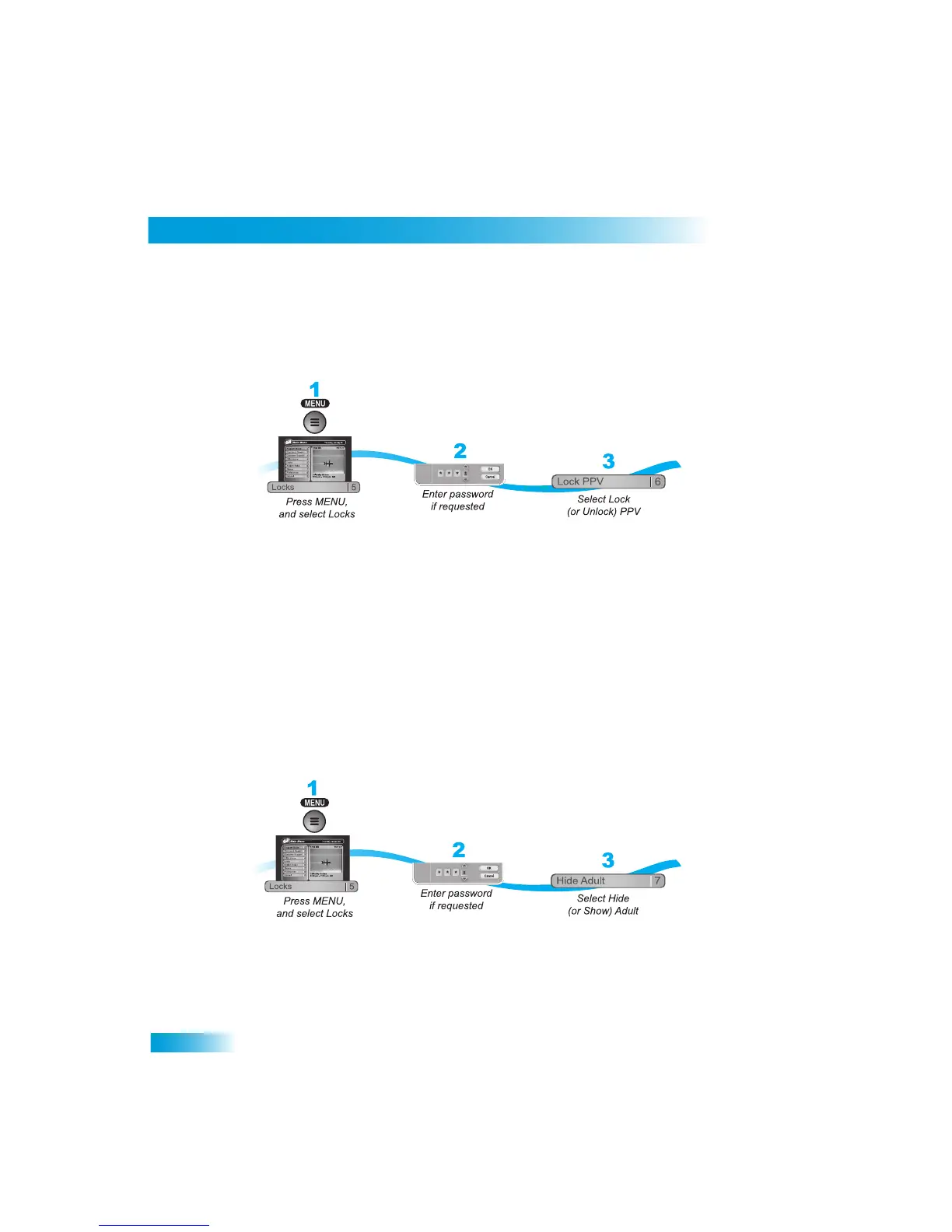
1
Press MENU and select Locks (5).
2
If the receiver is locked, enter the passwor
d using the NUMBER PAD. The receiver dis-
plays stars (*) as you enter the digits of the password. Select OK.
3
Select Lock PPV or Unlock PPV
(6). Make sure the receiver is locked as described on
page 33.
HIDING
A
DULT
C
ONTENT
When you hide adult channels, you prevent the Program Guide, Them
es lists, and the
Browse Banner from displaying adult channels
. It also prevents anyone from choosing
these channels by using the UP or DOWN ARROWS or the r
emote control NUMBER
PAD.
1
Press MENU and select Locks (5).
2
If the receiver is locked, enter the pa
ssword using the NUMBER PAD. Select OK.
3
Select Hide Adult or Show Adult. Make sure
the receiver is locked as described on
page 33.



 To Next Page