Chapter 9
56
Controlling Other Components
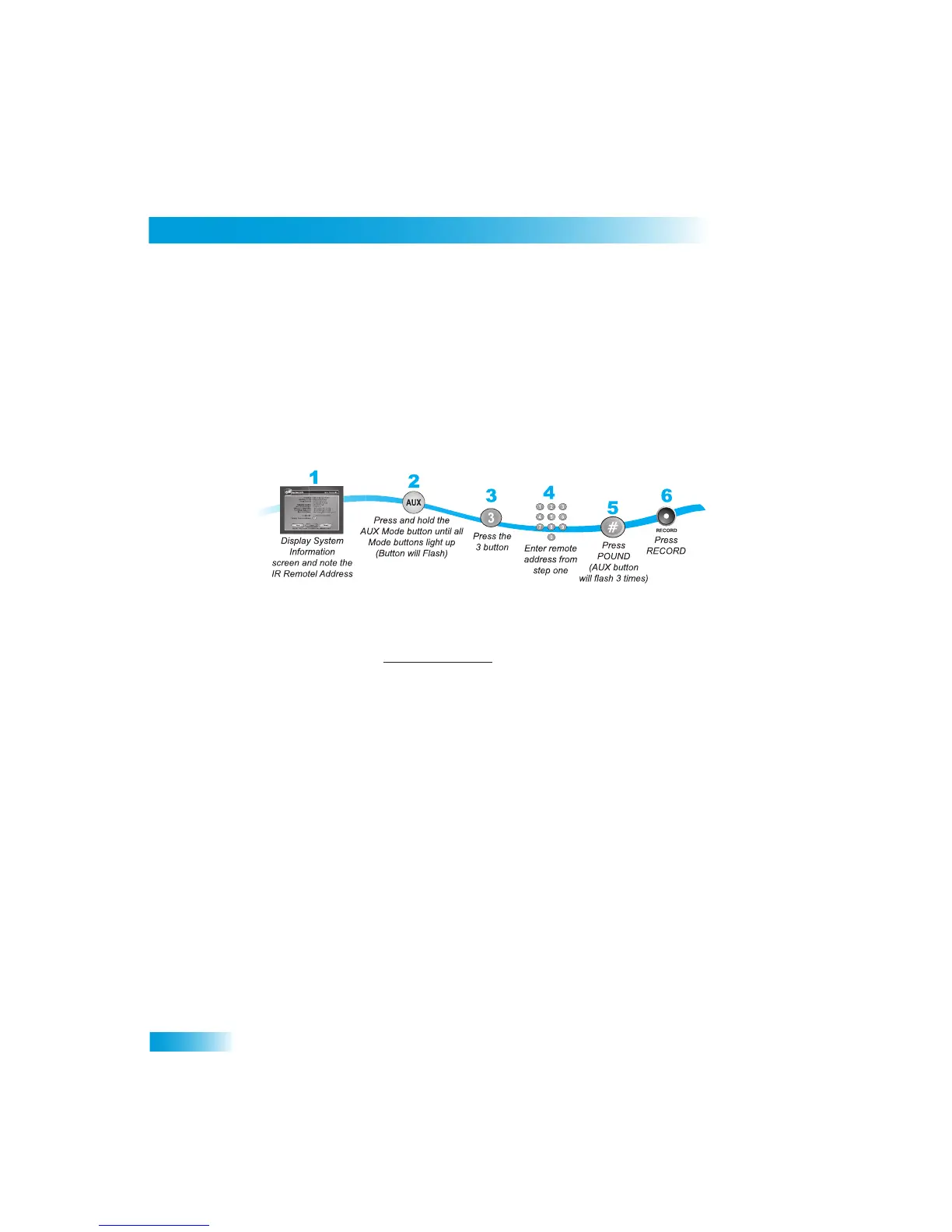
Programming to Control a Second Satellite Receiver
If you have another DISH Network satellite receiver installed, you ca
n use this remote in
AUX mode to control it along with your new receiver. When you program
the remote to
control this othe
r receiver, the remote will send out IR
signals to the receiver. You can
program the remote to contro
l any other DISH Network sa
tellite receiver, except for
following:
• TV2 on DISH 322, DISH Player-DVR 522, 625, and 942
•
DishPlayer 7100/7200
1
Turn on the other receiver and display the System Info screen (see
the user’s guide for
information on how to display the screen).
Write the address shown:
2
Press and hold AUX until all the other mode buttons light up, and th
en let go of the button.
AUX flashes.
3
Press the 3 button.
4
Use the NUMBER PAD to enter the address you wrote in step 1.
5
Press POUND (#). AUX blinks three times.
6
Press RECORD to make sure the address and the remote matche
s the address on the
receiver.
7
Press AUX and then try operating the other receiver.



 To Next Page