Chapter 3: Operation
Operation Manual: Evolution Series
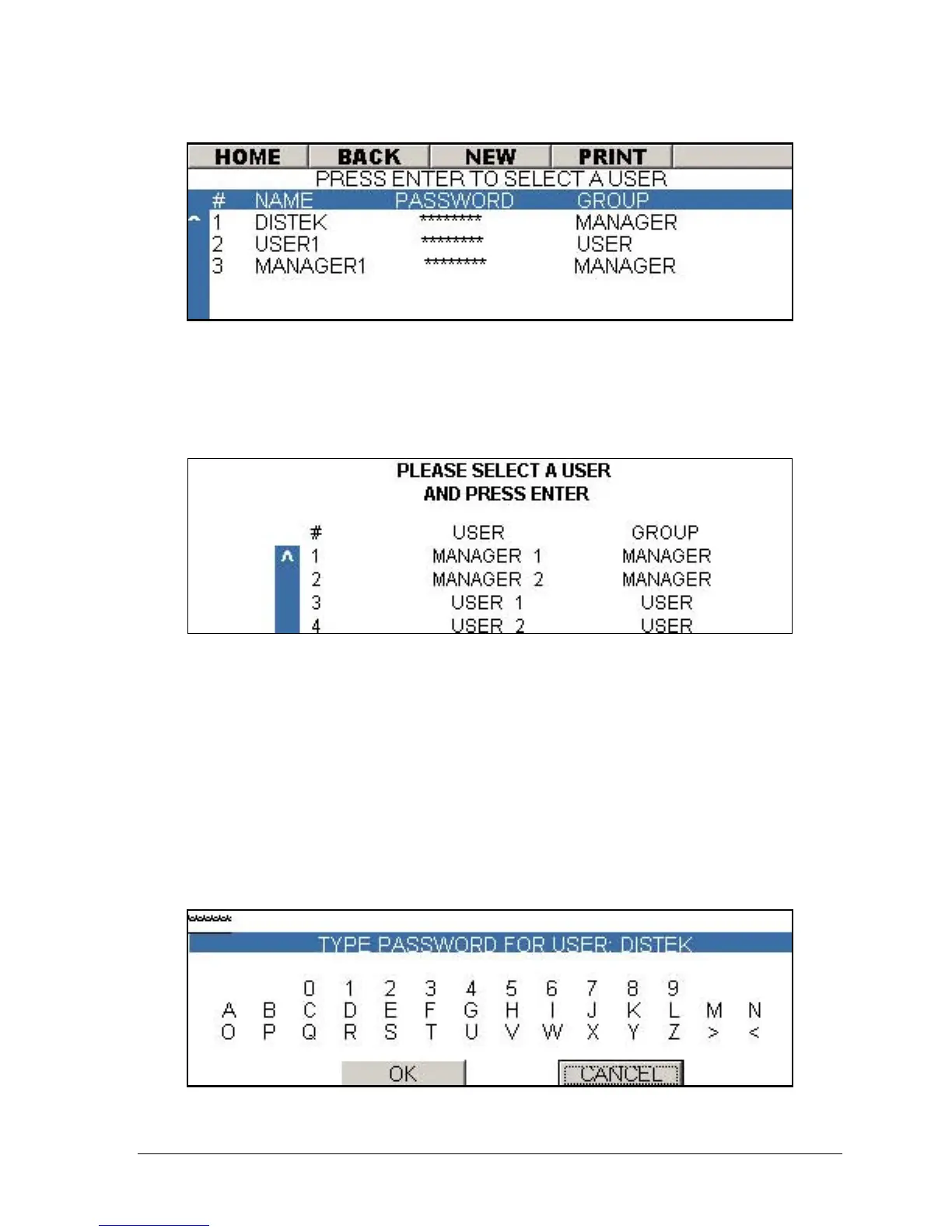
Figure 3-8: User Configuration Screen
Login Procedures
After the system boots up or after an operator logs out, the Login screen will
appear:
Figure 3-9: Login Screen
1. Move through the user list using the arrow buttons on the keypad.
2. Once the desired user is selected press the ENTER button.
3. The virtual keyboard screen will be displayed (see Figure 3-10). Enter the
password using the keyboard. Use the arrow keys to navigate through the
keyboard and press ENTER to select an alphanumeric value.
4. Once the password is entered navigate to the OK button and press ENTER.
5. If the password is correct the unit will produce an audible beep and proceed
to the main menu (see Figure 3-4).
Figure 3-10: Virtual Keypad



 To Next Page