Chapter 3: Operation
Operation Manual: Evolution Series
Deleting an Account
The operator logged into the system must be part
of the Manager group to delete a user.
1. Highlight a user from the user list (highlight the Password or Group field).
2. Press the DEL key from the keypad.
3. The system will display a message box: “USER: USER_NAME
CONFIRM DELETION?” Select YES to confirm the deletion.
Temperature Calibration
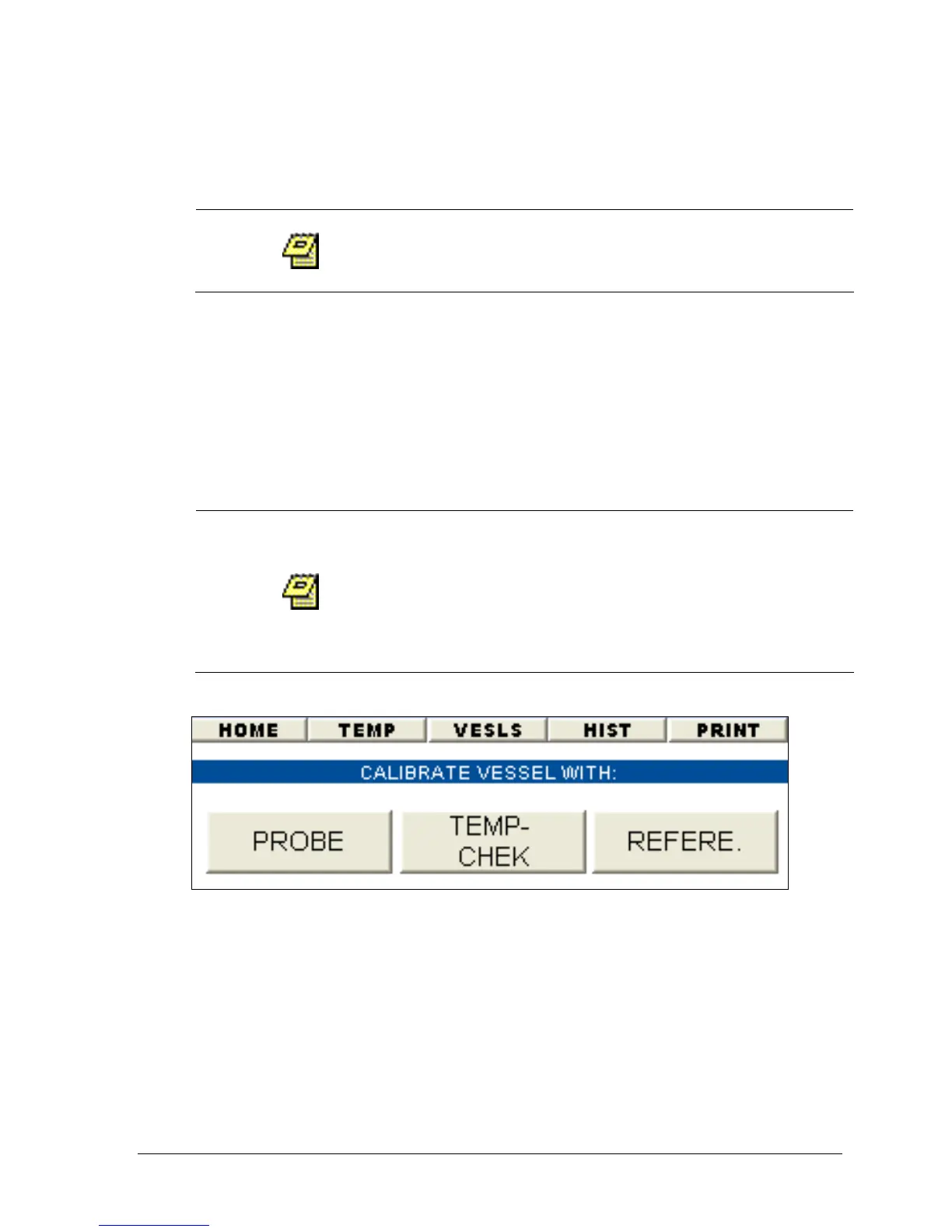
When selecting the CALIBR button the unit will prompt
the use of a password. The password is 'EVOCAL' and
only will be accepted if the user logged into the system
has Manager priveleges. Because calibration of the unit
can cause serious performance issues, this added level
of security was implemented.
Figure 3-13: Main Calibration Screen
Accurate calibration of the temperature probes is essential for proper operation of
the Distek Evolution Dissolution System. Factory calibration provides accuracy
within ±0.1ºC. Care must be taken when re-calibrating in the field, in order to
realize the full accuracy and range of the temperature sensing system.
All installed temperature probes are factory-calibrated using an NIST-traceable
digital reference thermometer, the Distek TempChek. Distek recommends a 6-
month calibration cycle, during which each probe is checked and adjusted by this



 To Next Page