Chapter 3: Operation
Operation Manual: Evolution Series
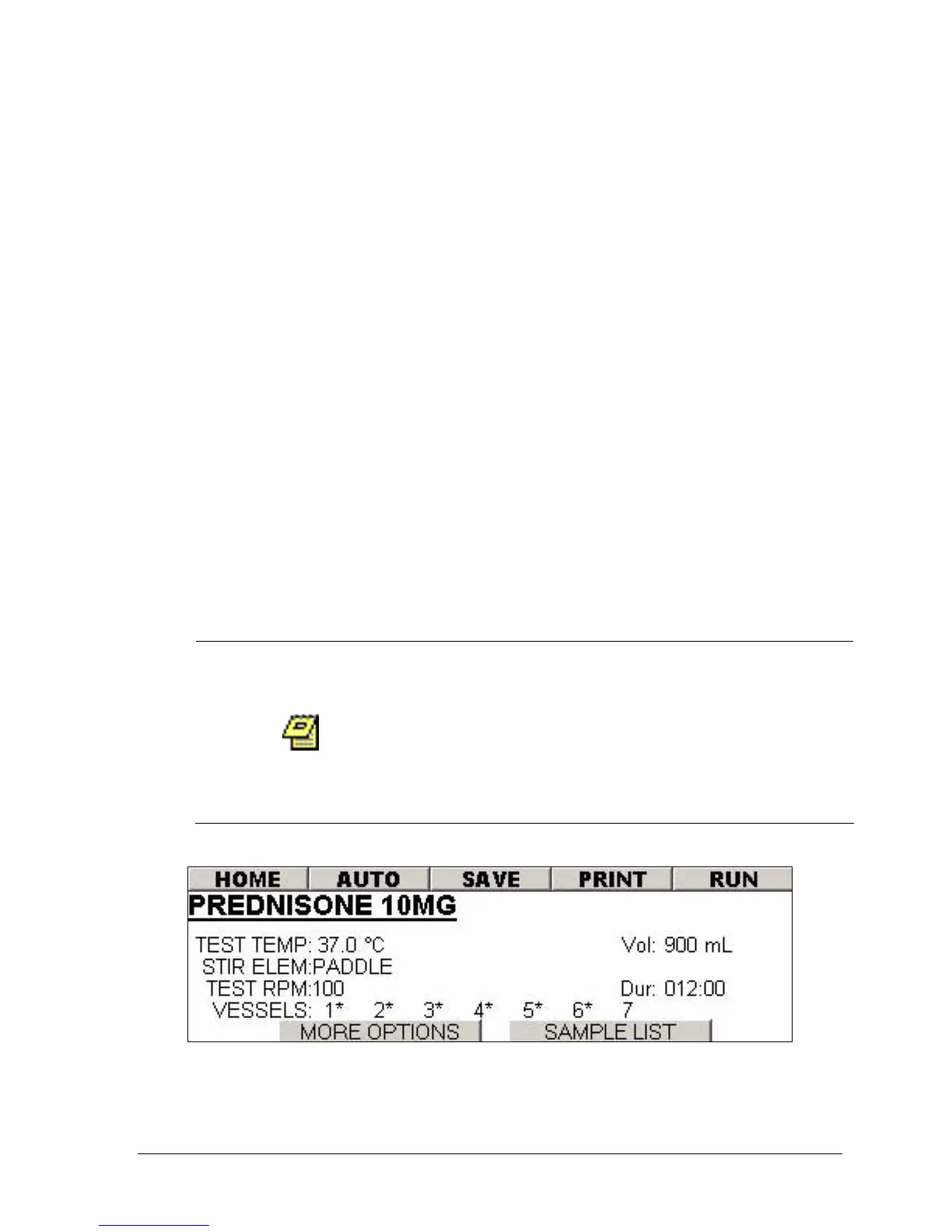
10. Using the arrow keys highlight the space to the left of the VESSEL number.
Press the ENTER button toggle between a blank space or a *. An *
represents enabling a vessel.
11. Using the arrow keys highlight the MORE OPTIONS button and press ENTER.
The screen in Figure 3-25 will be displayed.
12. Using the arrow keys highlight the INF RPM field. Press the + or – button to
set the desired value.
13. Using the arrow keys highlight the DUR field. Press the + or – button to set
the desired value.
14. Using the arrow keys highlight the Staggered Drop field. Press the + or –
button to set the desired delayed drop time in seconds.
15. Using the arrow keys highlight the Report field. Press the + or – button to
toggle between ON or OFF.
16. Using the arrow keys highlight the SAMPLE LIST button and press ENTER.
The sample list screen in Figure 3-26 will be displayed.
17. With the highlighted field in the sample list press ENTER to add a new
sample timepoint. Highlight the INSERT button and press ENTER to insert a
timepoint in the sample list.
18. Highlight the time values in the list and use the + or – button to make the
necessary modifications.
19. Highlight the BACK button and press ENTER.
20. Highlight the SAVE button and press ENTER.
When running a staggered drop test it is possible
to have a conflict between a sampling time point
and a tablet drop event (i.e. a short staggered
drop interval and a quick first time point). If this
occurs the Evolution unit will prioritize the
sampling event and extend the staggered drop
interval.
Figure 3-24: Method Screen



 To Next Page