Chapter 4: Maintenance
Operation Manual: Evolution Series
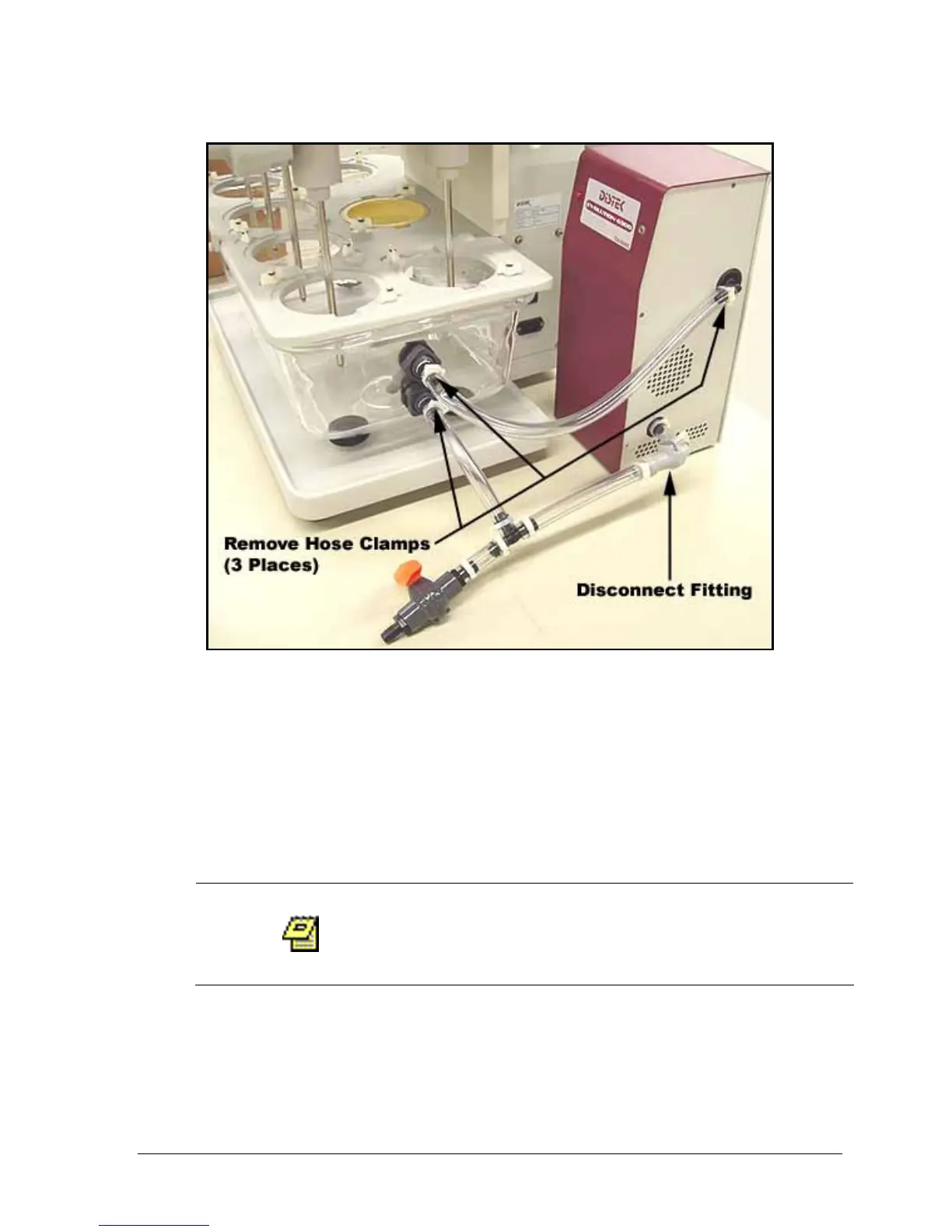
Figure 4-3: Tubing Replacement Diagram
1. Remove the 3 tube clamps with pliers (see Figure 4-3).
2. Remove the 3 tubes from the fittings.
3. Disconnect the CPC fitting by pressing the dark grey button located on the
fitting (see Figure 4-3).
4. Connect the new tubing as shown in Figure 4-3.
5. Attach the 3 hose clamps using pliers.
Upon completion the TCS should be tested to ensure
there are no leaks. This is done by simply running the
TCS.



 To Next Page