AS/400 User Guide
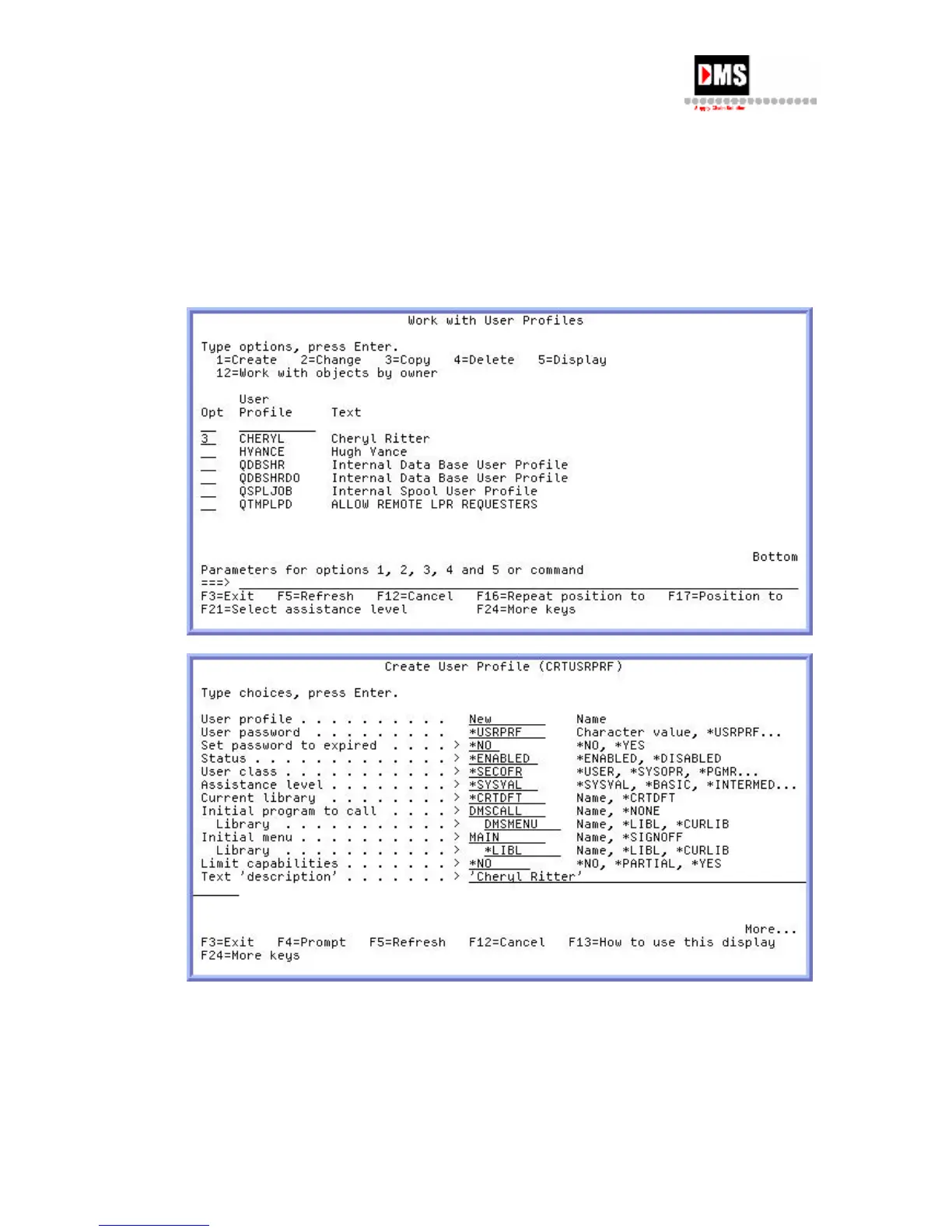
New user’s name
User Password - "*USRPRF" (default)
Text description = new user's identification
Other fields = Contact DMS for required entries.
Press ENTER. The user's profile is established with sign-on name and password equal to
the same value. The user can change their password later.
Alternative Method:
To create a clone or new user profile (not the copy function):
1. Type a "1" in the Option field beside User Profile __________. Type the name of the
user you are establishing.
26 DMS Systems Corp.
October 13, 2003
Version 1.0



 To Next Page