AS/400 User Guide
Printers
Printers are the most frequently configured device type. These instructions include:
• Setting Up Printers
• Determine Status of Printer
• Start A Printer
• Stop A Printer
Setting Up Printers
Recommended procedures for installing printers include:
• Set the QAUTOCFG option under system values to “1”. The first time you power up
a new printer the system automatically recognizes it and attaches it to the list of
installed devices.
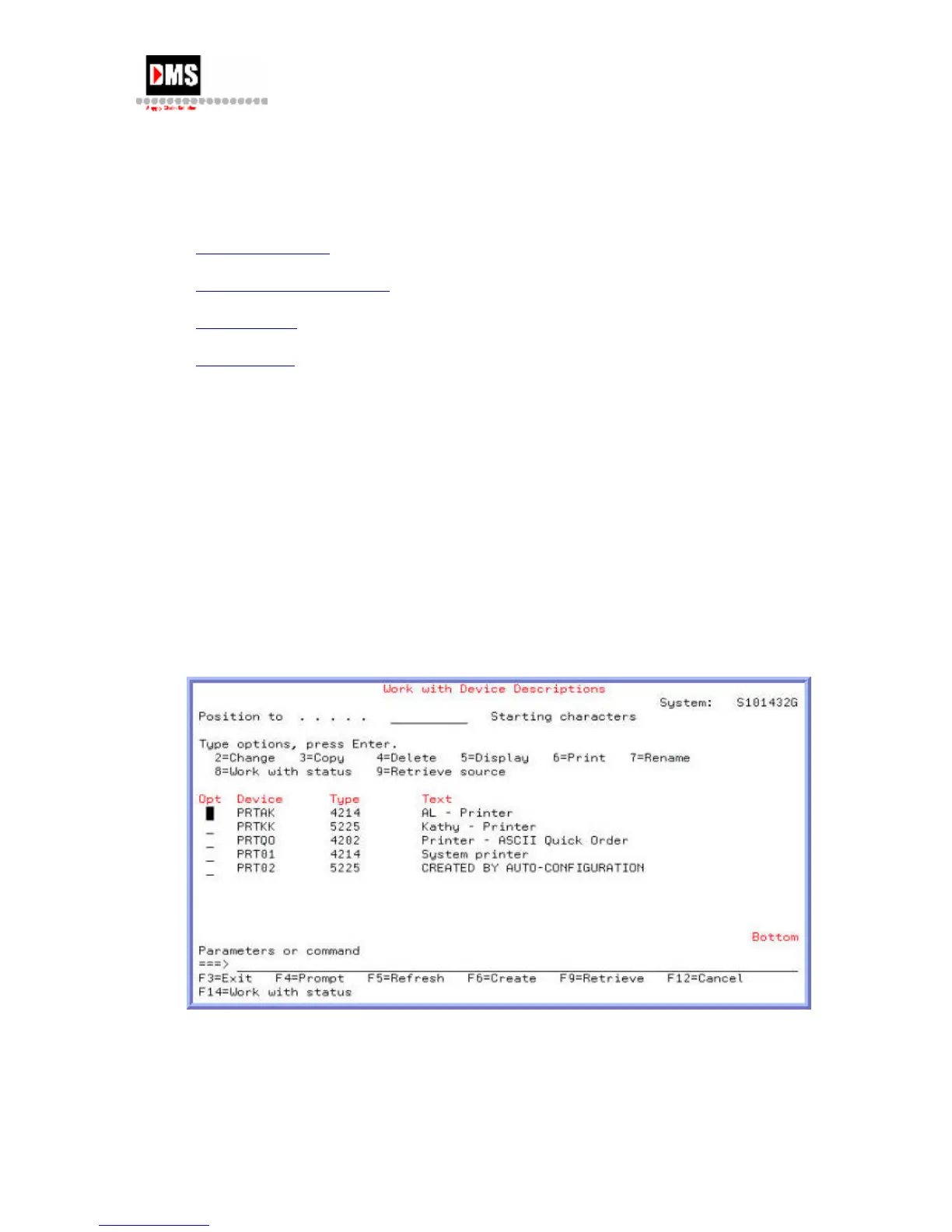
• Establish naming convention: (see screen below)
• Device Description (2nd column): PRTxxxx, where xxxx is an extension to
make each unique. "PRT" as the prefix aids in differentiating printers from
other output types and groups printers together when all devices are shown.
• Text-Description Field (4th column): Describe where the printer is located
You can set up the printer by one of the following methods:
1. Using F6=Create enter all required information such as name, type, controller, port,
address and other printer specific information
DMS Systems Corp. 53
October 13, 2003
Version 1.0



 To Next Page