AS/400 User Guide
System Cleanup
In order to keep the AS/400 functioning as efficiently as possible it is necessary to periodically
clean up the system to remove any unnecessary or unneeded messages and other types of
logs. You can request that users delete their own logs on a periodic basis but it is easier to set
up the AS/400 to perform this task automatically.
Included in this procedure are:
• Cleanup Tasks
• Change Cleanup Options
Cleanup Tasks
Steps:
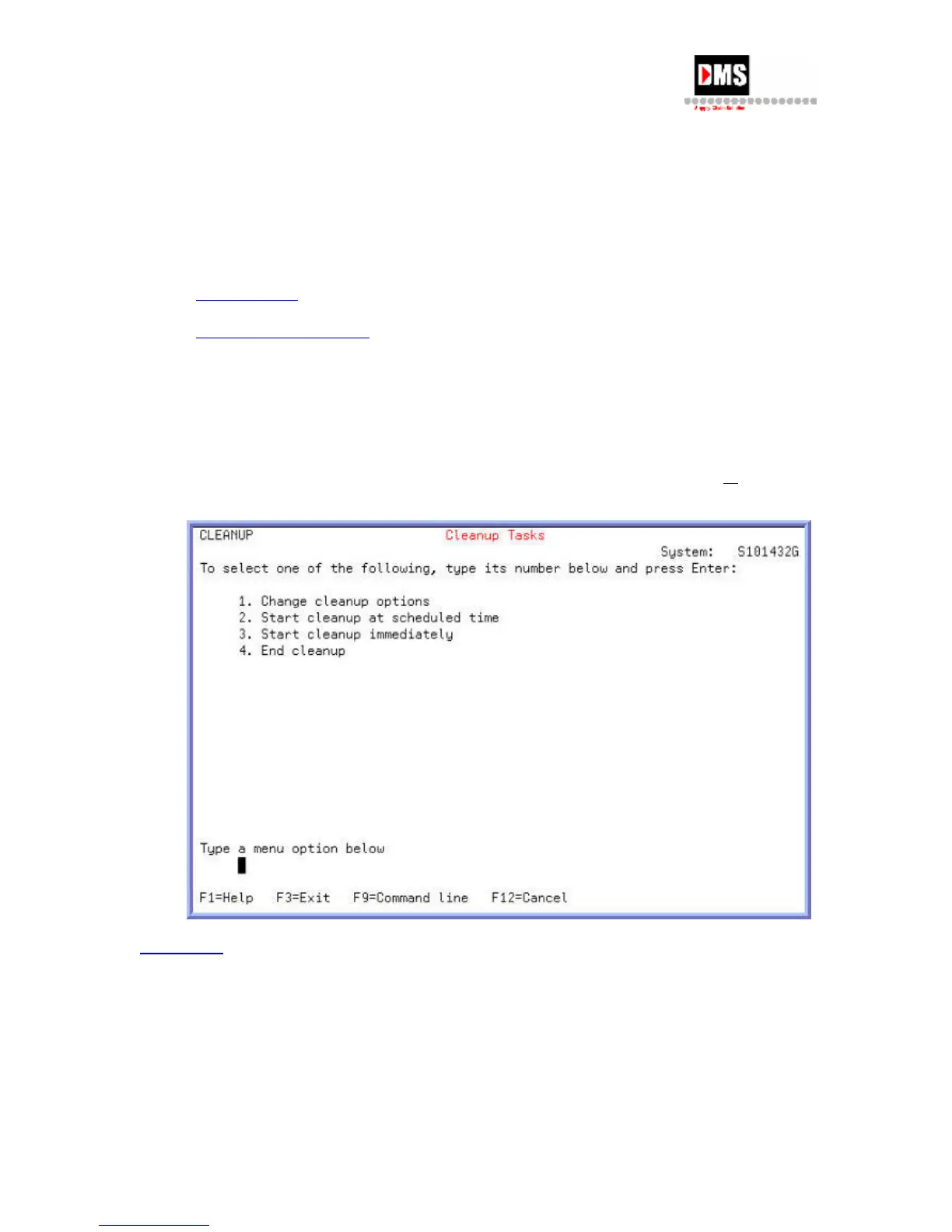
To access the Cleanup Tasks display:
1. Type "GO CLEANUP" on the command line and press F4 (PROMPT) key
or ENTER
key
Back to Top
Change Cleanup Options
From this screen you can change any of the fields. The system defaults are listed below. The
AS/400 time is military time so 22:00:00 is 11:00 p.m. each day.
Steps:
To change the cleanup options:
82 DMS Systems Corp.
October 13, 2003
Version 1.0



 To Next Page