AS/400 User Guide
DMS Systems Corp.
October 13, 2003
Version 1.0
Job Queues
The operating system decides how much time a job requires to run efficiently. This is
accomplished using job queues. A job queue is part of or attached to a subsystem.
The AS/400 assigns a job to a job queue before the job starts to run. There may be many jobs
running in several job queues at the same time but in reality only a small piece of each
program is being worked on for a brief period time. Because of the processing speed of the
AS/400 it
appears to the user that the programs are running at the same time. The job queue
allocates the jobs under its control until the job has been completed.
The AS/400 gives some job queues a higher priority than other job queues. The QINTER job
queue that handles interactive jobs has a higher priority than other job queues such as
QBATCH that handles batch jobs enabling interactive jobs to completed more quickly.
In some instances it may be necessary for the user to change the way jobs are being
processed. To do this you work with job queues.
Warning: Exercise extreme care when making changes to job queues. Changes
directly affect system processing and mistakes can lead to disastrous results.
Steps:
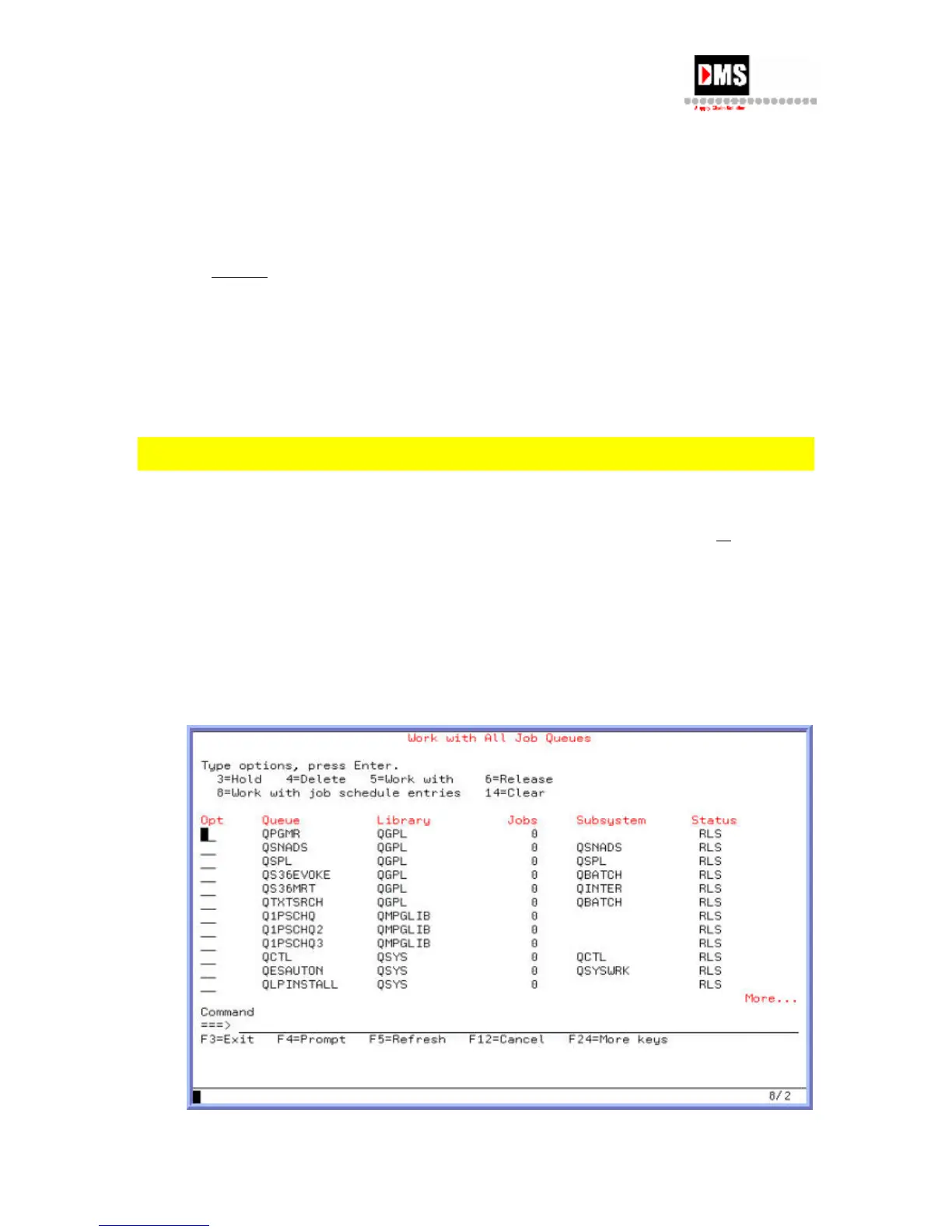
1. Type "WRKJOBQ" on the command line and press the F4 (PROMPT) key
or ENTER
key
OR
• From Main Menu, select Option 3
• From General System Tasks, select Option 1
• From Jobs, select Option 5
38



 To Next Page