AS/400 User Guide
System Status
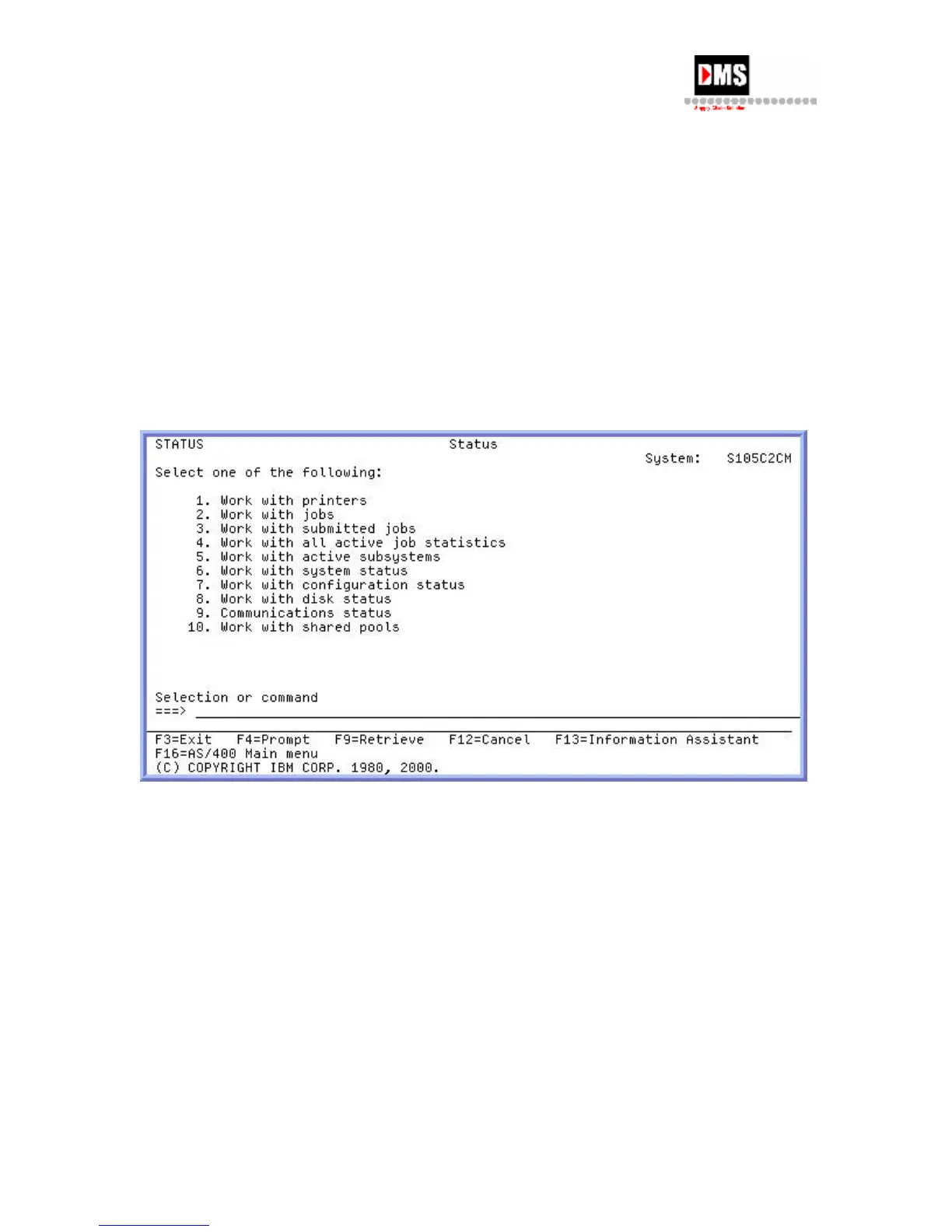
The AS/400 provides quick access to the most important areas of the AS/400 system. From
this display you can move to the areas that you will probably need to check most often in
order to check printers, find jobs and look at spooled files, make changes or check the
operational status of the system.
Steps:
1. From Main Menu, select Option 3
2. From General System Tasks, select Option 2
The most used options are normally be 1,2,3 & 4.
30 DMS Systems Corp.
October 13, 2003
Version 1.0



 To Next Page