18
Before using the terminal
Removing
·
Be sure to unmount microSD card before removing microSD card (P. 74).
1
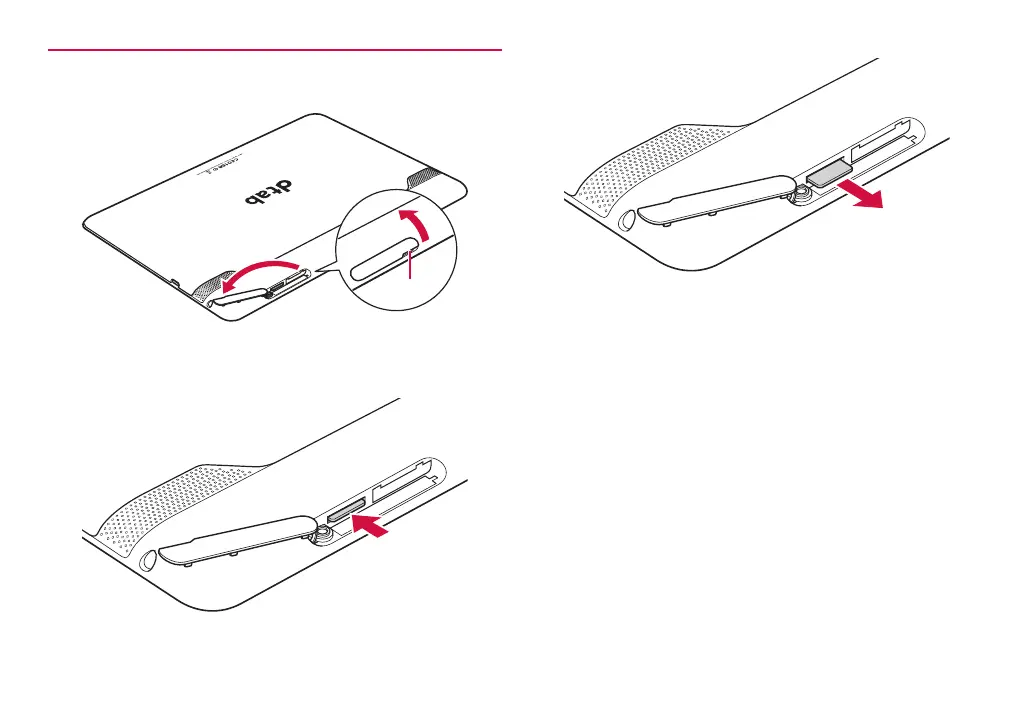
Use notch to open the cover of the microSD card slot
❶
❷
Notch
2
Press the microSD card in
The microSD card ejects a little.
·
After pressing in, release gently.
3
Pull microSD card out to remove
4
Close the cover of the microSD card slot



 To Next Page