84
Settings
Developer options
Set options for using application development.
About tablet
Display various kinds of information for the terminal.
1
From the Home screen, → “基本機能/設定 (Basic
Functions/Settings)” → “Settings”
2
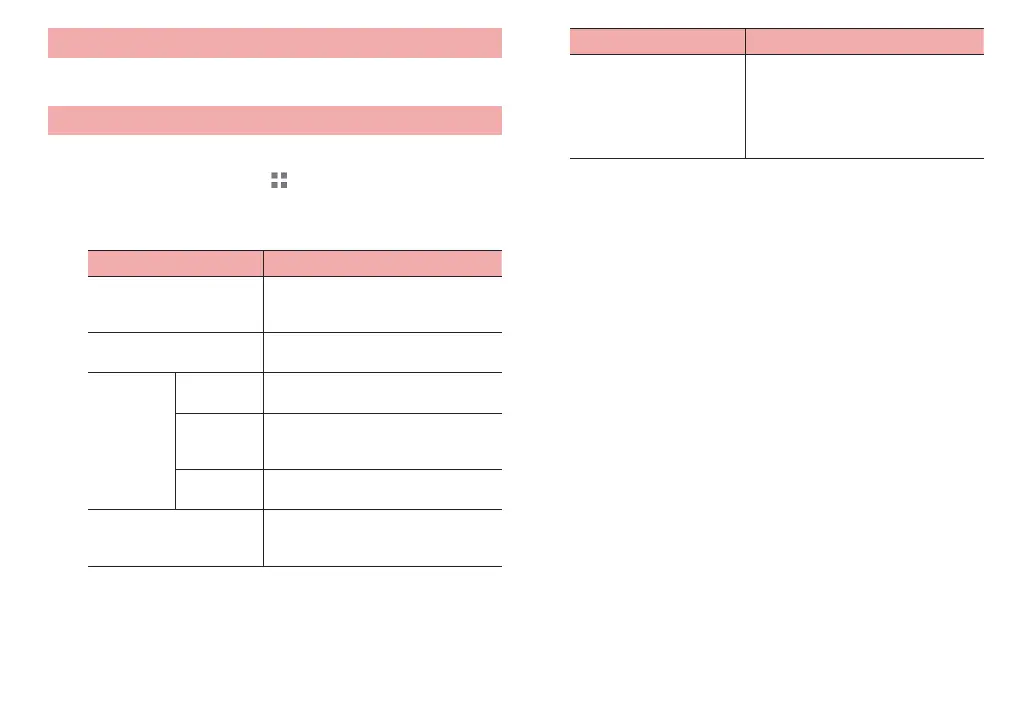
“About tablet”
Item Description
System updates Check update information for the
terminal software or initiate an update
(P. 123).
Status Display battery status, battery level,
etc.
Legal
information
Huawei
EULA
Check the end-user software license
agreement.
Open
source
licenses
Check the open source license
conditions.
Google
legal
Check the Google terms of use.
Model number, Android
version, Kernel version,
Build number
Info
rmation for terminal hardware,
softwar
e, Android OS, etc. is
displayed.
Item Description
Certification Displays information including a
technical conformity mark and FCC ID
showing conformity with technical
standards based on the Radio Law
and the Telecommunications Business
Law.



 To Next Page