23
Before using the terminal
Basic operation
Using the touch panel
The display of the terminal is a touch panel for touching directly with
finger to operate. Various operations are available by touching patterns.
Before using the touch panel
The touch panel of the terminal senses movements of finger using static
electricity to operate.
·
The touch panel is designed for being touched lightly with fingers. Do not
push it forcibly with a finger or press it with sharp objects (nail, ballpoint
pen, pin, etc.).
·
Touching the touch panel may not work in the following cases. Note that it
may cause malfunction.
Operation with gloved hands
Operation with tip of fingernail
Operation with a foreign object on the display
Operation with protective sheet, seal, etc. on the display
■ Information
·
When you tap other than a confirmation screen or status bar while a pop-up
such as confirmation screen appears, an operation may be stopped.
Tap/Double-tap
Touch the screen lightly and release the finger. Double-tap is an
operation of tapping twice on the same position.
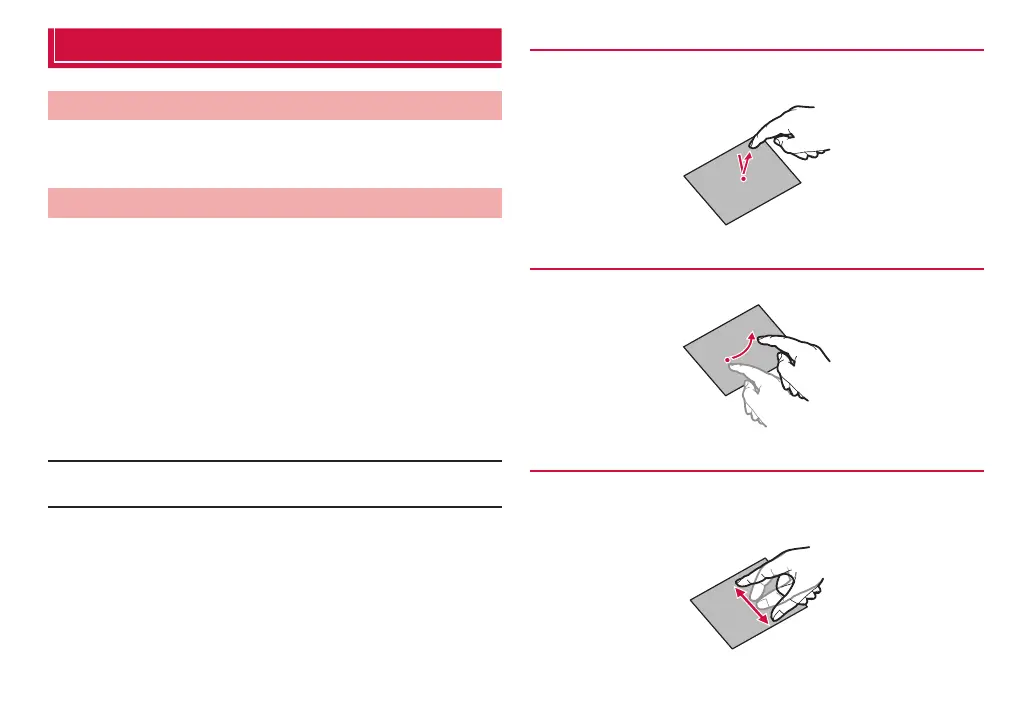
Flick
Sweep quickly on the display with finger.
Pinch
Touch the screen with two fingers and widen (pinch-out) or narrow
(pinch-in) the fingers distance. Use to zoom in/out image etc.



 To Next Page