78
Settings
Security
Make security settings.
1
From the Home screen, → “基本機能/設定 (Basic
Functions/Settings)” → “Settings”
2
“Security”
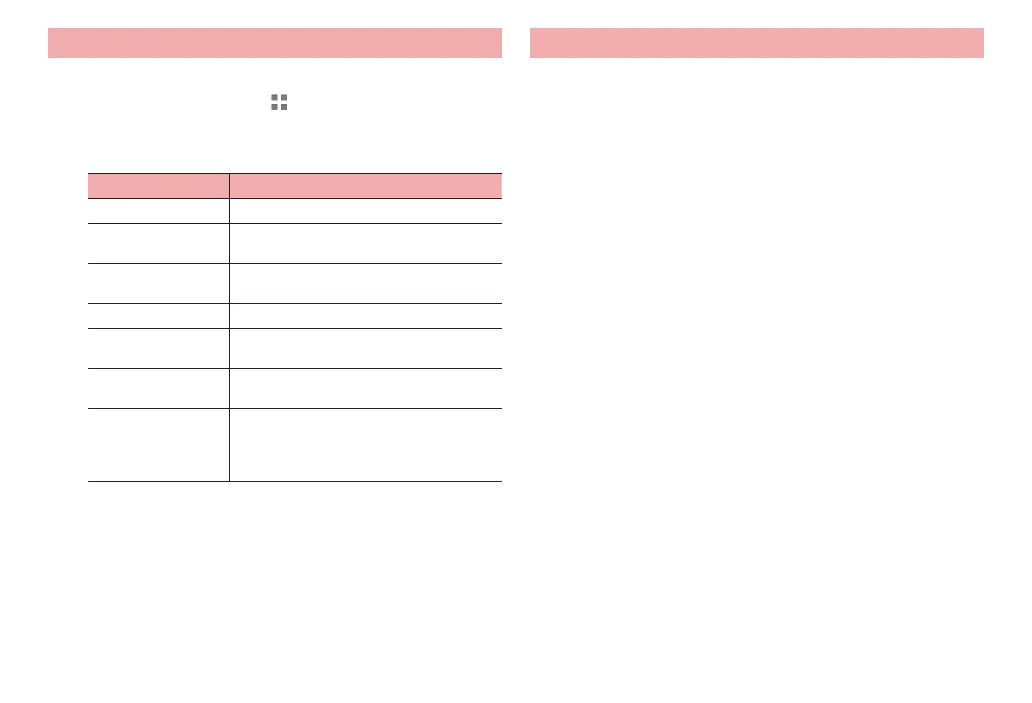
Item Description
Screen lock P. 79
Make passwords
visible
Set whether to show password when
entering it.
Device
administrators
Enable/disable device administrators.
Unknown sources P. 80
Trusted credentials Allow applications to access authentication
information or certificates.
Install from SD card Install encrypted certificates from microSD
card.
Clear credentials Delete all certificates (contents) in the
authentication information storage
(authentication infor
mation data used for
VPN connection) and reset password.
* Items other than those above may be displayed depending on
settings with “Screen lock” (P. 79).
Security codes used on the terminal
A security code is used for the screen lock function on the terminal.
■ Notes on the security code
·
To set a security code, avoid imaginable numbers such as “birth date”, “a
part of phone number”, “street address or room number”, “1111” or “1234”.
Maintain a separate record not to forget the numbers.
·
Be careful never to reveal your security code to others. If a security code
becomes known by others, DOCOMO assumes no responsibility for
damages resulted from it.
·
If you forget your security codes, you need to bring a document (a driver’s
license etc.) to identify your subscription, the terminal to a docomo Shop.
For details, contact “General Inquiries” on the rear cover of this manual.



 To Next Page