D O D T E C H N O L O G I E S , I
Rev 12.109
Page 8
®
To charge the CLPX plug the charger into a power source (120/230 VAC) and then plug the charging
connector into the back of the battery pack. The charger has an indicator light that will glow RED
while the unit is charging or GREEN to indicate the battery is fully charged. The unit will not be
damaged by continued charging after the indicator light turns GREEN.
4.2 Battery Replacement
Battery removal is not normally necessary. To replace the battery or to install a backup
battery follow these steps:
1. Disconnect the battery charger (if connected)
2. Place the CLPX monitor in a clean work area known to be free of potentially explosive
gases or hazards.
3. Verify that the unit is powered OFF (the display screen will be blank).
4. Lay the instrument on one side.
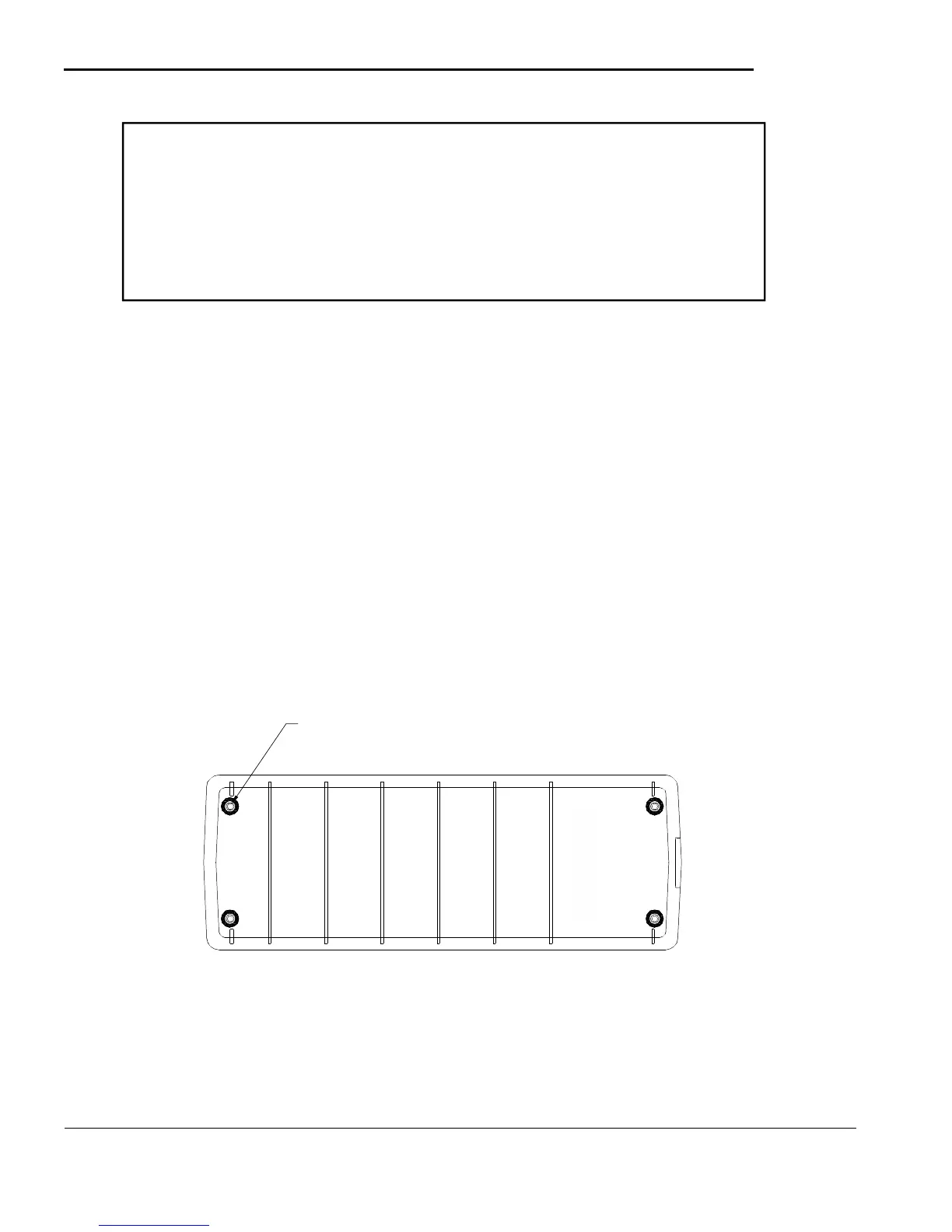
5. The battery pack is mounted to the base of the CLPX monitor with four (4) screws, one
at each corner. Remove the screws with a 9/64" (3.5mm) Allen wrench.
6. Carfeully pull the battery away from the unit and make sure all four screws are
disengaged from the case.
7. Carefully unplug the two pin connector attached to the main board on the CLPX.
.
(4) HEX HEAD SCREWS SECURE BATTERY PACK TO BOTTOM O
F
INSTRUMEN
T
Figure 4.1
To reinstall the battery :
1. Carefully reattach the two pin connector to the main board making sure the latch snaps
to hold it in place.
2. Align the battery against the case with the charging port on the back of the CLPX.
3. Securely tighten the four screws holding the battery in place.
WARNING
DO NOT REMOVE THE BATTERY FROM THE CLPX MONITOR
IN A POTENTIALLY EXPLOSIVE ATMOSPHERE. REMOVAL OF
THE BATTERY IN A FLAMMABLE OR EXPLOSIVE ATMOSPHERE
MAY RESULT IN IGNITION OF THE ATMOSPHERE RESULTING
IN SERIOUS INJURY OR DEATH



 To Next Page