D O D T E C H N O L O G I E S , I
Rev 12.109
Page 13
5.2.b Setup Menu
The Setup Menu contains the screens necessary to configure the CLPX for operation. The setup menu is not
password protected by default but may be password protected (see service menu).
5.2.c SD Card
The SD Card screen displays the amount of empty space remaining on the MicroSD card. Check this value
before each use to assure adequate space remains to log STEL, Concentration, and event history to the card.
5.2.d History
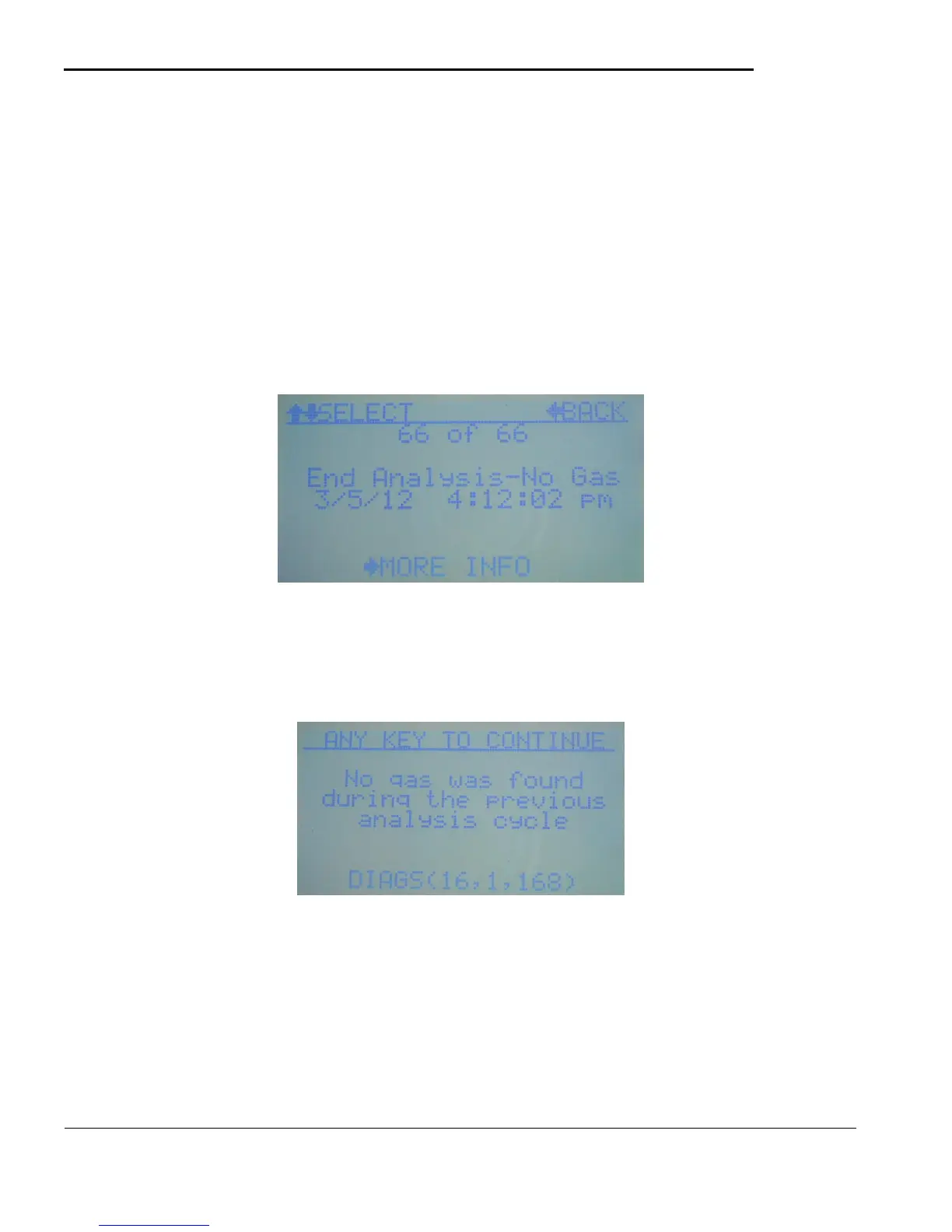
The recent event history is kept in the CLPX regardless of whether an SD card is inserted or not. A
minimum of 16 events are kept at all times although many more events are normally stored depending on
memory usage. See appendix D for description of CLPX events.
Figure 5.5
The most recent event is always shown first. Use the UP/DOWN keys to scroll through recent events and
the LEFT key to exit back to the main menu. You can also use the RIGHT key for more information on
selected events. When the right key is pressed the screen shown in figure 5.6 will display.
Figure 5.6
Depending on the event this may give more detailed information or diagnostic information on the event. The
‘DIAG’ codes displayed at the bottom are useful when contacting DOD Support.
5.2.e STEL
The resent STEL event history is kept in the CLPX regardless of whether an SD card is inserted or not. A
minimum of 16 STEL values are stored depending on the memory usage of the CLPX. The most recent
STEL reading will be displayed as shown in figure 5.7



 To Next Page