D O D T E C H N O L O G I E S , I
Rev 12.109
Page 18
5.4 Service Menu
The service menu is password protected using the Service Level password. Most of the items on this menu
are for service personnel or validation of the system and are not needed during normal operation of the
CLPX.
5.4.a Manual Optics Test
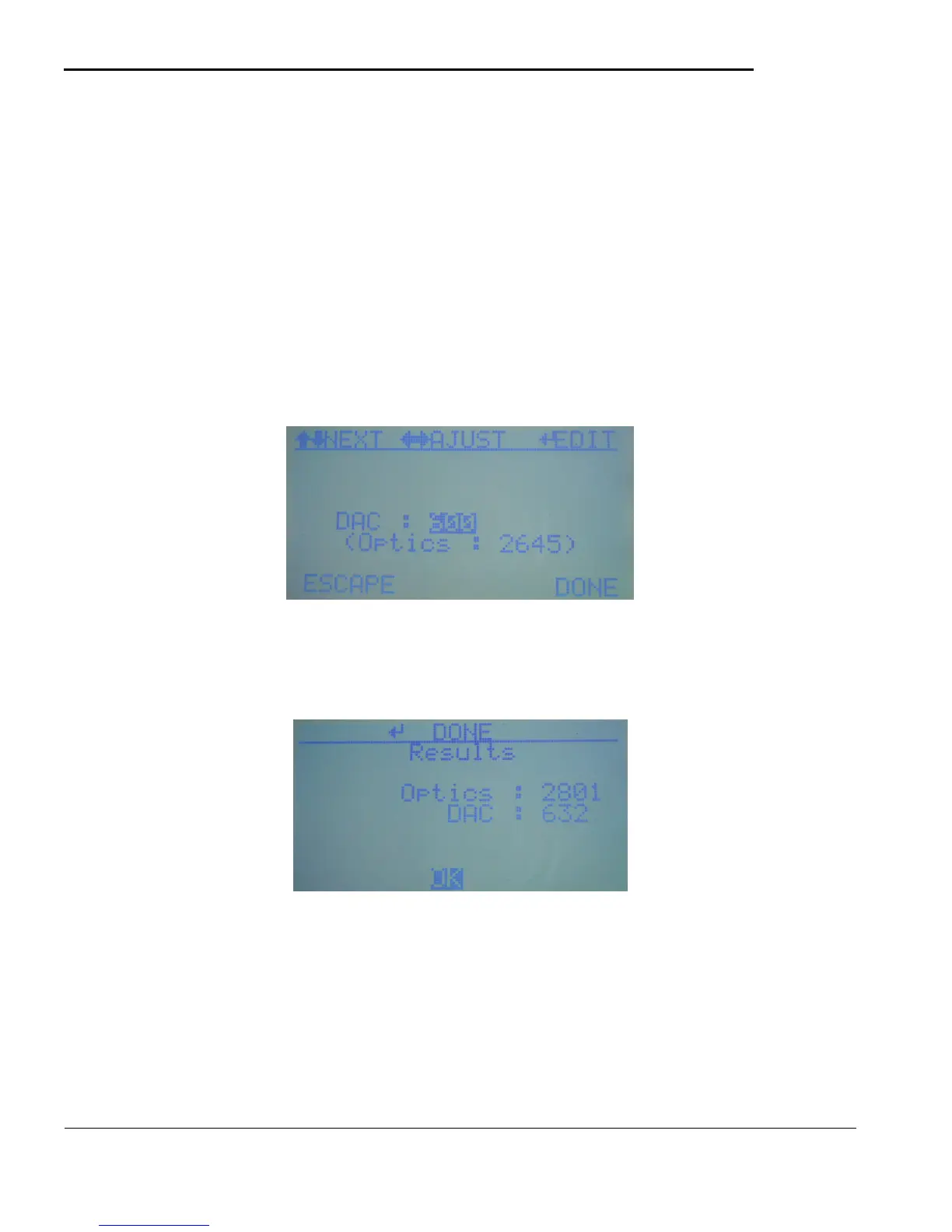
The manual optics test allows the light (DAC) to be manually adjusted to check the response of the readings
from the installed ChemLogic Cassette Tape. Use the LEFT/RIGHT keys to adjust the amount of light in
the optics. The resulting reading from the optics will be displayed after a short delay. To set a specific
light(DAC) reading use the detailed editing feature by touching the ENTER key. Note that the values used
in this screen are for service/validation only and will not be used when returning to analysis. The Auto
Adjust test below (5.4.b) is the recommended quick method to verify the optical system.
5.4.b Auto Optics Test
Use this test to verify the adjustment of the optics and the light intensity. The tape will approximately 2800.
5.4.c Config Settings
The Config settings allow various options in the CLPX to be adjusted. Most of the fields can be quickly
changed using the normal edit feature with the LEFT/RIGHT keys. Each value is factory set to the
recommended value.



 To Next Page