D O D T E C H N O L O G I E S , I
Rev 12.109
Page 9
Chapter 5 – Basic Operation
5.1 Using the keypad
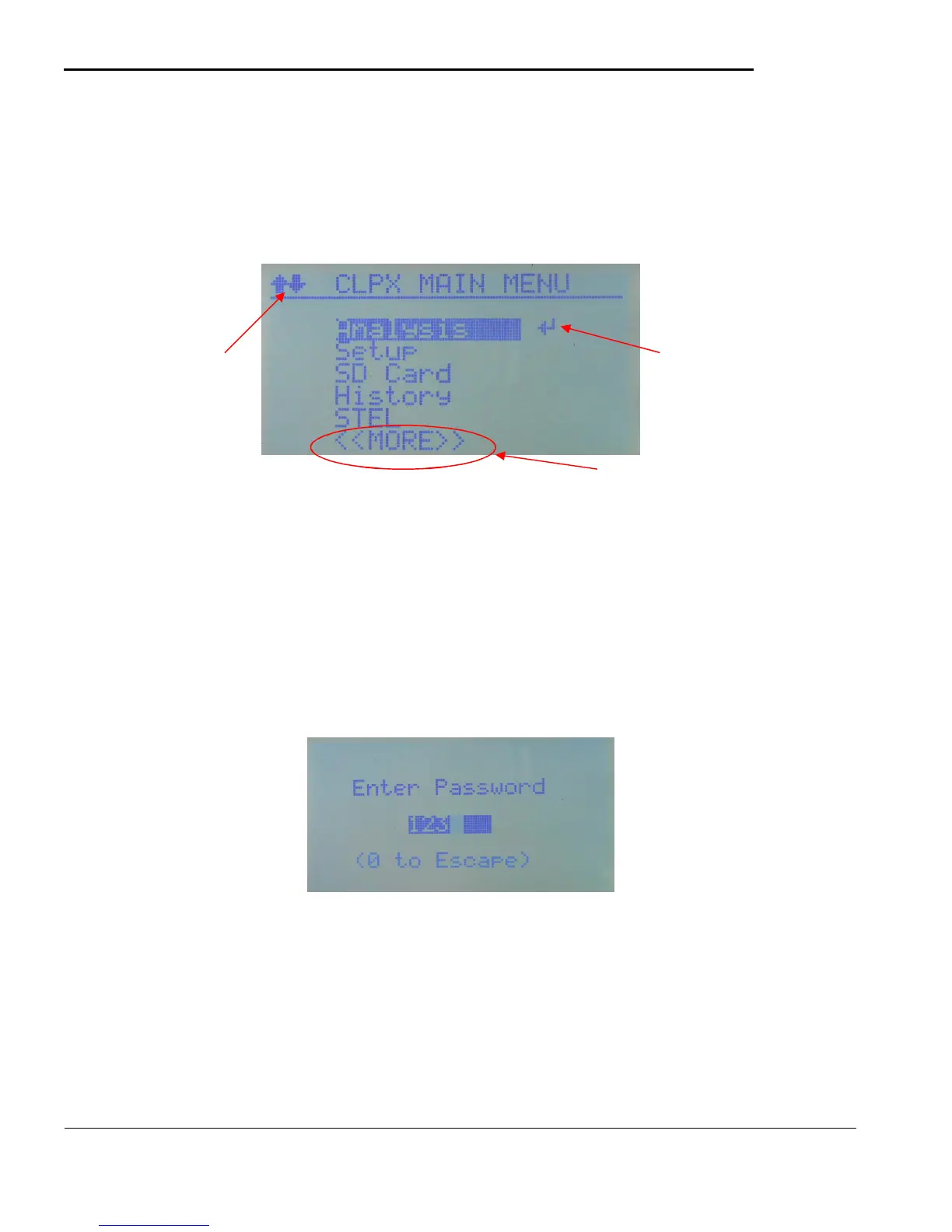
The CLPX is controlled using the 5-key keypad located under the display. All of the display screens are
accessed through a simple menu system as shown in figure 5.1
Figure 5.1
A) On most screens the available keys will be shown on the display. Much of the time the top row indicates
which keys to use.
B) Menus – Use the UP/DOWN keys as shown in Figure 5.1 to navigate through the menu items then use
the ENTER key to select the highlighted item. From any sub-menu (setup,service, etc) use the LEFT
key to return to the previous menu.
C) Password – For access to restricted screens the system will prompt for the appropriate password.
Figure 5.2
Use the LEFT/RIGHT keys to select each digit and the UP/DOWN to change the value of the selected
digit. Press the ENTER key when complete to check the password. You can always change the value to
0 and press the ENTER key to return to the previous menu item.
D) Normal data entry – Most data entry can be accomplished by simple use of the LEFT/RIGHT keys to
select/change values as shown in figure 5.3
shows
available key
options.



 To Next Page