D O D T E C H N O L O G I E S , I
Rev 12.109
Page 21
Chapter 6 - Maintenance
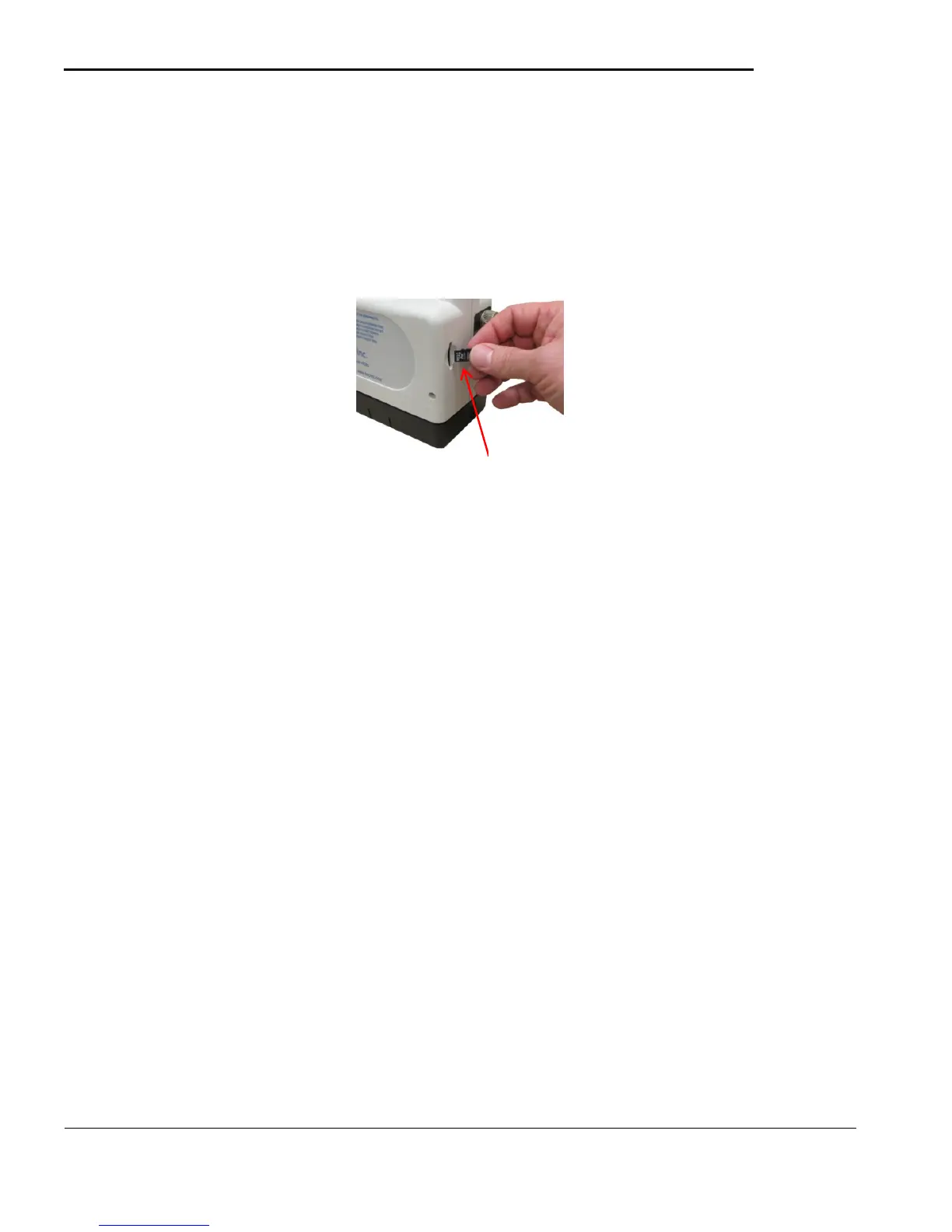
6.1 Micro Secure Digital (SD) Card replacement
See Appendix F for detailed information on the contents of the SD Card.
Install the MicroSD card with the 8 pin gold edge connector facing to the left of the machine when viewing
from the back – see Figure 6.1
Figure 6.1
6.2 Routine Maintenance
Reliable operation of the CLPX monitor requires that the unit be maintained in good working order
and that the sample input path and tape transport area are clean. Regularly inspect the CLPX
monitor for proper operation and damage. Establish a schedule for cleaning the CLPX monitor
based or usage and the nature of the sampling environment and clean as needed according to the
cleaning instructions below. If you have any questions or concerns, contact DOD Technologies.
6.2.a Inspection of the CLPX
1. Inspect the CLPX monitor for damage such as cracks to the housings or loose or missing
components.
2. Check the tape door release and lock for proper operation. Check the tape door for damage.
3. Check the sample input path for damage or for missing components.
4. The inlet tube must be properly seated in the optics block and flush with the end of the cover
tube.
5. Start the unit and check for any performance issues such as excessive or unusual noise, erratic
operation, or problems with the display. If any damage is found, remove the unit from service
and tag for repair by authorized personnel.
6.2.b Cleaning the CLPX
Cleaning of the CLPX portable gas monitor is essential to maintain reliable and accurate
measurements. Problems with calibration may be an indication of the need for cleaning. Dust and
contaminants can build up and interfere with the sensitive optics. Most routine cleaning of the CLPX
monitor involves removal of tape dust build up and cleaning of the sample input path. Additional
cleaning may be required in dusty environments or in some atmospheres, such as those where MDI is
being measured, which may contain wet or sticky aerosols that can build up in the sample input path.
Establish a cleaning schedule that is suitable for the conditions where the CLPX monitor will be used.
Wear powder-free surgical gloves (or equivalent) when cleaning the interior surfaces and
mechanism to avoid contact with the paper tape dust and other contaminants and when handling
pieces of the paper tape in the course of these instructions.
Cleaning the CLPX monitor may require the use of pressurized air. For some cleaning, a rubber
8 pin gold edge connectors
on this side



 To Next Page