D O D T E C H N O L O G I E S , I
Rev 12.109
Page 15
5.3 Setup Menu
The setup menu is not password protected by default. In the Configuration settings on the Service Menu the
password requirement can be enabled if needed.
5.3.a Select Gas
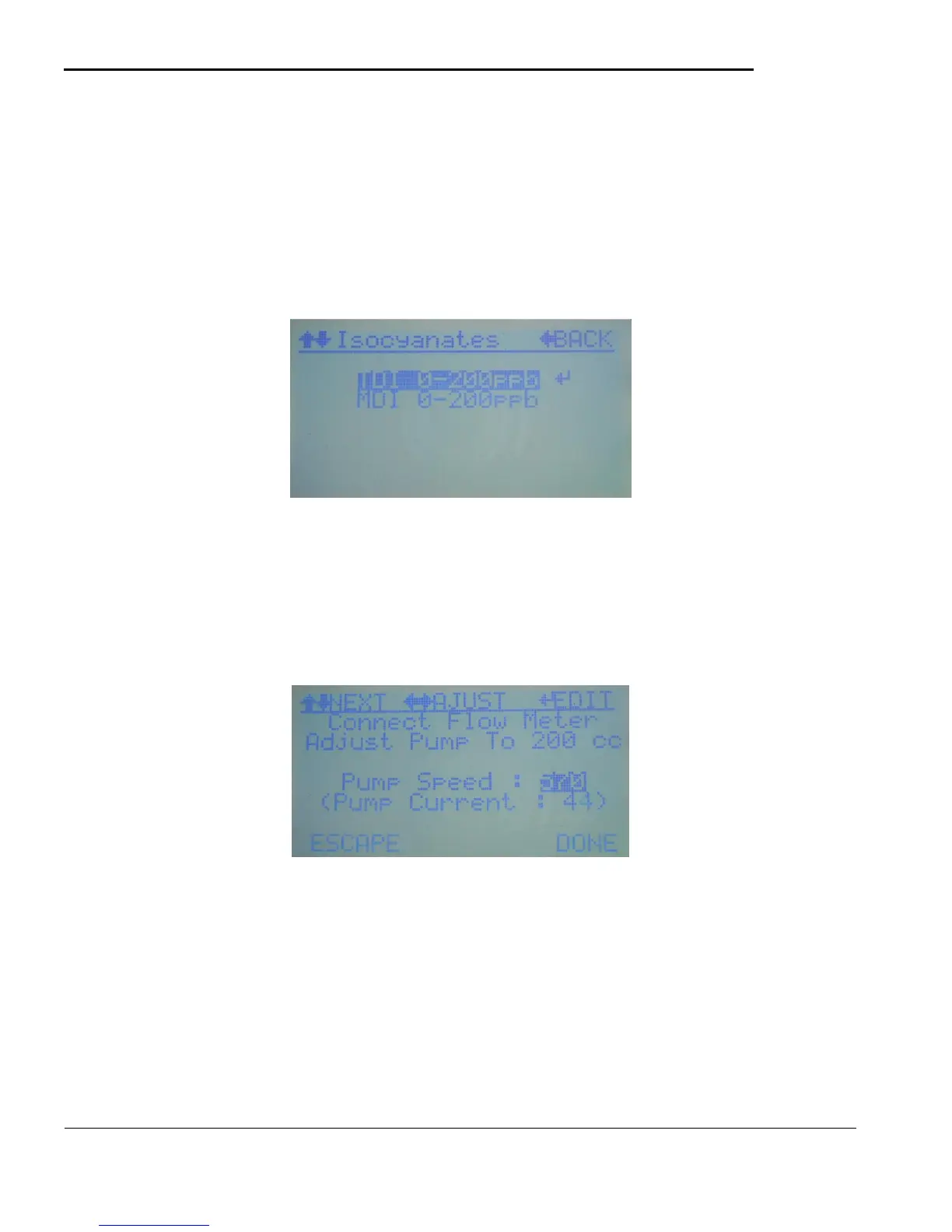
This selection will display the available gas selections based on the gas family purchased and installed at the
factory. Use the ENTER key to select the gas to monitor for which will then set the default Alarm Levels and
give the operator the opportunity to change them by going directly to the Set Alarm Level screen (see 5.3.c)
Figure 5.8
5.3.b Adjust Flow
This selection will display the screen shown in figure 5.9. Connect the included flow meter and adjust the
pump to get the flow to the value shown. (ex 200 cc). As shown in the screen you can normally adjust the
pump using the left right keys or if you would like to enter a specific value press the ENTER key and use the
procedure outlined in 5.1 E
Figure 5.9
5.3.c Set Alarm Levels
This selection will display the screen shown in figure 5.10 to adjust the Alarm Level if necessary. When a
gas is selected the alarm levels are set to the default values which are normally 1 and 2 TLV. They can be
adjusted if necessary at anytime in this screen. Be sure to selecte ‘SAVE’ when done if the values are
changed.



 To Next Page