ParaMon-Pro X instruction manual DOC.60391-01/21
C.Connect the PC with the BM, using the accompanying USB cable.
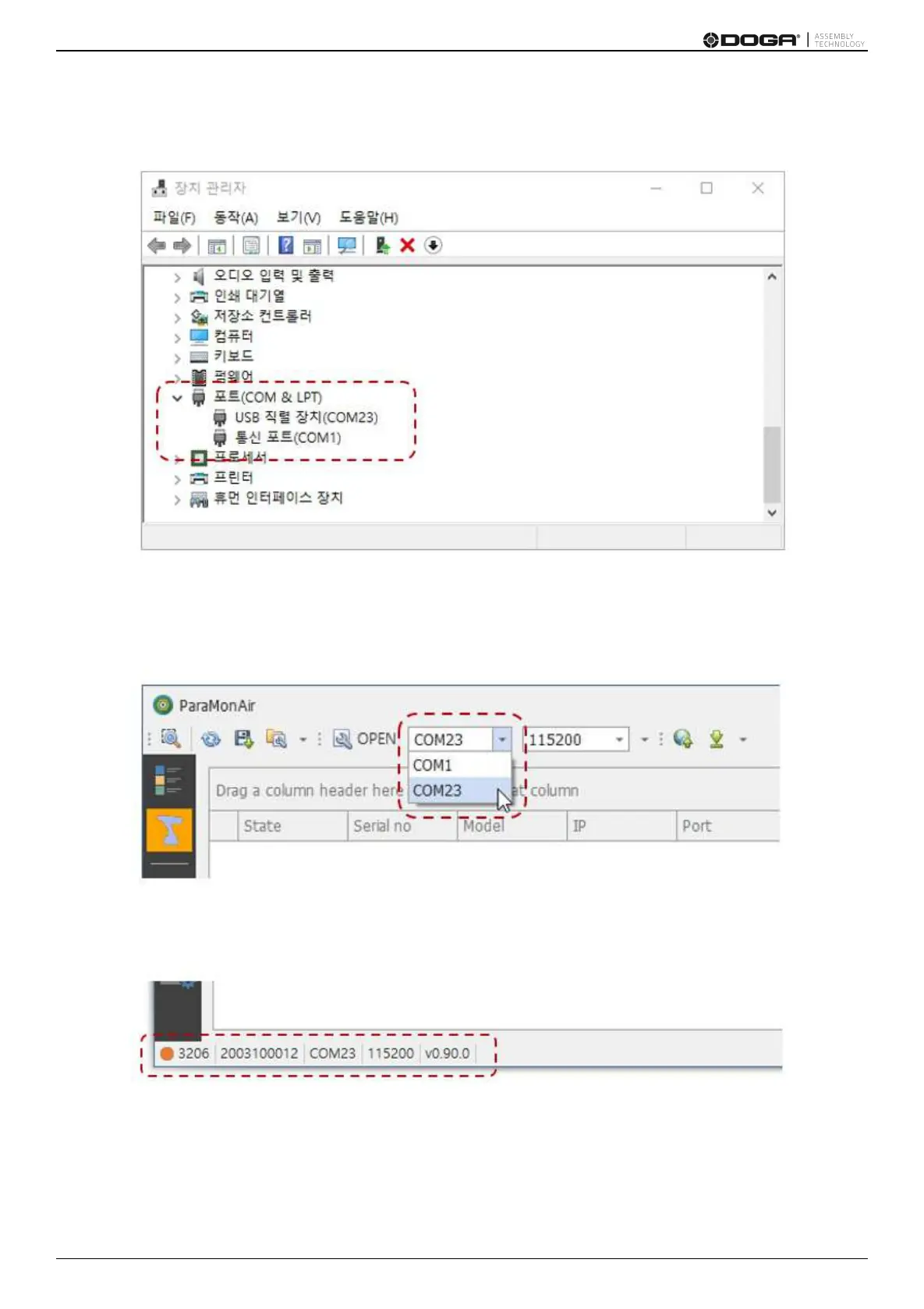
D.Once the BM is connected properly, a new COM port appears in the COM & LPT category. The COM port number
can vary depending on configuration.
E. Start the ParaMon Air program.
F. Extend the COM Port List box as shown below:
G. Select the COM port number of BM confirmed in the device manager.
H. Press [OPEN] and start the connection.
I.Once connected normally, the product’s model No., serial No. and firmware version appear at the bottom as follows:



 To Next Page