ParaMon-Pro X instruction manual DOC.60391-01/21
13.1.2 Input step
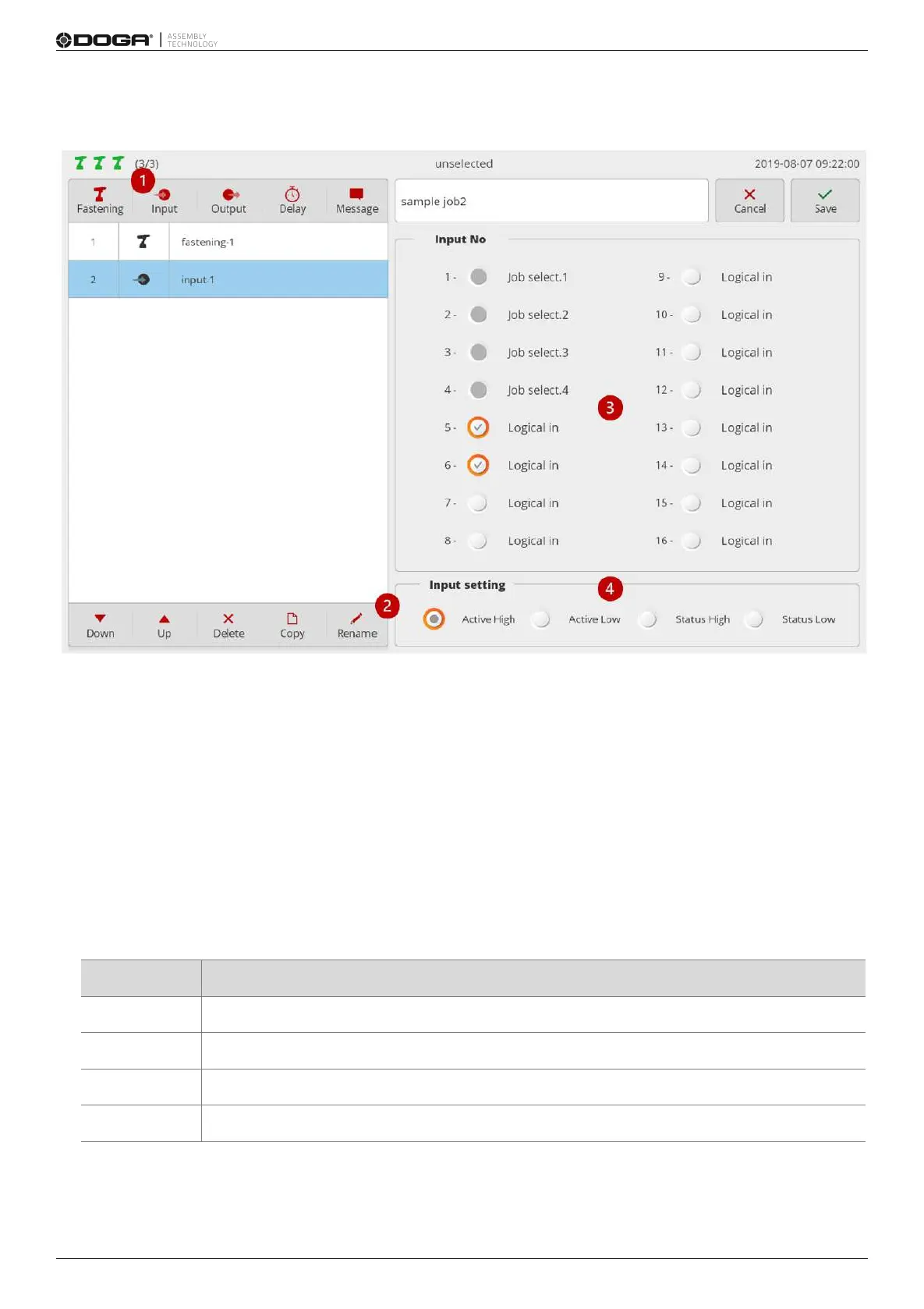
1. Press [Input].
Then, an input step is added to the bottom of the step list.
Then, a setup page appears on the right.
2. If necessary, press [Rename] and edit the step name.
3. Select the port to get signals.
The ports with system functions are disabled and not selectable.
If multiple ports are chosen, AND conditions apply.
4. Sets changes in input signal levels.
Level change settings commonly apply to all ports.
Settings by port are not supported.
Detects a level change from ‘0 (low)’ to ‘1 (high)’
Detects a level change from ‘1 (high)’ to ‘0 (low)’



 To Next Page