ParaMon-Pro X instruction manual DOC.60391-01/21
7. SELECT TARGET TOOL
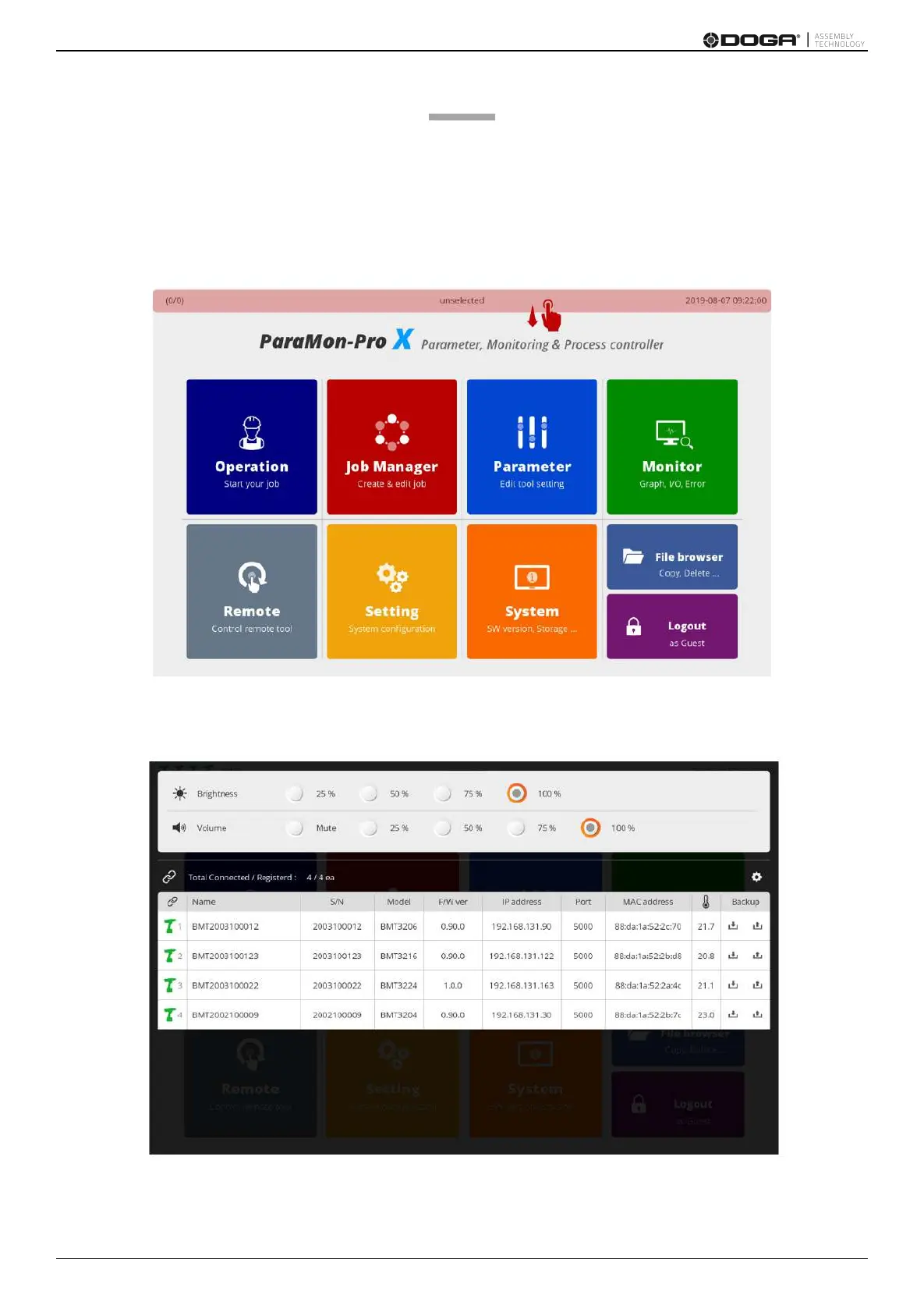
Since ParaMon-Pro X registers and manages multiple member tools, it is required to specify a target tool on the menu
for a certain tool such as Parameter, Monitor and Remote.
This section describes how to select a target tool.
A. As shown in the figure, swipe from top to the bottom.
B. A list of the member tools currently registered on ParaMon-Pro X appears.



 To Next Page