ParaMon-Pro X instruction manual DOC.60391-01/21
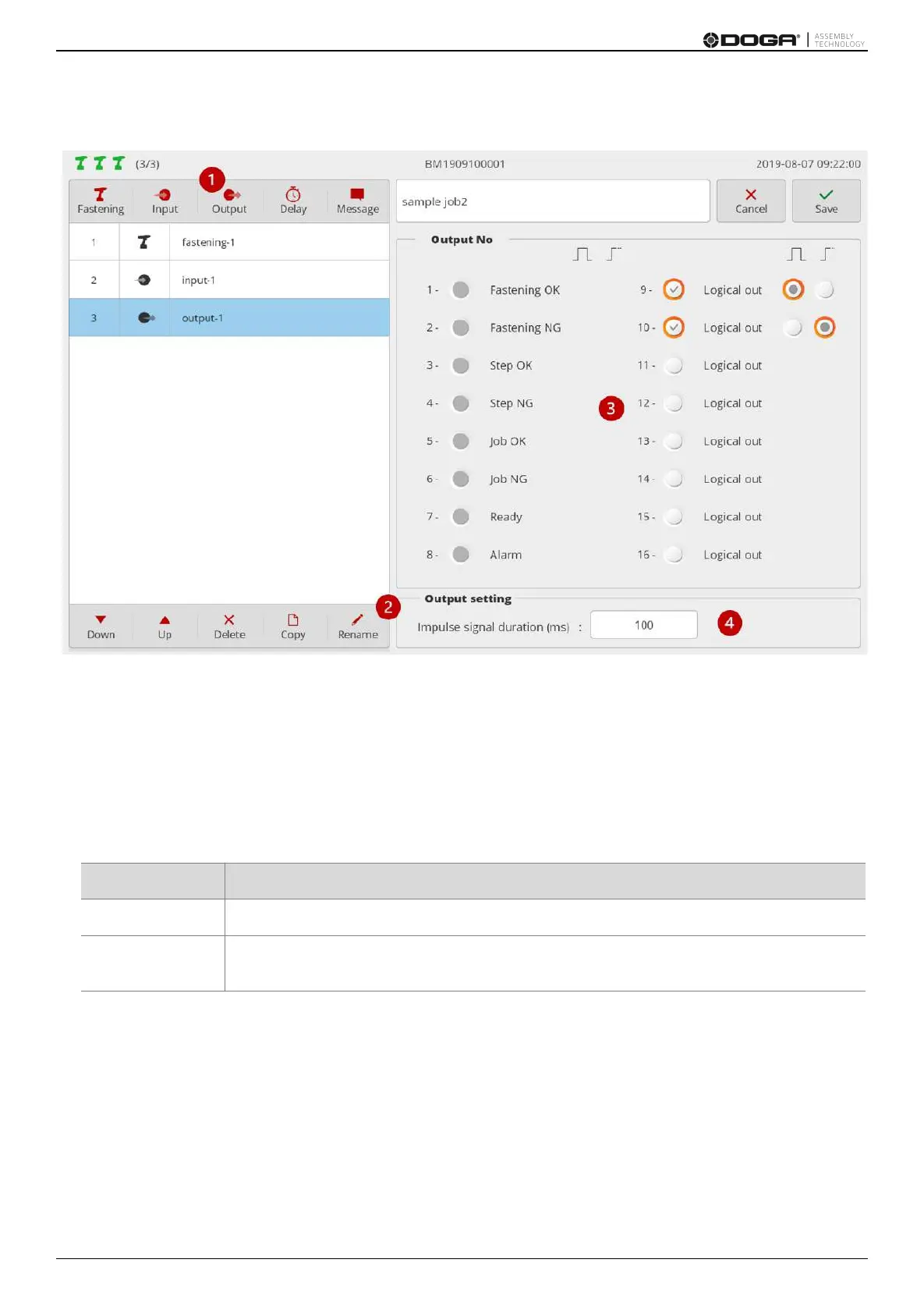
13.1.3 Output step
1. Press [Output].
Then, an output step is added to the bottom of the step list.
Then, a setup page appears on the right.
2. If necessary, press [Rename] and edit the step name.
3. Select the port to generate signals.
The ports with system functions are disabled and not selectable.
It is able to select the output type of a signal by port.
Generates pulse signals up to the time preset in (4)
Displays level 1 (high) signal
Adds a separate output step and disables the port to alter the output to ‘0 (low)’
4. Set ‘hold-up time’ at level 1 (high) at pulse generation (0-5,000ms).



 To Next Page