ParaMon-Pro X instruction manual DOC.60391-01/21
13.1.5 Message step
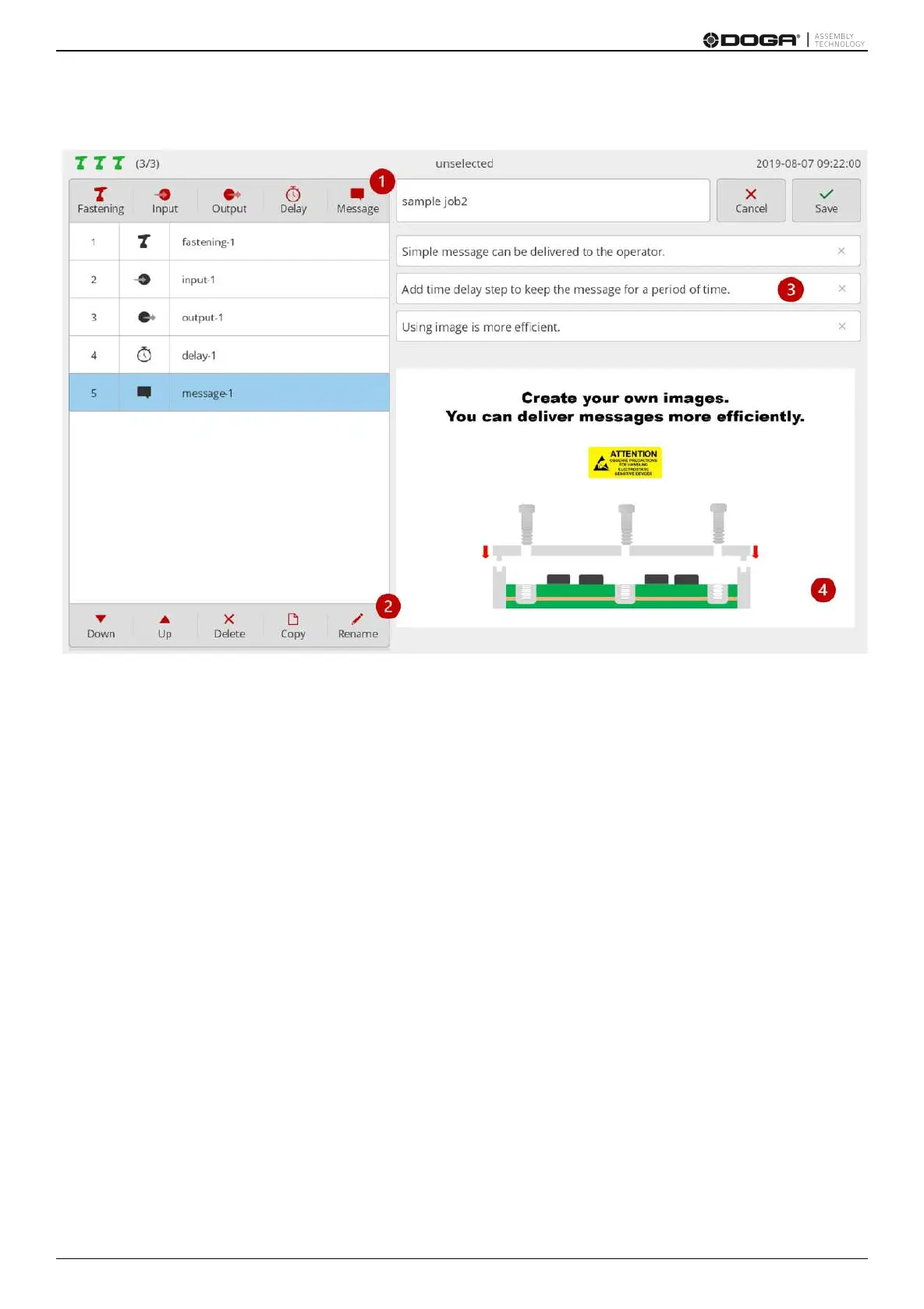
1. Press [Message].
Then a message step is added to the bottom of the step list.
Then a setup page appears on the right.
2. If necessary press [Rename] and edit the step name.
3. If necessary enter texts and send a simple message to an operator.
4. Able to register an image and send a more efficient message if necessary.
If both image and text are registered, the image appears in full screen while the text is not visible.
In terms of an image format JPG and PNG are supported.
It supports resolutions up to 4096 x 4096.
For optimization, however, ‘1280 x 800 (16:10)’ or ‘1280 x 720 (16:9)’ is recommended.
In general the message step should be programmed to display a message for a certain period of time by adding a
barcode or timer delay step.
Without such delay step the message appears very shortly.



 To Next Page