ParaMon-Pro X instruction manual DOC.60391-01/21
8.2.1 Free reverse rotation
Able to set reverse rotation up to 20 turns to make the bit spontaneously enter into a screw hole or fastened object hole
before fastening the screw.
8.2.2 Thread tapping
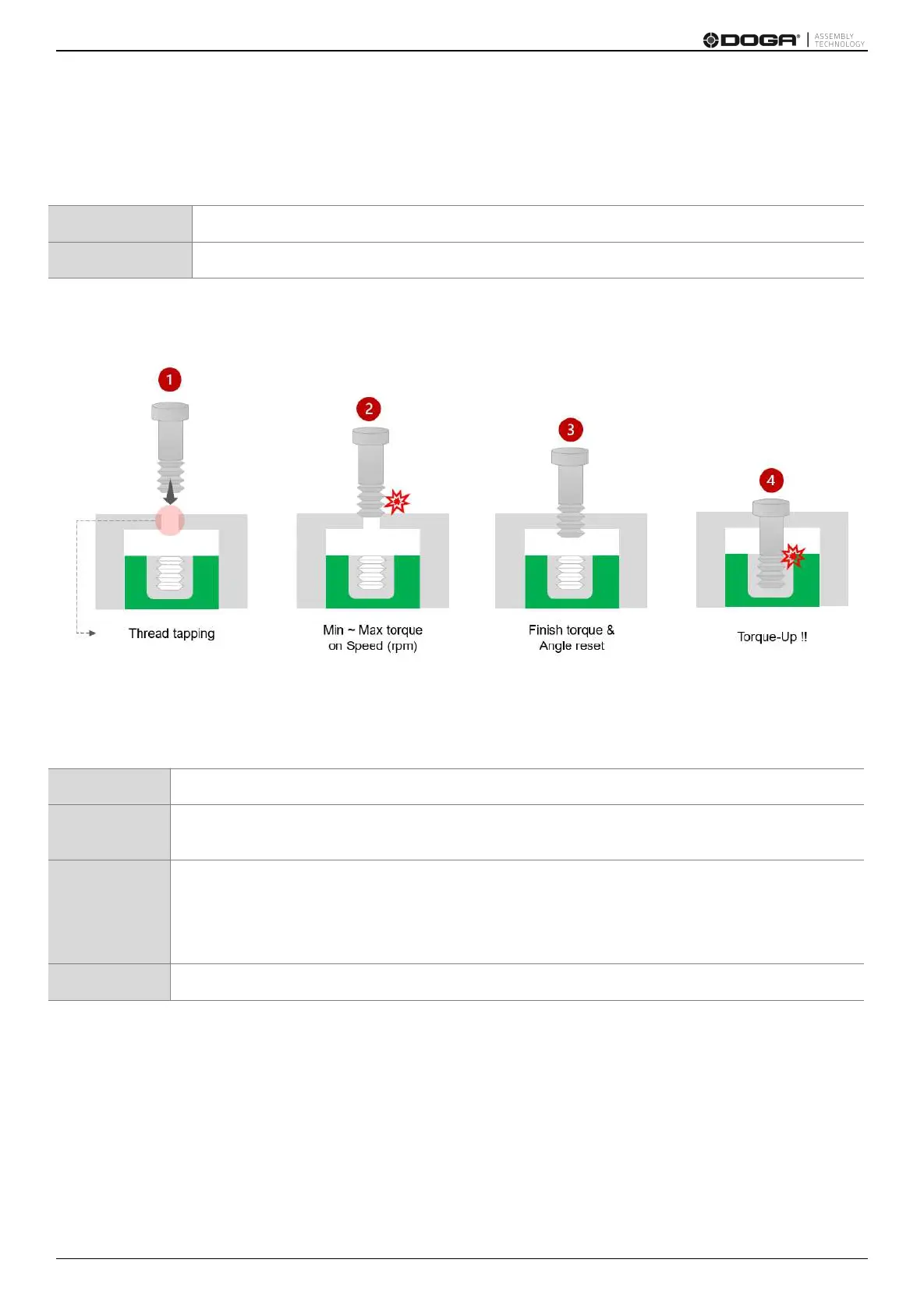
The figure above reveals the 4 steps of thread tapping.
It also illustrates how the five parameters in the thread tapping are utilized.
If the screw is in the housing before reaching a hole, thread tapping can be used.
If the fastening torque is greater than the torque when passing through the housing, the screw
passes through the housing at the preset speed within min. – max. torque in the thread tapping.
In general, torque drops rapidly when the screw passes through the housing.
Then, torque is set to the finish torque level to detect the passing of the housing.
If the angle start from tapping is ON, the angle is reset and starts from ‘0’ all over again when the
finish torque is detected.
The screw is fastened by the preset torque.



 To Next Page