ParaMon-Pro X instruction manual DOC.60391-01/21
11.5 Network
A.WiFi
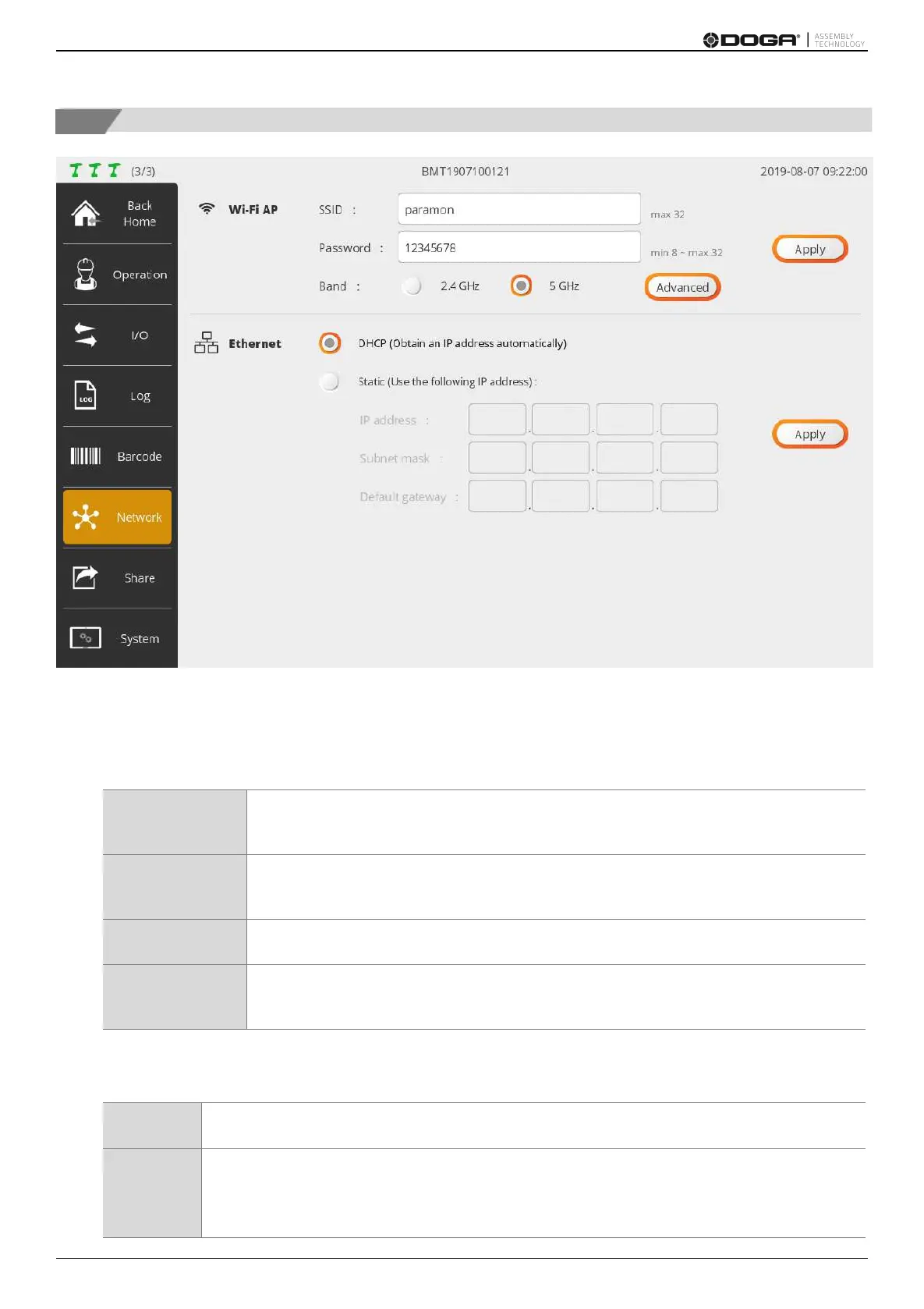
Setting to run WiFi AP in ParaMon-Pro X.
After editing the settings, press [Apply].
Enters the AP’s SSID
Up to 32 letters
Enters the password of AP
At least 8 characters long; able to enter up to 32 characters
Selects the operating frequency of AP
Able to set the AP frequency channels
Recommended to use default settings
B.Ethernet
After editing settings, press [Apply].
Automatically gets IP address from the server.
Manually sets IP address.
Reckless address settings cause network failure including abnormal operation.
Ensure to contact the network manager before setting.



 To Next Page