ParaMon-Pro X instruction manual DOC.60391-01/21
A. Code input
Select target tools for registration.
A scanner is enabled if the trigger is executed twice in a row.
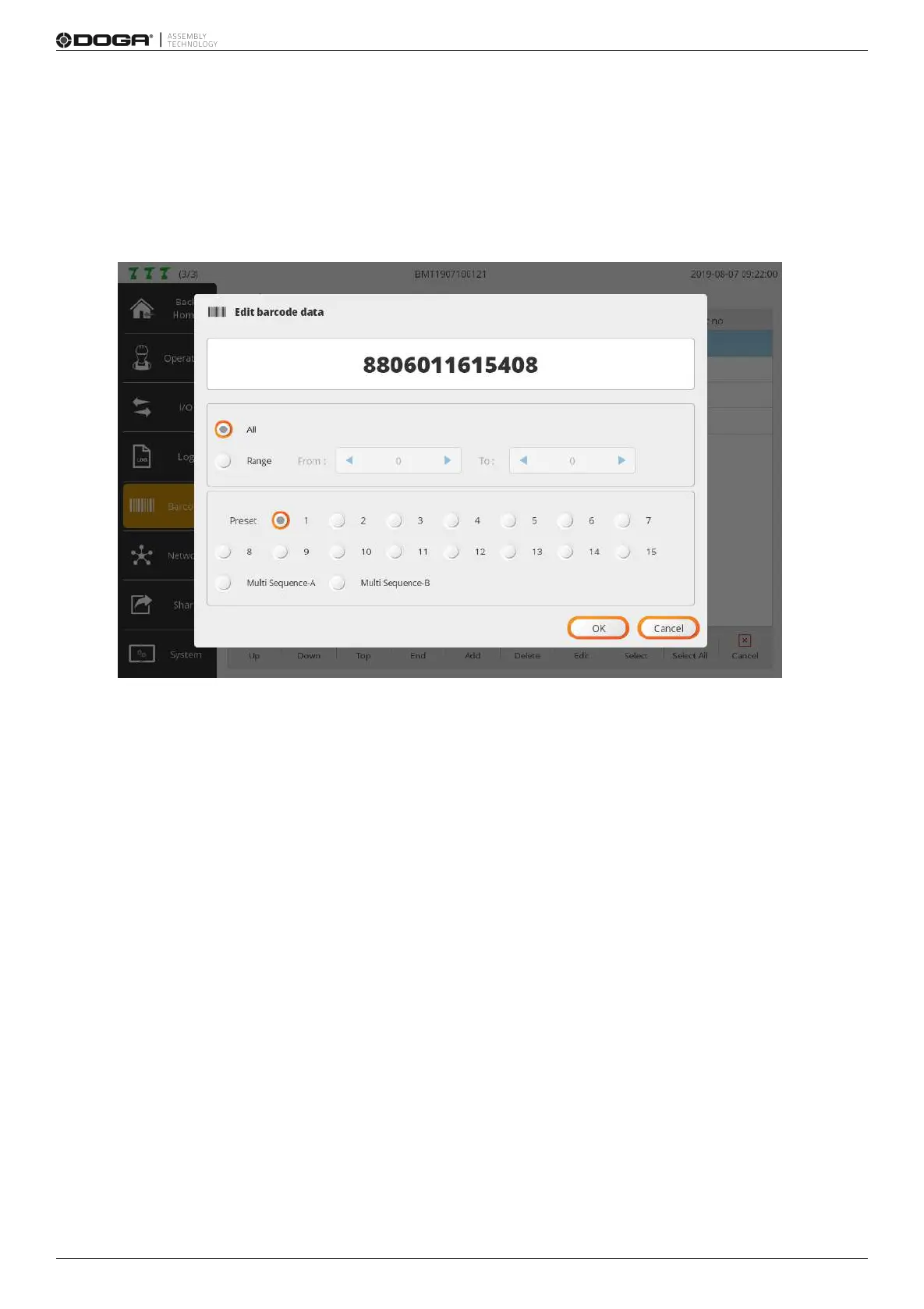
If a code is scanned, the registration page along with the scanned code pops up.
If necessary, press [Add] and enter the code in person.
B. Valid code region settings
If ‘All’ is chosen, the code should be perfectly matched for change into the preset.
If ‘Range’ is selected, the region appears in red on the code.
If the region is partially matched, it changes to the preset.
Therefore, in the RANGE setting, even though the registered code and scanned code are not matched in
terms of total length, it changes to the preset as long as the digit of the valid region is matched with the code.
C. Preset settings
Selects target preset in which the valid regions of registered and scanned codes are matched.
D. Add to all tools (optional)
Check the ADD TO ALL TOOLS checkbox and register a code to all tools in ParaMon-Pro X.



 To Next Page