ParaMon-Pro X instruction manual DOC.60391-01/21
13.1.1 Fastening step
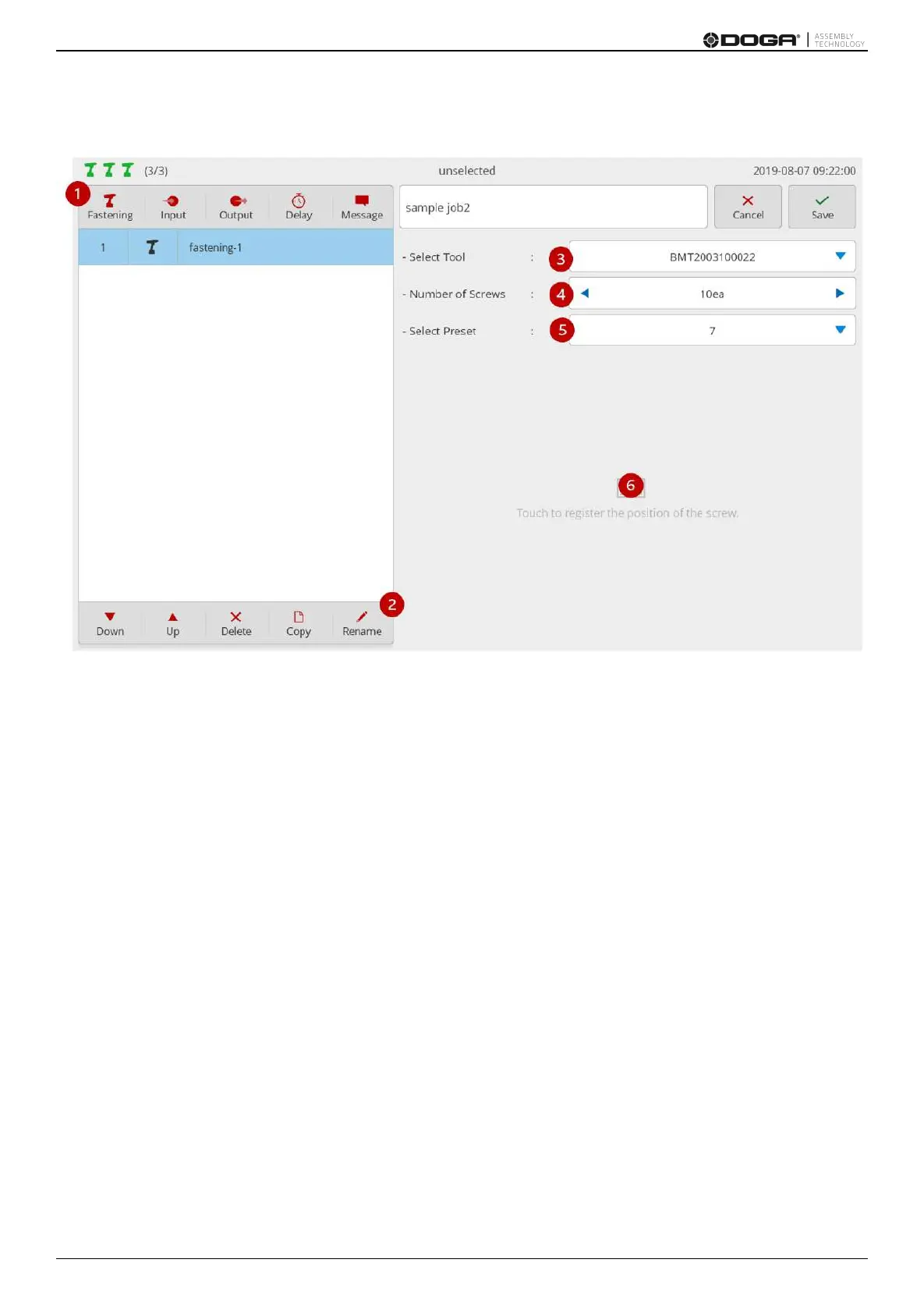
Fastening step supports up to 99 screws:
1. Press [Fastening].
Then, a fastening step is added to the bottom of the step list.
Then, a setup page appears on the right.
2. If necessary, press [Rename] and edit the step name.
3. Select a tool for fastening among the member tools.
4. Enter the number of screws to be fastened.
5. Select the preset to be used for fastening.
6. If necessary, register an image and specify the position of the screw.
If the area is touched, a screw-positioning page pops up as follows:



 To Next Page