ParaMon-Pro X instruction manual DOC.60391-01/21
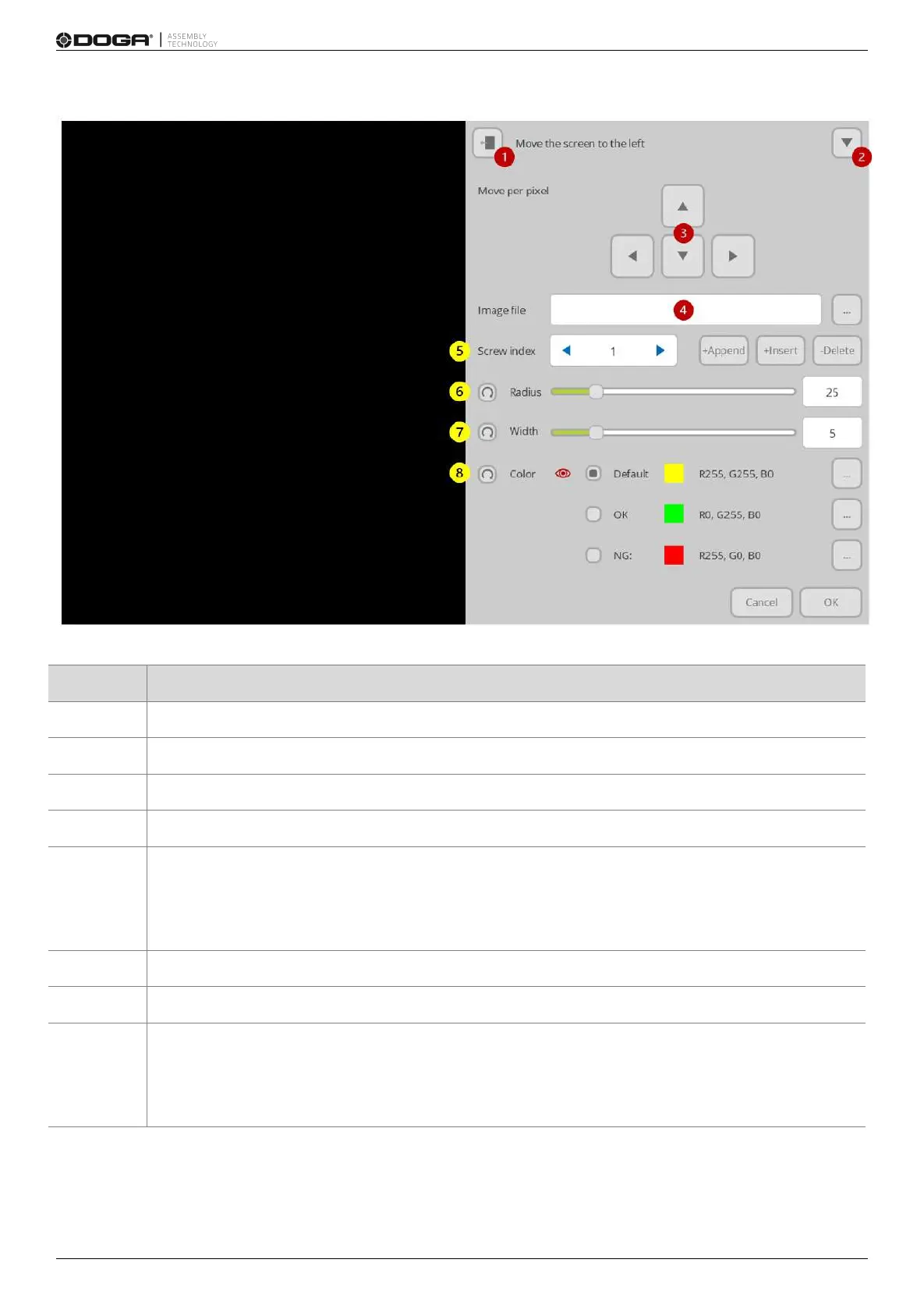
If necessary, moves the screen to the left or right
Hides the screen to the bottom and views the entire image
Able to adjust a pixel unit at registration of screw position
Loads an image to be used in screw positioning
Sets the index number of the screws to be positioned
+Append: adds a new screw to the end
+Insert: adds a new screw to the current index position
-Delete: deletes a screw in a current index position
Able to adjust the size of a circle which shows a screw position
Able to adjust the thickness of a circle which reveals a screw position
Able to change the color of a circle which shows a screw position
Default: sets the color which is displayed in a hold state
OK: sets the color which appears when normally fastened
NG: sets the color which appears when abnormally fastened



 To Next Page