ParaMon-Pro X instruction manual DOC.60391-01/21
Connect the battery and switch on the BM.
Ensure to connect the USB cable after the system is successfully reset.
If switched on after the USB cable is connected when the system is OFF, or the USB cable is
connected while the BM is being reset,
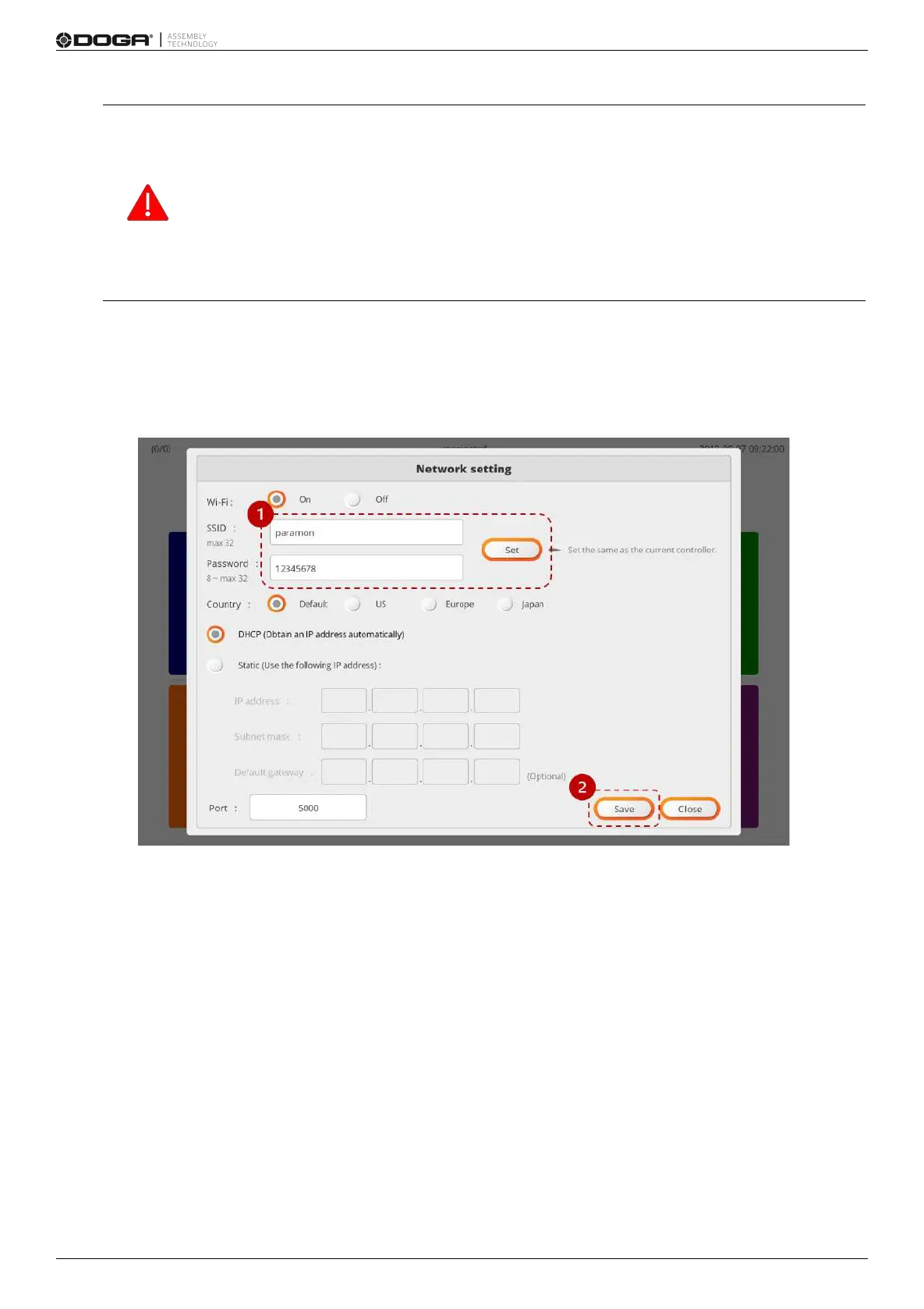
The NETWORK SETTING page may not appear on the screen.
If not, remove the battery and reassemble it.
C. Select the text box and enter SSID and Password in person.
D. Press [SET]. Then, it is set with the SSID and Password from ParaMon-Pro X.
E. Press [Save].
F.Remove the BM battery and cut off the power.
G.Assemble the BM battery and switch on the power.
H.The BM WiFi settings are successfully done.



 To Next Page