ParaMon-Pro X instruction manual DOC.60391-01/21
Changes a mode to select multiple items
Ends a multiple item selection mode
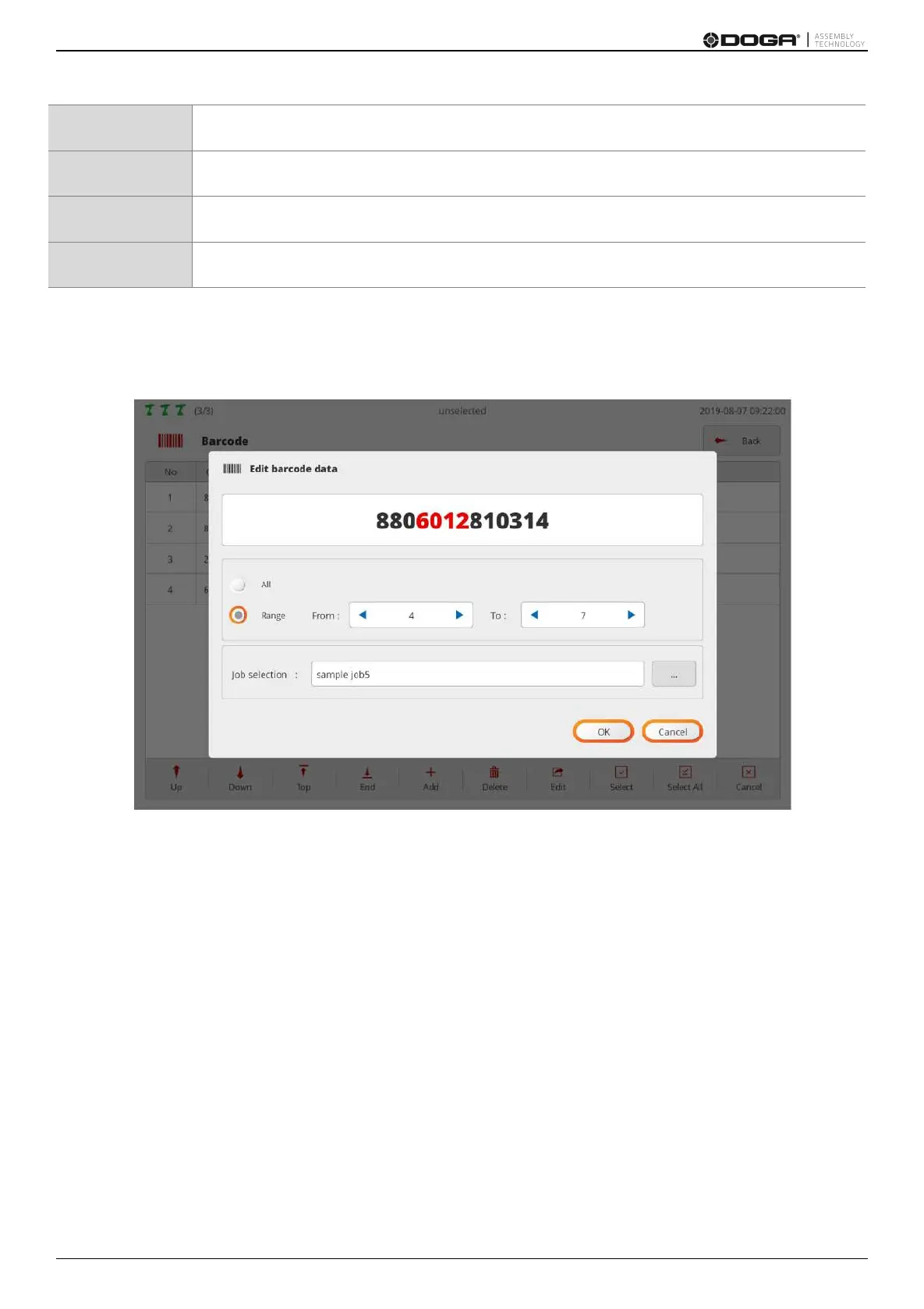
1. If a code is scanned through USB Scanner or BM built-in scanner, the edit page appears as shown in the
figure.
If necessary press the ADD button, select a text box and annually enter in person.
2. If ‘All’ is selected, jobs are loaded when codes are perfectly matched.
If ‘Range’ is chosen, jobs are loaded when the region (From – To) is matched.
Jobs are loaded if the number of digits and code values in a valid area are matched even through registered
and scanned codes differ in terms of total length.
3. Able to set a job to be loaded when a code is scanned at ‘Job selection’.



 To Next Page