Half/Pack
®
Issued April 2018
Body Controller Software
Copyright 2018, Heil Environmental
Printed in the U.S.A.
Body Controller Software
142
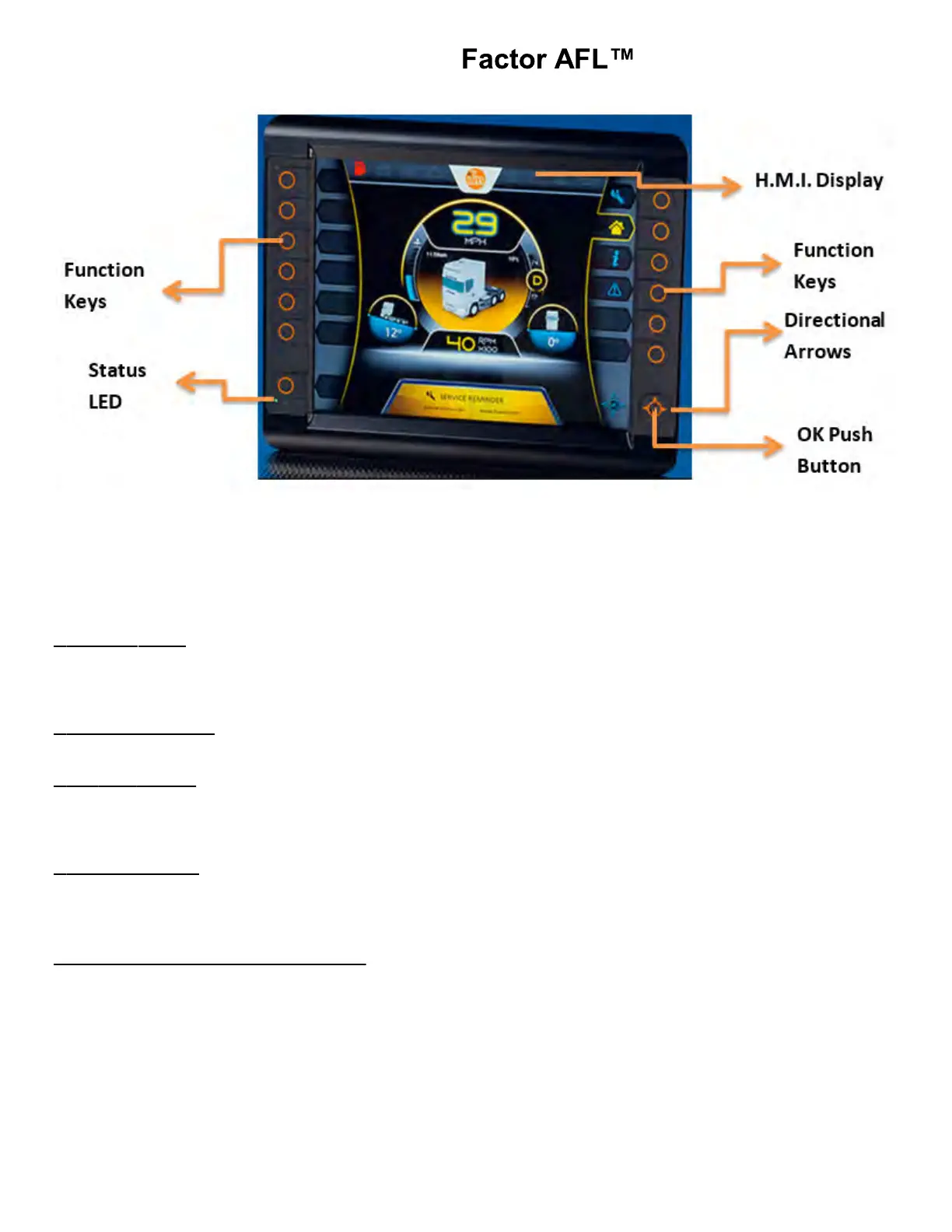
Fig.: 12” INSIGHT Display Unit
The display is fitted with the following operating elements:
1. 13 Function Keys
2. 4 Directional Arrows (Up / Down / Right / Left)
3. OK Push Button
4. INSIGHT Display.
1. Function Keys: There will be 13 backlit freely programmable function keys available in INSIGHT. The Function Keys
primary use is to allow transition between operations screens. They also change to password protection keys if a password
protected screen is activated (for Ex: Left side keys Top to Bottom “1 – 2 – 3 – 4 ” and Right side keys Top to Bottom “5 –
6 – 7 - 8”).
2. Directional Arrows: The Directional Arrows may be used for cursor movement function (Up / Down / Right / Left). This
can be used for cursor location purposes from within Input, Output, Maintenance or Options Screens.
3. OK Push Button:
Note: For example: When a particular Input / Output bit is selected using Direction Arrows, the OK Push Button can be
used to turn ON / OFF that particular bit. Once a particular bit is turned ON / OFF, the respective bit color will be changed
from Gray to Green or vice versa, which will be displayed on the INSIGHT terminal.
4. INSIGHT Display: This is used for displaying the current status of the Input / Output, Engine Run Speed, Temperature,
Auto/Manual mode etc. This can be programmed for graphically representing a process. This can also be used for
changing the set points for Analog values.
5.04.02: Display Operating States:



 To Next Page