Half/Pack
®
Issued April 2018
Body Controller Software
Copyright 2018, Heil Environmental
Printed in the U.S.A.
Body Controller Software
141
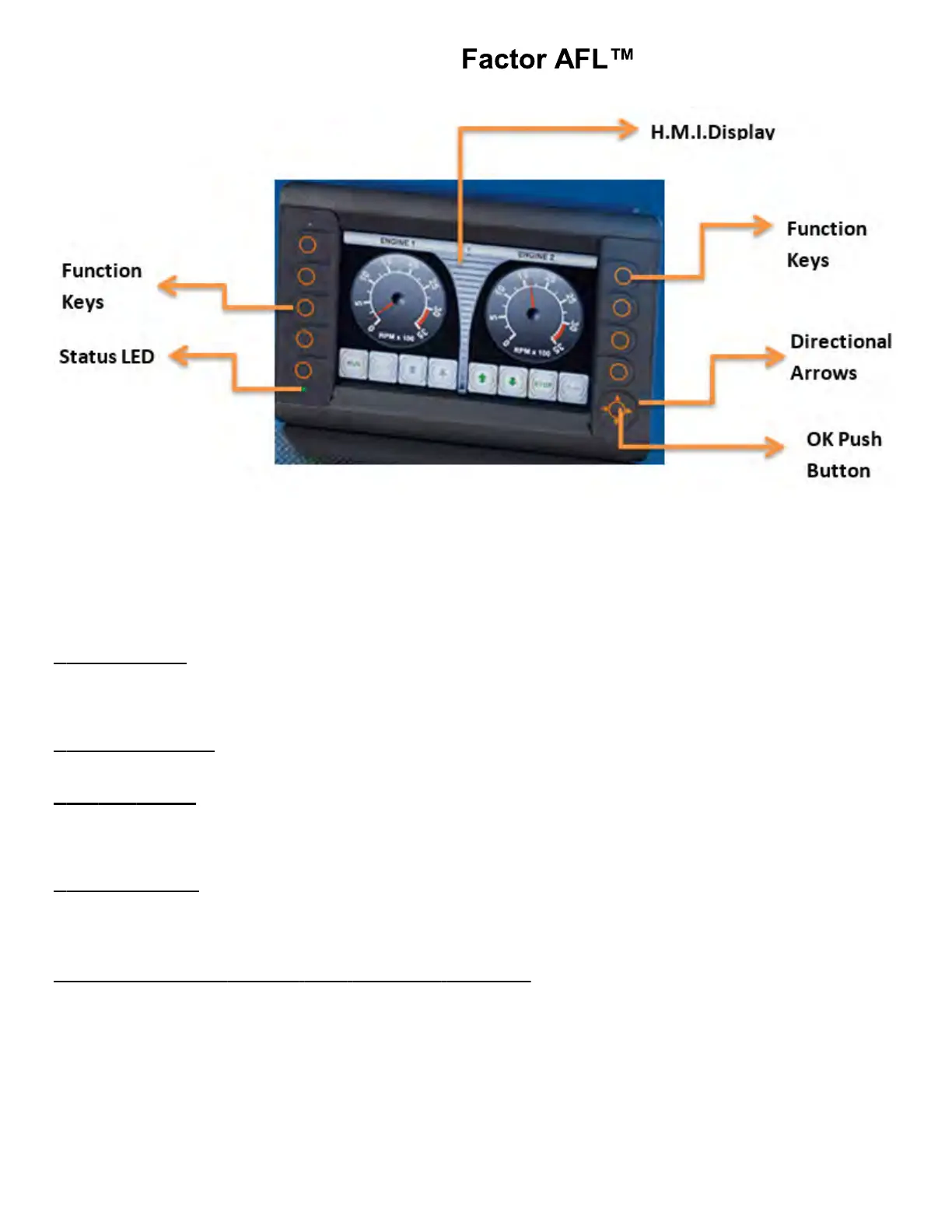
Fig.: 7” INSIGHT Display Unit
The display is fitted with the following operating elements:
1. 9 Function Keys
2. 4 Directional Arrows (Up / Down / Right / Left)
3. OK Push Button
4. INSIGHT Display.
1. Function Keys: There will be 9 backlit freely programmable function keys available in INSIGHT. The Function Keys
primary use is to allow transition between operations screens. They also change to password protection keys if a password
protected screen is activated (for Ex: Left side keys Top to Bottom “1 – 2 – 3 – 4 ” and Right side keys Top to Bottom “5 –
6 – 7 - 8”).
2. Directional Arrows: The Directional Arrows may be used for cursor movement function (Up / Down / Right / Left). This
can be used for cursor location purposes from within Input, Output, Maintenance or Options Screens.
3. OK Push Button:
Note: For example: When a particular Input / Output bit is selected using Direction Arrows, the OK Push Button can be
used to turn ON / OFF that particular bit. Once a particular bit is turned ON / OFF, the respective bit color will be changed
from Gray to Green or vice versa, which will be displayed on the INSIGHT terminal.
4. INSIGHT Display: This is used for displaying the current status of the Input / Output, Engine Run Speed, Temperature,
Auto/Manual mode etc. This can be programmed for graphically representing a process. This can also be used for
changing the set points for Analog values.
5.04.01B: INSIGHT Display (12”) Operating Elements
INSIGHT Display (12”):- Consists of 13 backlit function keys, Analogue video input, and a INSIGHT (Graphic) display
terminal as shown below:



 To Next Page