Half/Pack
®
Issued April 2018
Body Controller Software
Copyright 2018, Heil Environmental
Printed in the U.S.A.
Body Controller Software
150
6.04: Diagnostic Display Messages
When a fault has been set the IN-Cab Alarm will sound and a Diagnostic message will be displayed with the status of
respective Input / Output in the Insight display unit.
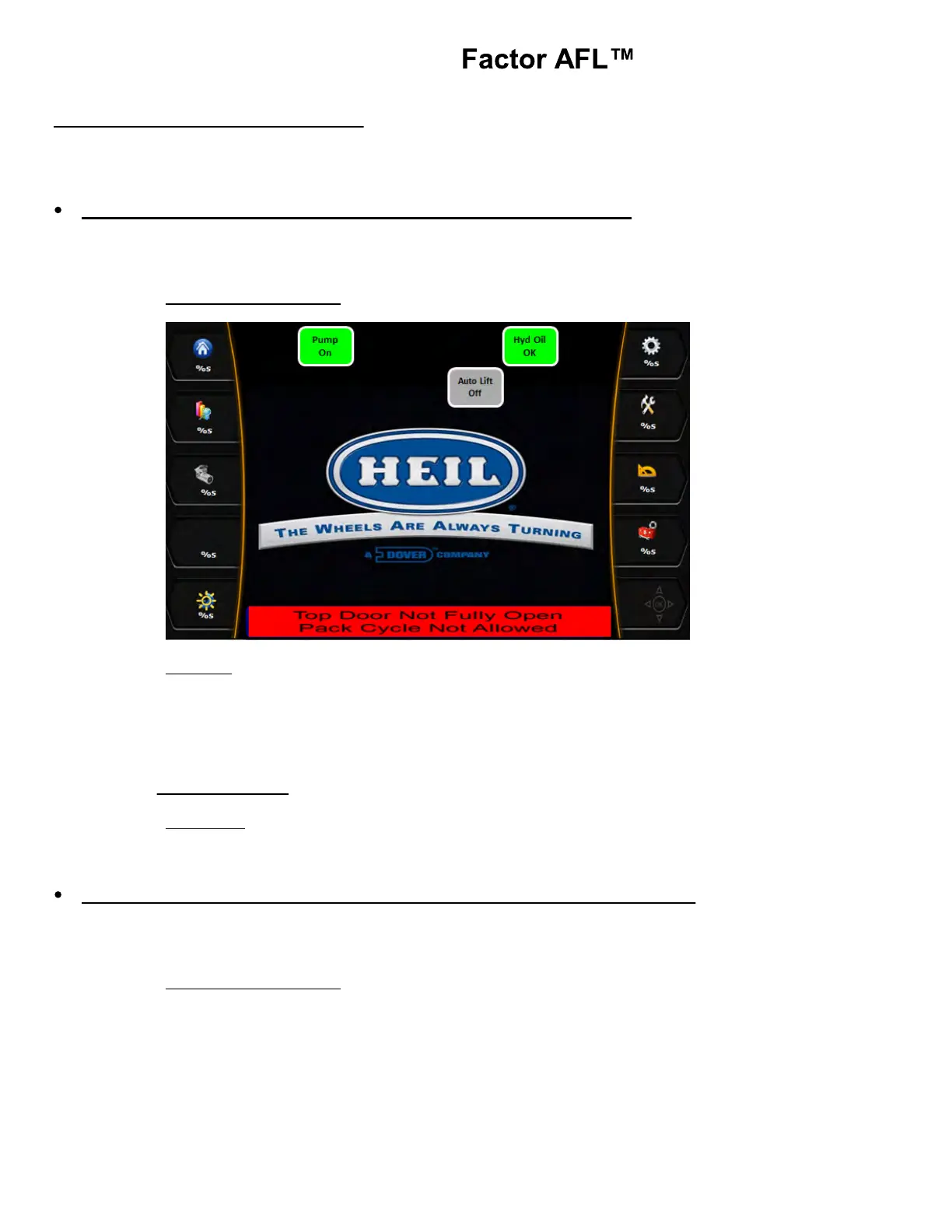
Top Door Open and Auto Pack Interlock (standard equipment)
If Top door is not fully open with the Top door configuration bit ON, Residential Curotto Configuration bit ON, Select-O-
Pack option enabled and Travel position switch enabled or Packer Extend Push Button pressed, Top Door Open
diagnostic message will be displayed in the Insight display.
Insight Display Illustration:
Indication: A. Top Door Open light ON.
B. Residential Curotto Configuration bit is ON..
C. Top Door Configuration bit is ON.
D. Select-O-Pack bit is ON
E. Packer Extend Push Button pressed.
F. Travel Position Switch ON.
Disabled Functions: Packer.
Fault Reset: Open the top door fully. Check top door, Packer Extend prox. Select-O-Pack switch for
proper operation
Auto Lift Enabled and Overweight Alarm Active (standard equipment)
If Auto lift enable switch is turned ON from either street side or from the curb side of the dual control panel for Bank-2
Switch-6 and Bank-4 Switch-6 and Scale Alarm-2 is enabled due to Overweight / PTO-1 or PTO-2 pump is ON, the
diagnostic message will be displayed in the Insight display.
Insight Display Illustration:



 To Next Page